Pixelated Text Generator – Create Cool Pixel Text Online
Pixelated Text Generator

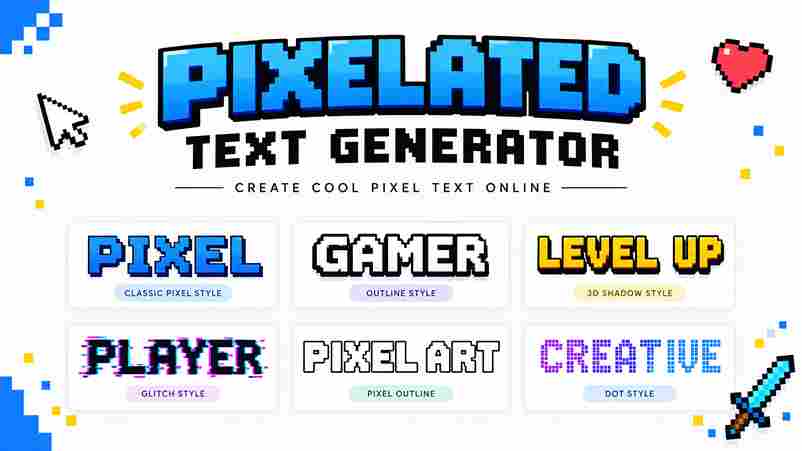
A pixelated text generator turns text graphics into deliberate pixel style compositions, placing each character pixel by pixel for clarity at a specified size. I use it when a computer screen needs readable lettering without softened edges or unnecessary smoothing. Unlike a font family download, the generator creates usable outputs immediately, supporting logos, social images, and game interfaces. Its value becomes clearest on small screen resolutions, where carefully aligned shapes preserve personality, spacing, and recognition better than ordinary type. What Are Pixel Fonts Pixel fonts are bitmap fonts built from simple blocks aligned to a pixel grid, creating sharp squares instead of elaborate curves. Their consistent format keeps text clear at small sizes, especially in retro interfaces, game art, and compact screens. Unlike regular fonts, these designs preserve perfect pixel letters through deliberate spacing and limited shapes. I find pixel fonts especially effective for UI, arcade-era visuals, gaming bios, and social media posts, where strong silhouettes matter more than typographic softness. Pixelated Text Generator Vs. Pixel Font Download A pixelated text generator produces finished lettering for game titles, retro posters, and social captions without software installations. You select a font, adjust colors, preview text effects, then save image or copy results instantly. A pixel font download suits designers building indie game UI, pixel art logos, or reusable sprites. It offers deeper control inside design software, while a generator better serves quick pixel text experiments, consistent bitmap style, and crisp exported graphics. Also Read: ASCII Generator Made Easy Pixelated Text Generator Use Cases For game branding, a pixelated text generator quickly produces pixel letters for menus, title screens, and dialogue box labels. I use multiple lines, font size, and transparent background settings to keep interface assets consistent across screens. Creators also use it for social profile names, forum posts, thumbnails, and Discord code blocks. A retro phrase can become a PNG graphic, while Unicode alternatives suit bios where image uploads are unavailable, preserving readable styling. How It Works Start by entering text into the generator, then watch the preview update in real time. I usually test short labels first, because pixel styles reveal spacing, counters, and readability before longer copy is added. Choose a variation, inspect the glyph, and adjust its pixel size until the exact pixel grid remains stable. Finally, use export for a transparent PNG, or select SVG when the artwork needs flexible scaling. Create Text Graphics With Pixel Fonts Start by choosing type your text and checking the letters at working size. I usually inspect clean edges, punctuation, and bitmap style before adjusting line spacing, because small alignment errors become obvious in compact text graphics. Next, set transparency, recolor the lettering, and export a crisp SVG when scalability matters. Keep whole-number pixel sizes enabled, then test the result against your intended background so each character retains a controlled style. Make Pixel Text in 3 Steps Start by choosing a pixel variation that matches your retro aesthetic, then type your text while watching the result as you type. I usually test short words first, because compact lettering makes spacing, contrast, and the arcade vibe easier to judge. Next, select your style, review the available 8-bit style variations, and adjust the preview until the letters remain readable. When the result feels balanced, use one click to copy it, then paste the finished text into a game bio or social profile. How To Use Pixel Font Generator Start by entering a message, then choose a pixel font library that matches your project. Test A to Z characters and 0 to 9 numbers, adjust fill, shadow, and backgrounds, then inspect the layout guide before exporting your design. I usually compare several variations while checking spacing at whole-number pixel sizes. Use resize for another canvas, invert for contrast, and PNG export when the finished lettering must remain sharp across game screens, posts, or thumbnails. Key Features A good generator should make each pixel style immediately testable, not merely displayed. I compare multiple variations against the intended retro gaming design, checking readability, spacing, and silhouette before choosing a final treatment for production. The strongest results preserve an authentic pixel style while offering an 8-bit inspired variation that suits titles, badges, and interface labels. This approach keeps the classic arcade look recognizable without forcing every project into one rigid template. Also Go: Google Fonts Generates Authentic Pixel Styles Authentic pixel styles begin with deliberate grid control, not decorative noise. I test bitmap pixel styles, pixel style variations, and 8-bit style proportions until each character retains crisp edges and readable spacing at small sizes. The strongest results balance retro fonts, Arcade 8-bit-style structure, and pixel art discipline. A carefully chosen Mario font, Zelda font, or Minecraft font can suggest its era without copying recognizable game-brand styles. Instant Preview As You Type With as you type previewing, each character appears immediately inside the selected pixel grid, so you can judge spacing, text legibility, and pixel lettering before exporting. This live response makes small edits easier to assess. I usually test short titles first, then compare pixel variation, style, and font sizes while entering longer lines. The preview reveals awkward spacing, crowded letters, and uneven edges early, helping the final pixel artwork remain clean. Copy Any Style With A Single Click A single click can preserve pixel-perfect spacing while your chosen pixel fonts remain ready for copy and paste across profiles, captions, or project notes. I test each result at practical display sizes before sharing it. The workflow keeps styled text portable: select a variation, copy it, and place it in Discord bios, Instagram bios, or other platforms without installing anything. Unicode characters carry the appearance, while apps handle the pasted result naturally. Completely Free & No Signup Needed A free Pixel Font Generator removes registration barriers, letting you test styles immediately. I can create pixel text, compare variations, and refine spacing without surrendering personal details, making quick experiments practical for everyone. Because there is no signup, the workflow stays direct: enter wording, preview the result, and … Read more
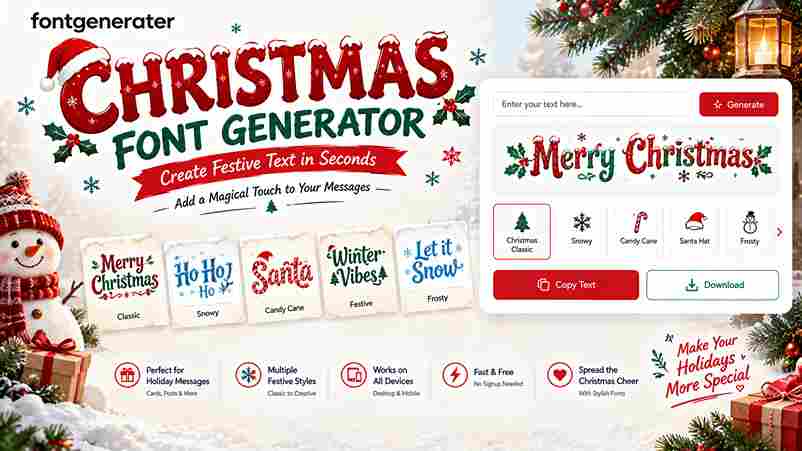
Christmas Font Generator – Copy & Paste Festive Text

Christmas Font Generator

🎄 Christmas Font Generator Make your holiday words magical ✨ Enter your text Merry Christmas Preview size 24px Clear text Choose your Christmas style 8 styles All styles Festive Classic Fancy Tip: Copy a style and use it in your holiday cards, social media posts, messages, or Christmas designs. Christmas fonts turn ordinary greetings into festive messages through holiday-themed fonts, Unicode transformations, and Christmas emojis. I begin with the input field, type a short greeting, then compare style presets until the wording feels readable, seasonal, and suitable for the intended audience. A practical workflow uses preview, copy, and paste before publication. Check the destination app, line breaks, and truncation first, because every platform handles decorative characters differently. This simple review keeps each design clean while preserving holiday spirit, personality, and clarity. How to Use the Christmas Font Generator Begin with a short greeting, then add names or a CTA before choosing a style preset. Preview multi-line greetings, adjust spacing, and compare bold sans, classic script, or fullwidth options for clear festive text. For publishing, use copy all or copy as banner, then paste the result into social posts, emails, or Christmas cards. Check readability on small screens, save favorites, and keep one plain line as an accessible fallback. Pro Tips Start with plain holiday greetings, then test bold, script, and fullwidth treatments separately before combining them. Keep one hero line, preserve contrast, and use generous spacing so festive text remains readable across devices and platforms. For faster publishing, save favorite presets, prepare 3–5 variations, and rotate them through a weekly routine. Preview dark and light backgrounds, check mobile wrapping, and keep a simple fallback ready when special glyphs fail. Why Use a Christmas Font Generator?  A Christmas font generator gives creators a faster way to produce festive messages for holiday social media, invitations, and personalized digital Christmas cards without installing a custom font or learning design software. In my experience, Unicode-based styling works especially well for plain holiday greetings, captions, and business communications because it keeps text readable across devices, supports quick copy-paste, and adds seasonal personality. Also Read: Halloween Font Generator Copy Paste Key Features Useful controls include Classic Festive, Modern Minimal, elegant scripts, clean sans, fullwidth, and monospaced options, with preview, copy, paste, line breaks, color controls, shadows, and adjustable spacing. For campaign work, batch input, preset groups, compact copy buttons, preview multiple lines, and cross-platform rendering help teams prepare templates, banners, captions, and support replies efficiently. Key Components A practical generator combines a text field, style selector, live preview, alignment controls, font-size settings, background choices, and an obvious Generate button, allowing users to type your text, customize it, and save results. The strongest workflow separates a bold sans top line, script middle line, and monospaced CTA, then checks contrast, readable sizes, spacing defaults, and mobile wrapping before publishing across channels. Where to Use / Applications and Use Cases During the holiday season, I use a Christmas font generator to prepare social posts, emails, and promotional content before December arrives. It also supports invitations, print layouts, and a Word document when one design must travel across channels. For November planning, teams can copy a greeting, download as image, or pair text-to-image fonts with campaign artwork. This approach keeps seasonal messages recognizable while adapting them for announcements, offers, cards, and short-form publishing without rebuilding every composition. Common Mistakes to Avoid Many creators choose decorative Christmas fonts before checking readability, then discover that fancy text generator results fail across devices and platforms. I always test holiday greetings in social posts, email subject lines, and banners before publishing. Another frequent mistake is crowding a multi-line banner with heavy scripts, insufficient breathing room, and weak color contrast. Use short lines, a clear message, and a plain fallback so every channel preserves the intended seasonal personality. Best Tools And Methods A practical Christmas font generator pairs online font generator previews with Unicode checks, helping a designer compare bold sans, script, and monospace treatments before publishing across devices and platforms. I usually test copy buttons, favorites, and history against social media platforms, websites, and email clients; this workflow keeps holiday greetings readable, accessible, and consistent while speeding revisions. Also Go: Canva Advanced Techniques Experienced creators often begin with the target channel, then type your text and adjust alignment, letter space, and line gap before choosing a style group. This sequence keeps Christmas-specific text styles readable across social media posts, email subject lines, and banners. For seasonal campaigns, I build stacked rows with a bold header, script subline, and fullwidth accent, checking color contrast and plain-text alternative first. I then A/B test a script headline against a bold-sans headline, measuring CTR, saves, and readability. Expanded Examples And Copy Blocks In client work, I begin with a draft base message, then compare a bold header, script accent, and fullwidth footer. This produces consistent seasonal lines for banners, captions, and email subject lines without redesigning every placement. For a compact campaign, I prepare ready captions, a product banner, an Instagram caption, and formal wishes together. I keep plain wording available, check color contrast, and retain one plain-text alternative for dependable sharing. Conclusion A reliable Christmas font generator balances festive character with practical publishing needs. In my testing, a readable, lightweight style performs better across devices, platforms, social posts, and email subject lines than dense decorative lettering. Before publishing, check commercial restrictions, Unicode behavior, accessibility, and rendering on mobile. Keep the primary keyword in ordinary text, preserve clear message hierarchy, and choose a consistent brand feel for holiday campaigns.

Sports Font Generator – Create Bold Sports Text

Sports Font Generator

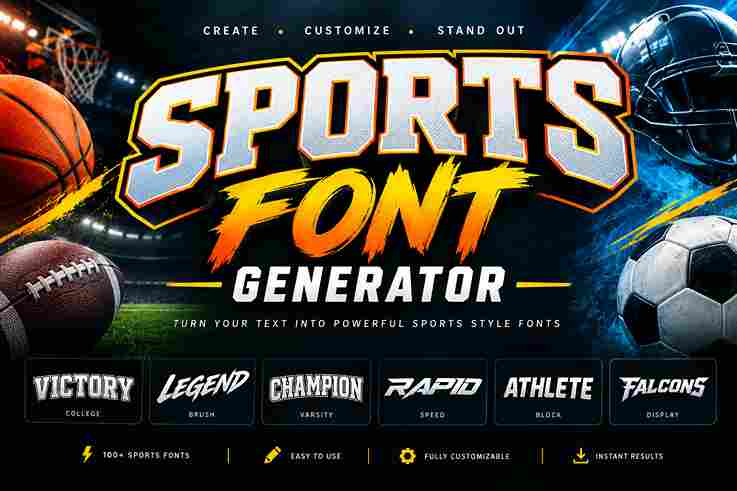
“`html Sports Font Generator Create bold, athletic and game-day style text instantly. Enter Your Sports Text CHAMPION 9/120 Sports Style Varsity BlockStadium BoldRacing SpeedCollege AthleticScoreboardEsports ArenaBaseball ClassicBasketball Pro Font Size Letter Spacing Alignment CenterLeftRight Text Color Outline Color Outline Width Shadow StrongSoftNone Quick Sports Presets 🏆 Champion 🏈 Football 🏀 Basketball ⚽ Soccer ⚾ Baseball 🏁 Racing 🎮 Esports 🥇 MVP Sports Text Preview Live Preview CHAMPION 📋 Copy Text 🖼️ Download PNG 🎲 Random Style ↺ Reset Tip: Short team names, player names, numbers and slogans usually look best with bold sports typography. Try different outline colors to create stronger jersey and team-branding effects. “` Sports typography can shape a team’s identity before a match begins. A sports font generator creates sports-inspired text with bold sports text, helping athletes build competitive profiles and communicate game-day energy clearly across digital spaces. From my experience testing styling tools, strong results come from choices matching the visual goal. A style library lets users explore generated options, compare styles, and create styled text for teams, players, and online fans. How Does The Sports Font Generator Worksame? A sports font generator takes plain text and applies visual treatment through browser-based typography, letting you test sports fonts against a custom prompt or sport preference. The live rendering reveals font looks instantly before copying. In practice, I start with a team name or player tag, then compare styles for the intended platform. A preview helps judge tone, mood, readability, and whether the final result suits a profile or post. How To Use It To use it, enter a slogan, brand name, short quote, phrase, username, or team name. Select a sport, review the instant preview, and switch between font looks until the lettering feels strong without requiring software. Once the preferred style is ready, copy the generated text and use it in bios, captions, messages, or social profile spaces. For artwork, choose PNG or JPG, especially transparent PNG when layering text over graphics. Also Read: Racing Team Name Generator – Find Unique Racing Names Enter Your Text Start with plain Unicode text, then enter your words directly; the generator applies Unicode styles on the fly without changing your message. A preview appears instantly, helping you judge the selected sports treatment before sharing. Once satisfied, use copy-and-paste for social bios, or choose image and download when graphics need fixed appearance. Since styles work anywhere text is allowed, you can reuse the result across platforms, captions, profiles, and designs. Select Sports / Compare The Styles Select a sport, then compare styles by checking how each type fits your team identity. I usually test bold athletic lettering against simpler options before choosing a perfect style for public profiles and banners confidently. Different sports need different visual attitudes, yet readable text remains essential. For team branding, review each style in real time, test short phrases, and update quickly when one treatment feels too heavy during previews today. Generate And Download / Copy And Use Anywhere Once your sports font generator text looks right, create a generated sports text variation, review the live result, then quick copying lets you move it into posts, bios, banners, or gaming profiles with minimal interruption. For finished graphics, free download options can support Figma, Canva, and other design tools; for text-only use, copy a standout lettering style directly into usernames, captions, team branding, or announcements wherever you publish simply quickly. Why Use This Sports Font Generator? I use this sports branding approach when ordinary typography feels flat: team names, game-day posts, and player graphics gain stronger presence without editing software. The athletic lettering styles help ideas feel immediate, recognizable, and competition-ready. In practice, creative text options matter because decorative treatment can add attitude while keeping sports branding clear. For school teams, fan pages, and esports squads, text creates memorable visuals, communicating energy before readers process details. 100% Free, No Sign-Up / Free And No Signup This sports font generator keeps the workflow open: free, browser creation, no forced sign-up, and no watermarks. I prefer tools that let athletes, teams, and creators test styles immediately, requiring no design skills each day. You can generate text for a team page, username, or post, then copy the result wherever needed. The output stays ready without hidden fees, complicated installation steps, or limits; service remains completely free for everyone. Instant Font Preview An instant preview lets you test athletic lettering styles before committing to sports branding. I usually compare chrome metallic typography and varsity block treatments first, because visual balance appears immediately on realistic team graphics quickly. Seeing results live reduces guesswork when creating generated sports text for team names, banners, or social posts. A clear preview also keeps styled text readable across phones and desktops, helping each design feel polished consistent. Works Everywhere A sports font generator stays practical when its output moves between tablets, browser views everywhere. From my testing, easy to read styling matters more than flashy effects, especially when designs move across screens and apps. The same approach supports team names, usernames, and generated text for commercial use without forcing a single workflow. I often test output while posting, because styling can render differently between apps, browsers, and devices reliably. Download PNG / JPG Free PNG and JPG export gives a creative graphic a practical format for sharing. I usually choose PNG when clarity matters, while JPG keeps files compact for posting across social media and quick previews before publication. For team visuals, thumbnails and event posters benefit from a clear export. Check the right look before download, then reuse the file for commercial use or projects across platforms today without rebuilding your design easily. Create Bold Sports Text In Seconds Type a short phrase, choose a preset, and generate bold lettering in seconds. I rely on copy ready styles for sports content, where memorable slogans build confidence at a glance without slowing production extra editing. During team graphics, I test bold condensed text beside clean variants before exporting. This keeps professional hierarchy intact … Read more

Stencil Font Generator – Create Custom Stencil Text

Stencil Font Generator

“`html Stencil Font Generator Create bold stencil-style lettering instantly. Customize the text, size, spacing and preview, then copy, download or print your design. Your Text 0 / 300 STENCIL Font Style Industrial BoldClean SansClassic SerifMilitary MonoModern RoundedTraditional Serif Font Size 70px Letter Spacing 1px Line Height 1.2 Text Alignment ← ↔ → Uppercase Text Bold Effect Show Bridges Copy Text Download PNG Print Stencil Reset Live Preview ● Ready STENCIL Copied successfully! “` A stencil font generator turns ordinary typing into structured printable stencil letters, letting designers test shape templates, render live, and see how your words will look before starting each new project with confidence and precision. In practice, I find a stencil font generator tool most useful when experimenting with industrial stencil, military stencil, or condensed styles, because quick previews help judge spacing, readability, and visual balance across projects before production. How The Stencil Font Generator Works / How To Use At the first stage, type your text in the editor, then compare available fonts while watching the preview update. The generator converts your wording into styled stencil lettering, letting you test spacing, weight, and readability. After selecting a style, use the result as copy-and-paste Unicode styles for profiles or captions. When the appearance is approved, save the version ready to download and place it anywhere text is allowed, without editing. Upload Fonts Upload custom traditional font files to test a preferred typeface beside your text, especially when built-in choices feel limited. I usually preview spacing, weight, and alignment first, then save the strongest result for practical projects. Custom fonts support logos, banners, gaming labels, or printable work, then be checked across the actual platform because apps may render characters differently. For commercial projects, follow licensing restrictions, always check license details before publishing. Also Read: Embroidery Font Generator Type In Your Text When working with a stencil generator, type your text first and watch the layout form around practical cutting needs. I usually keep wording short, because stencil fonts perform best when each letter remains clearly defined. A quick live preview helps confirm spacing before you commit. For projects involving Cricut or signs, cut-friendly SVG file preparation matters, while real-time checking keeps edges, bridges, and counters visually balanced during careful final production. Change Font Color Changing font color is more than decoration; it can separate details, strengthen contrast, and make a stencil design easier to read. In projects, I preview colors before exporting because screens and materials can behave differently. Use the tool to test a selection, adjust sizes, and compare high-contrast styles during real time editing. I usually update the shade while typing, then check the perfect style before creating final text graphics carefully. Browse Styles Start by browsing a massive collection where favorite style choices range from gothic and cursive forms to glitch lettering. I usually compare silhouettes first, because negative space determines whether stencil characters stay crisp at sizes. Then test 3D stencil, grunge, distressed, and bold weight options beside italic and display fonts. A quick side-by-side review reveals which slab serif or sans-serif stencil treatment best matches your project’s lettering before final export. Copy & Paste Experienced users often treat copy and paste as the real test of a stencil generator. Once text becomes Unicode, I check whether the result stays readable across Discord, Instagram, and Facebook without unnecessary visual clutter. After selecting a style, move the result into captions, messages, or game chats. Because these are Unicode characters, not images, Twitter, Google Docs, and most platforms can usually accept them easily and cleanly during testing. Download The Final Output Once the design looks right, click download to preserve your stencil as a practical asset. I usually inspect the final result first, especially when special text symbols or detailed lettering may behave differently across devices. Save the result for laser cutting or later editing, and check the font license before commercial distribution. For physical work, I recommend testing edges, spacing, and readability before committing materials or producing multiple copies carefully. Stencil Font Generator Features  100% Free, No Sign-Up Professional stencil work should not begin with installation barriers. Our stylish text generator creates stylish text in seconds, with no sign-ups, while the browser handles everything smoothly. I value this frictionless workflow online today. Because it uses copy-and-paste Unicode styles, you can move results into social media posts, gaming profiles, or text graphics without downloads. The process stays practical, easy, and fun, especially for rapid stencil concepts during testing. Instant Live Preview An Instant Live Preview helps you judge stencil spacing before exporting. I watch the textbox while letters change, because seeing previews generated on the fly makes the workflow easy and catches awkward gaps early onscreen. Choose a style and render your text without leaving the editor. As each option appears instantly, the text converted result reveals whether the design feels unique and fits your vibe before saving for confident export. Works Everywhere From my testing, a stencil generator should feel dependable across desktops, tablets, and phones, because creators switch screens constantly. The best tools use Unicode fonts to keep styled text practical wherever projects begin and evolve. It also helps when mobile users move from gaming platforms to social spaces; the same copy-pasteable text can become text graphics quickly, then support personalized designs without requiring actual font files anywhere across devices globally. Mobile Friendly Designed for phones, this stencil font generator runs entirely in a mobile browser, requiring no installation. I find live previews especially useful when testing Unicode text styles, spacing, and bold stencil effects on smaller screens. Because it works with hosted fonts, you can create stencil text anywhere text is allowed, then copy results for profiles, posts, or designs. Responsive controls keep Browse Styles, colors, and outputs comfortable on mobile screens. Vast Library Of Unicode Fonts From testing, a largest selection helps because a collection of stencil fonts puts favorite stencil fonts beside real stencil fonts. Unicode characters broaden styled letters across modern platforms, while highest quality output preserves clear … Read more

Russian Font Generator – Generate Cool Russian Text

Russian Font Generator

Russian Font Generator Create stylish Russian and Cyrillic text with beautiful font styles, colors, spacing and effects. Enter Your Russian Text Привет, мир! Font Family ArialGeorgiaTimes New RomanTrebuchet MSVerdanaCourier NewSegoe UIImpact Text Alignment CenterLeftRight Choose a Style 14 / 1000 Русский Classic Русский Elegant Русский Bold Русский Typewriter Русский Outline Русский Shadow Русский Neon Русский Gradient Русский Spaced Русский Soft Customize Your Text Font Size 56px Letter Spacing 0px Text Color #171923 Background #FFFFFF Live Preview LIVE Привет, мир! Copy Text Random Style Download PNG Reset A Russian font generator is an online tool that creates Cyrillic letters and Unicode text with varied font styles. From my testing, copy and paste output makes experimentation quick for profiles, designs, and creative projects. Despite the name, many generators produce Cyrillic-style lettering rather than authentic typefaces. A useful text converter can offer 30+ styles, real-time preview, and flexible download options, helping creators test readable results before publishing across platforms. What Is A Russian Font Generator? A Russian font generator reshapes ordinary text into decorative Cyrillic lettering for posters and digital art. It can mimic Soviet-inspired aesthetics while retaining selectable Unicode characters that remain easy to copy, paste, and share anywhere. In practice, I treat these as style translators, not language converters; they combine Russian fonts, Cyrillic symbols, and choices. Some outputs use plain Unicode, while outputs depend on hosted fonts, so results vary across platforms. Also Read: Roman Numeral Font Generator How To Use / How It Works To use the generator, type your phrase and watch live previews appear through real-time generation in the browser. The tool creates a Cyrillic-inspired style, letting you copy-and-paste the result without installing font files first today. From my testing, the practical workflow is preview, refine, then export through download or image output. Because platforms render Unicode differently, test the finished text on your actual platform before publishing or sharing online. Why Use / Features / Benefits  Russian font generators add a distinctive visual layer without requiring installation. I often use them for digital content, captions, usernames, and headers when ordinary lettering fails to stand out, creating immediate attention for readers quickly. Beyond appearance, gains include professional presentation, stronger interaction, engagement, and flexible styles. For gaming profile identities, unique identity and username choices from a fancy text generator help create memorable names, while preview keeps results readable. Also Read: Chinese Font Generator Social Media On social platforms, I often use stylish Cyrillic-style text for profiles, captions, and comments because Unicode-based designs add personality without requiring a font file or complex editing. A copy button keeps publishing quick during posting. For branding experiments, I compare Instagram, Facebook, Twitter, TikTok, WhatsApp, and Telegram before posting, since each platform may handle decorative Unicode styles differently. live previews help me check readability before sharing to a broad audience. Gaming  For gaming, a Russian font generator can turn ordinary nicknames into distinctive profiles using Unicode, special characters, and Cyrillic-inspired styling. I find these combinations especially useful when players want recognizable names without installing extra software. On Discord and modern game communities, live previews help players test readability before sharing. Mobile users benefit from no installation, while copy image options suit banners, thumbnails, team posts where styled text needs visual consistency. Also Read: Arabic Font Generator Digital Content Digital content benefits when Russian-inspired styling remains practical: online keyboard input, live previews, and Unicode characters let creators test headings before exporting PNG graphics or an SVG asset for websites and social posts across platforms. I usually recommend checking Cyrillic script display in modern apps after styling, because character filtering can alter results. Saving a font file or downloadable images also keeps digital assets consistent across editors and devices reliably. Font Preview & Download A preview should expose Fraktur, Bold, Italic, Script, Monospace, and Fullwidth choices. I inspect combining marks, Circled letters, reversed output, and flipped forms, because distorted text can render differently when copied between browsers or tools. For delivery, choose Sans-Serif, then download the result as an image download or preserve font files when available. I test short text, headlines, logos, SVG, PNG, and tattoos on mobile, browser, and desktop screens first. Copy & Paste Font Styles These font styles become practical when an input box lets you enter text and compare instant previews before copying. I usually test 30+ styles, then use one-click copy for readable gaming names and paste anywhere. For social profiles, I favor simple variants over crowded decoration: Twitter, Instagram, TikTok, and Facebook may display characters differently. Feeds can look polished, while comments and a bio remain easier to scan consistently everywhere. Tips For Best Results Start by comparing a few display fonts on the same phrase, then inspect spacing, punctuation, and letter shapes before choosing. I usually test first across browsers and creative projects because rendered characters can change visually. For social posts or game profiles, keep a readable primary style and reserve decorative variants for emphasis. Check Copy Input, one-click copy, and no watermarks before sharing, especially when preparing clan name text online today. Also Read: Greek Font Generator Russian Font Generator For Tattoos, Logos And Posters Designers often treat Russian-inspired lettering as a visual system rather than a literal language choice. For tattoos, gothic details can create sharper identity, especially when combined with the Cyrillic alphabet thoughtfully and respectfully by design. For logos and posters, I usually compare several outputs at working size before selecting one. Script can feel expressive, while high-contrast forms suit print and a custom font can keep projects visually consistent across applications. Custom Rules & Tips For custom rules, I usually keep substitutions clear, especially when switching between Latin and Cyrillic-inspired styling. Test unusual characters in small doses, because dense decoration can reduce readability across profiles, browsers, and devices before publishing. When setting a personal rule, compare the rendered result with your original text before saving. Check bios, commercial use, and font license requirements separately, since an effect may look harmless while permissions remain different platforms. Old Russian Characters Old Russian … Read more

Embroidery Font Generator – Create Embroidery Text

Embroidery Font Generator

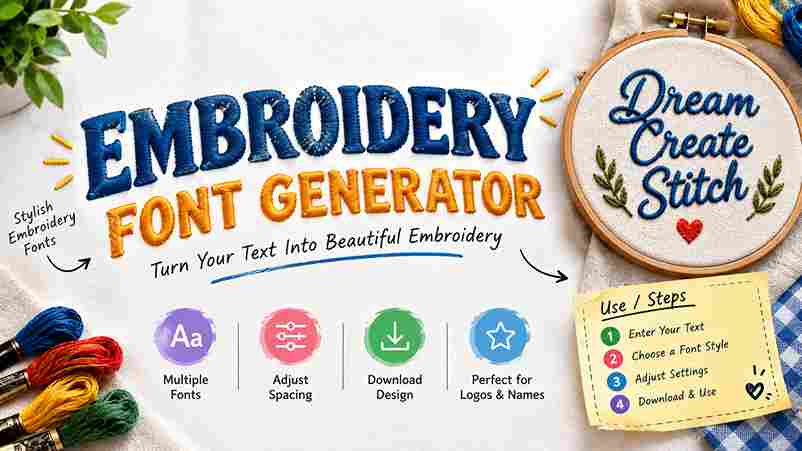
Embroidery Font Generator Create custom embroidery-style text with different fonts, stitch patterns, thread colors, spacing, density and backgrounds. Download your design as a PNG. Your Text 0 characters EMBROIDERY Font Style Bold BlockStrong ImpactClassic SerifRounded ModernTypewriterScriptHandwrittenElegantWestern Stitch Style Satin StitchDense Fill StitchRunning StitchCross Stitch Font Size 100px Letter Spacing 2px Stitch Density 5 Stitch Angle 35° Line Spacing 1.2× Outline Width 2px Thread Color #B8860B Outline Color #6D4C09 Background Color #FFFFFF Design Options Transparent Background Thread Highlight Soft Shadow Auto Fit Text Generate Design Random Style Copy Text Download PNG Reset Embroidery Preview Ready to generate This tool creates a visual embroidery-style text design for digital use and PNG export. It does not create professional machine embroidery files such as DST, PES, EXP, or JEF. An embroidery font generator turns typed lettering into a visual embroidery concept, letting designers test font style, letter spacing, word spacing, and preview details before committing stitches to fabric, products, or apparel across common projects. From my workflow, useful tools balance readable letters with practical production choices, using millimeters, a stitch path, and a machine-ready embroidery file, so names, monograms, uniforms, caps, and patches remain clear after sewing on garments. Embroidery Font Generator Use / Steps Start by typing your text into the embroidery font field, choose a font, adjust letter spacing and word spacing, then review the layout before pressing the Generate button to create a preview before stitching begins. Next, select colors and a suitable size, check stitch density, confirm background color, and use transparent PNG or PES output when needed. Finally, use image download to save the design and test it before sewing. Features Useful features become obvious when the generator delivers a realistic embroidery effect, preview before sewing, fixed physical size, and sharp letters, helping designers judge scale, spacing, and thread behavior before production starts with confidence today. For practical workflows, browser access, free creation, no upload, no login, and support across tablet, phone, and any device make customization faster, while a machine-ready embroidery file keeps output convenient for everyday stitching tasks too. Also Read: Stencil Font Generator Benefits / Who It’s For From my workflow, embroidery text is most useful for e-commerce operators who need personalizing without manual tracing. Shoppers can preview names on caps, bags, and towels, while uniforms gain consistent lettering for repeat orders reliably. The practical benefit extends to gifts and branding: initials and monograms create a personal touch, while a short word keeps stitching manageable. I’ve found these choices especially effective when matching products, audiences, and production limits. Types Of Embroidery Font Styles Embroidery styles differ by stitch behavior, not simply appearance. Satin columns, running-stitch outline, fills, letter outline, and single-color running stitch produce different lettering effects, while stitch coordinates influence spacing, density, and fabric coverage on products. Some styles prioritize detail; thin letters suit smaller sizes, while bold letters and filled letters demand hooping and firm stabilizer support. I compare font previews before personalization, checking alignment problems, puckering, and final stitch-out clarity. Categories Embroidery font categories become clearer when organized by stitch behavior rather than appearance alone. I usually separate script, block, monogram, and varsity lettering first, then test density, spacing, and thread direction on actual fabric carefully. For decorative projects, cursive, chain stitch, cross stitch, 3D puff, and needlepoint styles each require different digitizing decisions. In practice, choosing the right style depends on fabric weight, hoop limits, readability, and stitch stability overall. Where To Use Embroidery Font Generator An embroidery font generator fits neatly into product personalization, especially for aprons, towels, bags, and labels. I use it when a client needs names, initials, or team branding previewed before production with better placement decisions. It also works for website logo projects, boutique monogram pieces, and repeat label runs. For machine work, exporting a PES or DST file helps connect digital lettering with practical stitching requirements before sending work onward. Embroidery File Formats Explained Choosing a file format is less about decoration and more about whether the embroidery software can prepare a dependable stitch plan for target commercial machines. DST remains the most widely supported option across production environments. For home machines, manufacturers may prefer a native format, so I check the machine brand before exporting. Pfaff, Babylock, Janome, Brother, Bernina, and Ricoma setups can differ in acceptable formats, settings, and transfer methods significantly. Conclusion After testing different workflows, I find digitizing quality matters more than decorative effects. A strong embroidery font generator turns typed words into clean, machine-ready output, balancing spacing, needle movement, and readable detail for consistent results. From production work, I have learned that preview accuracy builds confidence before stitching begins. Choosing suitable fonts, stabilizer, and export settings helps preserve the intended appearance across garments, logos, gifts, and professional orders with confidence.

Repeat Text Generator – Copy & Repeat Text Easily

Repeat Text Generator

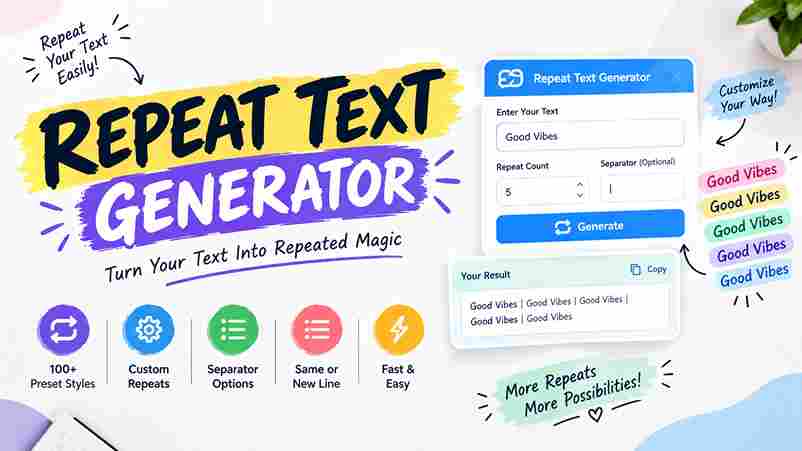
Repeat Text Generator Instantly repeat text with custom separators, indexing, & formatting Reset All Input Text ✨ Load Sample | Clear Repetition Count (Max 10,000) Quick Add: +10 +50 +100 +500 +1000 Separator Between Repeats New Line (\n) Space Comma ( , ) Semicolon ( ; ) Custom Advanced Formatting & Indexing Number Indexing None1. Text1) Text[1] TextCustom Format ({i}) Index Pattern ({i} = Number) Case Transformer Original CaseUPPERCASElowercaseTitle Case Prefix (Before each)

Roman Numeral Font Generator – Convert Numbers to Roman Numerals

Roman Numeral Font Generator

Roman Numeral Font Generator & Converter ⅩⅦ ROMAN NUMERAL GENERATOR Unicode Fonts, Dual Converter & Tattoo Date Tools 🌙 Dark Mode ✨ Font Generator 🔄 Number Converter 📅 Date & Tattoo Tool 📜 Reference & Rules Input Number, Year, or Text Clear All Styles Tattoo Favorites Classic Unicode Aesthetic & Bold Enclosed & Symbols Decimal Number ➔ Roman Enter Integer (1 – 3,999,999): Roman Numeral MMXXVI 📋 Copy Result Roman Numeral ➔ Decimal Enter Roman Numeral (e.g., MCMXCIV): Decimal Value 2026 📋 Copy Result 🔍 Step-by-Step Mathematical Breakdown Tattoo & Wedding Date Inscription Generator Month 1 – January (I)2 – February (II)3 – March (III)4 – April (IV)5 – May (V)6 – June (VI)7 – July (VII)8 – August (VIII)9 – September (IX)10 – October (X)11 – November (XI)12 – December (XII) Day Year Select Separator Style: Dot ( · ) Dash ( – ) Slash ( / ) Diamond ( ❖ ) Bullet ( • ) Popular Inscription Formats Basic Roman Numeral Chart Symbol I V X L C D M V̅ X̅ Value 1 5 10 50 100 500 1,000 5,000 10,000 Fundamental Rules Additive Rule: When a smaller symbol appears after a larger symbol, add them together (e.g. VI = 5 + 1 = 6). Subtractive Rule: When a smaller symbol appears before a larger symbol, subtract it (e.g. IV = 5 – 1 = 4). Repetition Limit: Do not repeat I, X, C, or M more than 3 times consecutively. Vinculum Bar ( Overline ): A bar over a numeral multiplies its value by 1,000 (e.g. V̅ = 5,000). Common Years Quick Copy ✓ Copied to clipboard! A Roman numeral font generator converts whole number values into Roman numeral text, combining Unicode styles, letterforms, and instant live preview. I use it when an editor needs accurate converted value and copy text consistently. The workflow is practical: enter digits, receive a converted value, then paste into Instagram, TikTok, or Discord. For 1 to 3999, the uppercase Roman numeral sequence stays easy to inspect, copy, and reuse in typography. How To Use The Generator Start by entering whole numbers, then let the Roman numeral font generator produce a valid result using standard notation. Watch the preview as each conversion appears, checking the displayed style before copying the text manually. Then choose among 30 variations, inspect the real time output, and use one-click copy for social platforms, profiles, or headings. I recommend comparing readable styles first, particularly when adding Unicode characters to designs with care. Also Read: Russian Font Generator Instant & Accurate Conversion Roman numeral conversion becomes reliable when valid uppercase Roman sequences are produced instantly, allowing instant live preview before copying. I regularly test unusual values to catch formatting issues and confirm each result looks clean onscreen. For practical work, the generator keeps conversion fast and supports copy and paste Unicode text, so results move easily between bios, captions, social posts, and messages across common platforms, reliably every time, with confidence today. One-Click Copy & Universal Compatibility With ready-to-use output, a Roman numeral generator lets users create numbers instantly, then copy and paste them into documents, chats, bios, or designs. From my testing, the simplest workflow feels fastest across modern platforms today. Because Unicode support replaces a traditional downloaded font, compatibility depends on character support. A lightweight browser workflow works across phone, tablet, desktop, and laptop environments, requiring no installation and keeping copying useful for everyday use. Intuitive Popup Validation An intuitive popup message can flag invalid number entries before rendering begins, keeping the preview area clean. Instead of silently failing, the generator explains required correct input, helping users recover quickly without restarting conversion again. From my testing, popup validation feels most useful when feedback appears immediately after unusual entries. A valid number, including 1 and 3999, can proceed, while unsupported values trigger popup message guidance and preserve generated symbols. Instant Font Preview A live preview is most useful when styled numerals change instantly, letting you inspect spacing, weight, and character shape before copying. The perfect style becomes visible as you type, reducing guesswork and keeping result deliberate. In practice, update as you type feedback helps Roman numeral sequences stay readable across gaming profiles and branding details. I check each variation within seconds, because comparison reveals crowded characters or uneven spacing before copying. Also Read: Chinese Font Generator Copy Ready Styles  For styles meant for quick copying, I test short phrases, dates, and usernames across common profiles first. This produces a refined look without forcing extra editing, especially during everyday use across social platforms with ease. For visual projects, I favor practical Roman numeral variants that paste cleanly into captions, bios, and layouts. Premium visual style can remain distinctive while design choices stay readable and flexible for meaningful moments, personal branding. Creative Text Options Creative layouts let Roman numeral text shift between tattoo reference, profile details, captions, and headings without becoming difficult to read. I often recommend stylish variations when a meaningful number needs a classic yet distinctive presentation. Different styles can frame a year, birthday, anniversary, or design element with visual character while preserving recognition. For practical projects, I test uppercase treatments, spacing, and symbolic accents before carefully choosing the final Roman-inspired arrangement. Elegant Date Styling Elegant date styling turns ordinary milestones into deliberate visual statements, especially for wedding dates, birth dates, and anniversaries. I often test XII, IX, month, day, and year arrangements before choosing the cleanest final result personally. From practical projects, separating each date element creates balance through a clear date format, while Roman styling adds character. Using MCMXC or MMXIV can reinforce personal history without overcrowding captions, invitations, or tattoo lettering consistently. Clean Visual Impact Roman numeral styling gains impact through neat spacing, balanced proportions, and high-contrast styles that keep symbols readable. I find this approach especially effective when a short text treatment needs elegance without visual clutter online today. For dates, titles, and identifiers, a sophisticated look often comes from restrained formatting rather than decoration. Classic Roman-inspired characters create an … Read more

Star Font Generator – Generate Unique Star Text

Star Font Generator

Star Font Generator ✦ ✨ ✦ Aesthetic Star Generator ✨ Star Font Generator Create aesthetic starry Unicode text, sparkling borders, and celestial fonts for Instagram, TikTok, Discord, and Roblox. ✨ Enter Your Text Here 0 chars • 0 words Star Aesthetics Original UPPER lower Title Case 🌟 Sample ✕ Clear ✦ Custom Star Decorator Builder Quick preset surround builder ★ [Text] ★ ✦✧ [Text] ✧✦ ╰┈➤ [Text] ✨ ✪ [Text] ✪ ༺★༻ [Text] ༺★༻ ⋆⁺₊⋆ [Text] ⋆⁺₊⋆ Prefix Star Suffix Star Live Preview ✦.┈━═ Star Aesthetics ═━┈.✦ Copy Custom Text ✨ 🔍 ✨ All Styles ★ Star Borders ✧ Aesthetic (⁠⁠╹⁠◡⁠╹⁠) Kaomoji 𝔄 Fancy Fonts ⭐ Favorites ✨ Copied to Clipboard! Ready to paste A star font generator turns ordinary typing into decorative text by combining Unicode characters, symbols, and visual styles. It gives creators quick copy and paste results for names, bios, profiles, and messages online today. From a practitioner’s perspective, testing across devices shows the strongest results balance aesthetic detail with readable presentation. Users can explore stars, sparkles, patterns, and different style while keeping decorated text practical for profiles and chats. What Are Star Fonts / Star Symbols? Star fonts are not separate typefaces; they are Unicode stars and decorative symbols placed with normal text to create star decorated fonts. Common marks such as ★, ☆, and ✦ add structure, emphasis, or character. In practical use, these symbols turn ordinary typing into fancy text, text art, or stylish text for bios, captions, and social profiles. I often treat them as visual accents, balancing aesthetic, creative, and readability clearly. How To Use The Star Font Generator Start by entering your text, then let auto-generation display 120+ star font styles through real-time previews. I usually compare several options before using one-click copy, especially when readability matters across profiles and messages today smoothly. For smoother work, keep the current browser open and test results on all devices. The mobile friendly interface needs no sign-up, making quick experiments practical when you want a polished star style without interruptions everywhere. Also Read: Create Gorgeous Bubble Font Generator Instantly Free Features It offers a free tool for creating star symbols, stylized fonts, and decorative symbols without software. Users can make text art, preview designs, then copy and paste polished results for profiles, chats, usernames, or posts. The feature set supports customizable star styles, quick copying, and platform use, helping creators add a magical and eye-catching identity. From social profiles to gaming tags, results stay convenient, expressive, and ready for everyday sharing. Benefits Of Star Fonts Star fonts give ordinary messages a clean look while adding decorative style and a pro-level aesthetic. For creative names, dreamy details can attract extra attention, especially when profiles need visual distinction across busy social feeds. For active users, gaming usernames become more memorable, while personal messages gain a polished identity. I often suggest four-point stars, solid star ★, or glowing star ✪ when emphasis should stay noticeable yet uncluttered naturally. Where / Who To Use Star Fonts (Use Cases & Platforms) Star fonts fit places where identity matters quickly: gaming usernames can frame a player name, while Instagram bio text adds personality. I often see TikTok creators using decorative designs to separate short posts and captions. Beyond social media, Discord communities use stars around tags, and Facebook posts can gain an aesthetic touch without changing the message. For branding, Twitter profile text and email signatures can create consistent online branding. Types Of Stars / Star Font Styles Star font styles differ mainly by silhouette, density, and surrounding marks. A solid five-point star feels energetic, while a hollow star creates lighter spacing. Circled stars add a compact badge-like finish for names and identity. More expressive options combine four-point sparkles with decorated lettering, while fullwidth layouts change spacing and visual weight. I often test fraktur, script, and bold sans variations beside simpler star symbols before choosing a final style. Creating A Stellar Aesthetic Creating a stellar aesthetic begins with restraint: combine subtle sparkles and a glowing look around phrases, then balance spacing, letter weight, and symbols. In my experience, this keeps creative lettering polished without making lines compete. For profiles, I often pair soft typography with star accents, using star borders selectively beside names, captions, or aesthetic bios. A measured Mix Fonts approach can add personality while preserving readability across screens and layouts. The Pro Gamer A pro gamer treats a nickname as part of competitive identity, so I usually test gaming usernames with Unicode stars, readable spacing, and supported characters before publishing. This keeps branding sharp without risking awkward display. For titles and profiles, Free Fire, PUBG, and Call of Duty Mobile players can personalize names with universally supported symbols, while checking each name-change field because some games may restrict symbols. In practice, these details keep stylish branding practical during competitive play. The Dreamer For a dreamer, star fonts turn ordinary messages into celestial text styles, adding a sparkle that suits reflective usernames, profiles, and captions. I often pair ☆ with simple wording because restraint keeps the mood memorable. For a softer identity, I use star-decorated letters beside short phrases, then test the result across mobile and desktop views. This approach feels personal yet practical, especially when Instagram bios need decoration without sacrificing readability. The VIP A VIP username should feel selective, not overloaded. I usually pair VIP usernames with restrained starry styles, then test layouts before choosing a prestigious identity that feels distinctive, readable, and intentional across platforms and profiles. From experience, the strongest look comes from balance. Bold fonts can establish presence, while decorative appearance adds status without clutter. A carefully spaced star symbol can strengthen a distinct identity and keep the profile memorable. Best Practices For Using Star Fonts I usually treat star fonts as accents, not decoration everywhere. A few sparkle effects can create a minimalist vibe, while repeated symbols may weaken readability. Match the star style with your message, audience, and platform. From experience, the strongest results keep important text readable and use symbols … Read more

Wavy Text Generator – Generate Cool Text Effects

Wavy Text Generator

Wavy Text Generator Your Text Font Size 48px Wave Height (Amplitude) 15px Animation Speed 1.5s Text Color Generated HTML/CSS Copy Code A wavy font generator turns regular text into expressive typography, giving messages a dynamic look without installing font files. In practice, I find Unicode characters especially useful because they create flexible styling for digital projects. For creators, a playful wavy treatment can add movement to TikTok captions and graphics while keeping copying simple. The generator instantly transforms typed characters into decorative styles, helping creative designs feel distinctive across modern platforms. What Is A Wavy [Text/Font] Generator? A wavy text generator is an online tool that changes ordinary writing into visually appealing characters using a flowing double tilde accent, giving each character a gentle ocean-like motion without creating an image with ease. Its practical value comes from styling: enter a phrase, inspect the result, then copy it for social media content, headings, or relaxed content when a chill wiggly font appearance suits the message on platforms today. Also Read: Stacked Text Generator – Copy & Paste Stylish Text How To Create/Use Wavy Text In my testing, type the phrase into the online tool, choose the double-tilde wavy styling, and preview it. Keep wording short; Combining Double Tilde marks may shift with platform rendering, affecting letter spacing before publishing. Then copy and paste the finished key phrases into Instagram, Discord, or another text field. Check the appearance on mobile devices, adjust the font or style, and download the version that stays clear everywhere visually. Where / When To Use Wavy Text Wavy text fits social captions, gaming names, stories, and promotional graphics when ordinary typography feels rigid. I often use a wave-like pattern for memorable branding, especially where a dreamy effect adds personality without overwhelming messages. Use it on Instagram bios, Discord names, or Spotify playlist descriptions when you want accents that remain readable. Layouts transparent background and draw curved text options help upload image posts, while business slides need restraint. Wavy Text Generator Features The strongest feature is controlled styling: users type or paste text, choose double tilde accents, and instantly produce wavy font styles with no downloads. The copy button keeps the finished result practical for everyday publishing. In my testing, useful flexibility comes from standard Unicode support, 100% mobile-friendly output, and styling that remains visually appealing across Instagram, Discord, and other platforms. Features also cover letters and digits, giving creators broader control. To Make Your Stories, Videos & Presentations Shine Professional creators can turn slides into lively visual moments by giving titles a wavy effect that feels subtle yet evocative. In my experience, this treatment works especially well when presenting flowing motion without distracting viewers. For stories and videos, overlays can carry a beach vibes mood, while presentation headings gain personality through dreamy styles. Keep the treatment concise, because decoration can compete with images, charts, and speaker messaging on screen. Flowing Ocean Vibes With The Wavy Text Generator I often shape Ocean moods with waves, letting surf language guide the rhythm. A short phrase can feel dreamy when Flow is controlled carefully, giving coastal typography a relaxed presence across modern social profiles today. For beach posts, I pair wavy lettering with chill spacing and soft styling. The result adds movement without animation, creating visual energy that suits captions, headers, playlists, and coastal designs for relaxed beach branding today. Flowing Wavy Text Phrases Ready To Copy From my own testing, ready-to-copy lines stay strongest when compact: “ride the wave” suits relaxed posts, while “Stay Cool” works for casual profiles. Copy-paste functionality keeps experiments fast, and creative style adds personality without clutter. I often pair “ocean-like aesthetic” wording with surf content, then check how the Unicode combining character renders on phones. A dependable phrase should feel distinctive yet readable, especially when repeated across profiles, captions, and designs. Double The Marks When I test wavy text, combining tilde characters create a clearer visual rhythm than heavy decoration. Adjusting different heights introduces subtle variation, while the result remains readable across short labels, captions, and usernames daily today. For polished styling, a wide tilde can offer a suggestion of motion without overwhelming letters. I usually keep spacing controlled, because the wavy treatment should support the message rather than become the message itself visually. Double The Restraint Most designs improve when creators keep it short. Using 1-6 words can carry enough impact, while full paragraphs become visually tiring, especially when each letterform receives decorative marks. Restraint keeps wavy text useful online today. In my practical testing, lowercase text often pairs well with soft aesthetics and muted color schemes. That combination keeps decoration balanced, helping a wavy phrase feel intentional across profiles, headers, and casual social posts daily. Wavy Accent Styling Tips And Technical Notes On real projects, I keep wavy accents restrained: check single combining mark behavior, inspect word boundaries, and test modern systems before publishing. This avoids inconsistent rendering while preserving a clean ripple aesthetic across interfaces consistently. From experience, I also test paired spans against the Separator choices, because decorative marks can collide when styles change. Keep accents lightweight, verify copy behavior, and compare display results on each target platform before release carefully. More Flowing And Aesthetic Typography Styles More flowing typography comes from balancing wavy curves with readable spacing, not simply adding decoration. I often pair flowing characters, gentle motion, and a restrained wavy accent to create movement that remains practical for captions. For stronger visual variety, experiment with arc text, circular text, and a subtle outline, then test the result across social media, gaming profiles, and website headers. This creates distinctive styles without sacrificing readability or balance. Why Choose Text To Font? I choose text-to-font tools when speed and control matter: they let me customize styles instantly, test eye-catching wavy fonts, and keep creativity moving without installation. For projects, free access and no signup remove friction. In practice, this approach suits gaming, lo-fi aesthetics, and social media bios because stylized lettering adds personality without rebuilding artwork. I also find … Read more