
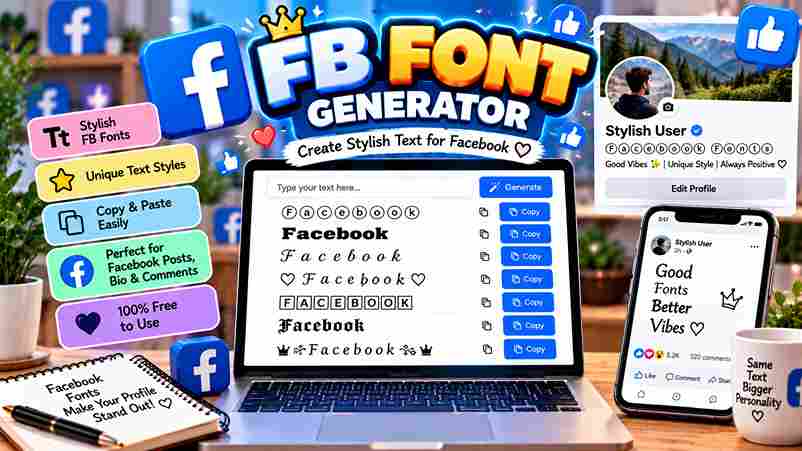
FB Font Generator
Type your text below to generate stylish fonts for Facebook, Instagram, and X.
Every seasoned social media user knows plain text fades into the feed. A Facebook text generator uses Unicode symbols to produce visual styles, turning posts, comments, and profiles into standout content with no design skills.
What sets this online tool apart is its ability to generate cool fonts with just a copy and paste action. No software, no installation — just stylish text ready for your Facebook bio, message, or app.
Table of Contents
What Is a Facebook Font Generator?
A Facebook Fonts Generator is a free online tool that converts simple input text into cool styles using Unicode characters, acting exactly as a Facebook Font Changer for quick copy and paste across all platforms.
Beyond alternative terms like Facebook Cool text generator or Facebook Stylish font generator, this tool handles emojis, fancy fonts, and symbols — helping users decorate statuses, names, and FB profile name with real individual expression daily.
What Are Facebook Fonts?
Facebook fonts aren’t actually standard fonts — they are special Unicode characters that appear as stylish styled text across multiple devices and browsers, using a universal encoding system rather than installing any traditional font formatting software.
Think of them as a series of symbols that directly map to alphabetic symbols — calligraphy style, cursive, gothic, or bold forms — sourced from font generators, giving your Facebook profile unique visual appeal without any code.
Also Read: Stunning Instagram Fonts to Stand Out
What Is a Facebook Font Changer?
A font changer is essentially a converter tool built directly into a website that lets you type plain text and instantly transform it into styled characters across social media apps like Instagram, Twitter, and Threads.
Most people don’t realize how deeply font selection shapes social media content — shifting appearance with beautiful fonts, fancy text, or diverse font styles across TikTok, Tumblr, Email, text message threads, letting you customize everything effortlessly.
How to Use the Facebook Font Generator
Step 1 — Type Your Text
Simply open the input box, type your desired text, and watch multiple font styles appear instantly. No registration, no complicated setup — just creative freedom that transforms plain words into something visually striking and uniquely expressive.
From my own experience using these generators, the real advantage surfaces here — a single keystroke updates every style variation simultaneously, giving you a live preview without ever leaving the page or refreshing your browser window.
Step 2 — Copy Your Favorite Style
Scrolling through the results reveals something satisfying — each row shows your generated text rendered in a distinct font style. The one that catches your eye becomes your favorite, ready for immediate use across any platform.
One click copies the entire style to your clipboard. I’ve tested dozens of generators, and the best ones make this step effortless — no manual selection, no dragging, just a single tap with instant confirmation displayed.
Step 3 — Paste on Facebook
Your copied text works everywhere — drop it into a Facebook bio, a post, or a comment, and the styled characters retain their appearance perfectly, displaying exactly as intended without any formatting loss or visual distortion.
Beyond Facebook, the same paste works seamlessly across Instagram captions and most messaging apps. Unicode-based styling carries across platforms without conversion — what you copy from the generator is exactly what recipients see on their screens.
STEP 1
Before anything else, visit a reliable Facebook Fonts website — not every tool delivers consistent output. Testing several options confirmed that quality varies significantly; navigating directly to a trusted source saves considerable time and early frustration.
The landing page layout matters more than most users actually realize. A clean, well-organized interface signals reliability — cluttered designs with excessive ads often indicate poorly maintained tools that may not generate accurate Unicode output consistently.
STEP 2
Once on the tool, locate the input section — typically labeled “Enter Your Text Here” — and type your desired text directly. This single field is where everything begins; the generator reads every character you enter immediately.
Avoid overthinking what to write initially — experiment freely. A name, a phrase, or even a single sentence works equally well here. The preview updates in real time, so experimentation costs nothing but a few seconds.
STEP 3
The tool automatically generates styled output the very moment you finish typing. No manual action is needed — the system processes your input and renders all variations suited to Facebook, Twitter, and Instagram in one pass.
Every style has a copy button — just click to grab it. Whether your destination is Email, a text message, or a social platform, the Unicode characters paste cleanly without any formatting being lost in transfer.
STEP 4
This final step is where creative work becomes visible. Paste your chosen text wherever intended, then share — your styled content now carries a distinct identity that stands apart from everything surrounding it on the feed.
Return to the website anytime you need fresh variation. Audiences respond positively — they like styled posts more than plain ones, particularly when the chosen font aligns naturally with the tone of your content being shared.
How to Change Font on Facebook
Changing the font on Facebook isn’t done through settings — you rely on a font generator online. Paste stylish fonts directly into your Facebook bio, post, or comment sections to instantly transform how your text appears.
The trick most everyday social media users miss is choosing the right font style for context. Gothic Text works for mood-setting, while Sans-Serif Bold adds clarity to announcements without overwhelming your profile appearance or engagement.
How Copy and Paste Facebook Fonts Work
Most people don’t realize that copy paste features entirely bypass Facebook’s default font restrictions. When you use an FB font generator and online generator, stylish characters appear as Unicode standard symbols — no formatting tricks required.
Global standard alphabets encoded across computers, mobile devices, Google, and Apple ensure that special characters always render consistently. Simply type your text into the input box, click copy, and paste your stylish Facebook text instantly.
Benefits of Using Facebook Fonts
Fancy text fonts naturally elevate social media profiles beyond standard letters. Using bold letters, cursive text, or aesthetic styles helps highlight key messages, giving your Facebook status and bios a noticeable personality that captures attention.
Content creators and businesses use Facebook font generators to build brand identity without technical effort. From profile bios to timeline posts, styled Unicode text keeps appearance fresh, letting you personalize your entire platform presence effortlessly.
Popular Facebook Font Styles
Facebook font styles span from Bold Text and Sans-Serif Bold Italic to Script Text. Gothic Bold and Double-Struck apply Bold Mathematical Unicode Characters, delivering an elegant, handwritten style with strong visual impact in every post.
Decorative and aesthetic fonts like Fraktur Text and Blackletter Text transform Facebook Italic Text using Double Struck Characters, making each style truly artistic. This creative text approach elevates profile customization beyond Normal generic visual posts.
Bold Text
Facebook bold text works through Unicode text, bypassing the complete lack of built-in font customization. These special characters simulate visual weight across phones, tablets, and desktop, making any profile or Facebook page stand out instantly.
Math sans bold and Math bold are among the most trusted font styles for emphasis. Using a font generator, users can add bold to posts, comments, status updates, or business pages without downloading anything extra.
Italic Text
Italic styling on Facebook fundamentally reshapes visual impressions beyond a simple slant. Through decorative shifts in text styles, each aesthetic choice redefines personality, turning ordinary letters into something distinctly expressive across any social media app.
Math bold italic and Bold Italic reveal how script precision functions within Mathematical Double-Struck Unicode Characters. Applying stylish symbols with fancy text elevates your design, highlighting important information and defining a distinct FB Font Style.
Cursive / Script Text
Personal expression through cursive text gives personal profiles a truly distinct voice. Cute fonts built on Mathematical Unicode characters let you generate flowing scripts that elegantly elevate Facebook art beyond what regular fonts can offer.
Math bold script and Script Bold suit story posts, photo posts, and long-form posts better than basic FB fancy texts. Italic styles with cursive offer visual balance, ensuring content feels readable and refined on Instagram.
Gothic Text Old English Fonts
Gothic typography, drawn from Math bold Fraktur Unicode sets, offers similar looking characters that replicate medieval scripts. These decorative styles can transform profile names into something Creepy, rising well beyond simple styles on standard Facebook text.
Old English fonts lend sacred weight to words across WhatsApp chats, forums, and group names. Their text encoding follows the Latin alphabet, keeping them compatible across devices while projecting something distinctly Weird, Void, and visually Cursed.
Decorative and Aesthetic Fonts
Decorative cosmetic choices define how millions of people around the world approach aesthetic font use. Gothic Text Old English Fonts and Facebook cursive text shape creative designs, making FB texts feel exciting and versatile expressions.
Among the fanciest options, Mathematical Script Characters display novel textual font styles with remarkable compatibility. These decorative symbols elevate brand identity and branding, drawing attention while unique Facebook font styles deliver personal and stylish value.
Facebook Wide Text
Facebook wide text creates a spaced-out effect that immediately catches attention in social feeds. Unlike standard system fonts, it stretches each character using Fullwidth Unicode, making your posts and comment sections feel distinctly different online.
Most Facebook Profiles treat this style casually, but professional pages running serious product promotion should use it with restraint. Applying wide text alongside digital designs can revitalize your identity without causing overload for the viewer.
Facebook Fonts Style Table
The Facebook Fonts Style Table groups multiple font styles like Bold Text, Italic, Script Characters, and Mathematical Fraktur Characters for all users. Browsing output styles helps identify FB stylish fonts and zalgo text fonts quickly.
Beyond Italic and Bold Text, a style table reveals Black Letter Characters, Decorated Text, FB crazy fonts, WordArt fonts, and mirror text fonts. Every listed font choice effectively serves businesses, promotions, or casual writing distinctly.
Where You Can Use Facebook Fonts
Facebook Fonts work across social media platforms, Twitter, Email, and messaging apps quite effectively. Styled text tools help create unique profile names with cool fonts, letting you level up your TikTok and Facebook presence effortlessly.
Attractive bios, Food and Travel pages genuinely benefit from different fonts. A good free tool lets you share generated text quickly, using a cool text generator for Facebook text style and Wide Font display purposes.
Why Unicode Fonts Work on Facebook
Unicode bypasses Facebook’s regular text restrictions using unique code points that most browsers natively support. Unlike external tools, this approach relies on system support rather than server-side text conversion, respecting platform rules for font display.
What makes Unicode especially user-friendly is how it automatically generates styled characters as inserted text. Even crazy fonts stay allowed because the translator converts normal texts into Facebook fancy text without triggering any content restrictions.
Tips for Choosing the Right Facebook Font
Mixing fonts thoughtlessly produces hard-to-read content. Explore variations aligned with your message — Cute Fonts for casual updates, Sans-Serif Italic for professional quotes. The chosen text style should emphasize personality while staying responsive across every device.
Avoid unreliable generators loading excessive symbols or emoticons. Opt for legal, free tools with advanced combinations. The right Facebook Font Name Style suits any name, stays mobile friendly, and helps integrate uppercase or lowercase naturally.
Facebook Font Examples
Seeing Facebook fonts in action reveals how much visual impact styled text can create. From bold text declarations to flowing cursive / script text, each style carries its own personality. Real-world posts using these styles genuinely stand out.
Experienced users know that pairing Gothic text with decorative and aesthetic fonts creates striking contrasts. A simple caption transformed through Unicode fonts becomes memorable instantly. The visual difference between plain and styled text is honestly remarkable when seen side-by-side.
Stylish Fonts For FB
Achieving a unique Facebook stylish Fonts profile involves a smart workflow. I navigate through the system to visit a Facebook Fonts website. It generates stylish texts that like a favorite change the entire process anytime.
First, input your text field content. Then, press copy for actual fonts. This Facebook Fonts Changer bypasses sanitising steps. I enter your text here to upgrade my life using 108 new video examples now daily.
Common Mistakes When Using Facebook Fonts
Overusing decorative alphabet symbols risks rendering errors across a standards body. When users prioritize a Facebook cool fancy text over readability, they often violate their business strategy or product visibility. Glitches often break essential guides.
Using zalgo font or a discreet font for a professional text message is inappropriate. Avoid a one click fix; verify that textual characters display on Samsung devices. Always Preview these languages for regular characters. Check every section of the social website.
Who Should Use A Facebook Font Generator
Modern business owners leverage a creative concept to drive engagement. Whether you produce videos or catchy captions, these tools help. Even creators on TikTok find that a Wavy or comic font boosts visibility significantly today.If you want no download options, a Facebook font generator is 100% FREE. Use fonts to enhance a wedding fonts style or steam fonts. Type text now to observe how the Fonts transform your profile.
What Is a Facebook Fonts Generator?
Transforming basic strings into Fonts For Facebook involves utilizing specialized symbol sets. Within the international computing industry, these tools bypass standard limitations, enabling creative layouts. My experience shows these generators effectively redefine profile aesthetics instantly.
How Does This Facebook Stylish Text Generator Work?
Converting simple text into ℂ or ℭ requires mapping logic. This 80 variation system utilizes Canonical definitions. Microsoft devices then render these 276 glyphs without violating privacy, making WIDE TEXT or symbols instantly visible online.
What font does Facebook use?
Facebook UI utilizes system sans-serif foundations natively. Yet, observing 120 stylistic Math sans shifts through privacy policies proves that 80 different glyphs including long text and Facebook wide text bypass standard digital boundaries for experts.
Are Facebook Fonts Allowed?
Technically, Parenthesized characters and Circled symbols like ℬ or ℌ are permitted via Unicode standards. Using Math double-struck styles remains safe for profiles, provided users avoid spamming decorative elements that could trigger automated safety systems.
Do Facebook fonts work on mobile?
Mobile devices render Regional Indicator symbols and Math monospace types differently. While ℝ or ℚ usually appear fine, some Squared neg variations glitch on older apps. Check your Math sans bold italic visibility extremely carefully.
5 thoughts on “FB Font Generator: Stand Out Now!”