Discord Font Generator
Type your message below to generate fancy styles
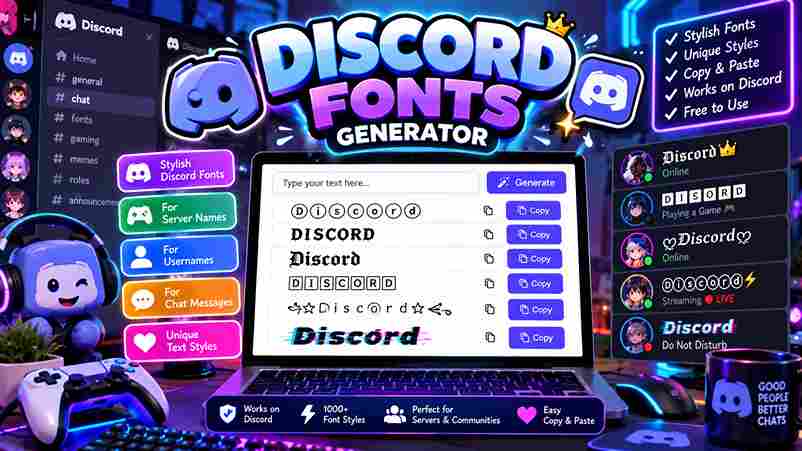
Discord’s font world extends well beyond default settings. A Discord font generator lets you transform text into bold, italic, or script styles, making your username, bio, or server name carry a distinct visual identity instantly.
Unicode quietly powers all stylish text variations across platforms. From gaming communities to professional servers, fancy fonts naturally change how messages, channel names, and status updates authentically express personality—without subscriptions, hidden fees, or sign-ups.
Table of Contents
How to Use the Discord Font Generator
The text generator works intuitively — type inside the input box, browse font styles, and hit copy. Your styled output lands on the clipboard instantly, ready to paste into a direct message, server announcement, or profile.
Most underestimate how creativity reframes everyday conversations — Discord custom font selections mirror your true persona quite authentically. Whether building a server, polishing a bio, or reaching across every messaging platform, fancy text shifts perception effortlessly.
Also Read: Twitter Font Generator
Popular Use Cases
Gothic Fonts and Fraktur directly define RPG and D&D servers, building solid medieval fantasy atmosphere alongside FPS clans who prefer Negative Squared Clan Tags and aggressive styles that reinforce competitive ranks with truly intimidating usernames.
Study groups and art communities shape distinct vibes using Aesthetic Fonts, Cursive Fonts, and Wide Text, keeping server nickname styling welcoming and relaxed, while Cool Fonts across gaming servers maintain fresh About Me section appeal.
What Is Unicode?
Most people type without realizing their keyboard input passes through a universal encoding standard that maps every letter into binary. This character encoding ensures text data remains consistent across every operating system and application worldwide.
The Unicode standard acts as a universal language for machines, housing over 100,000+ characters, including textual characters from every script imaginable. Unicode symbols bridge languages that once remained incompatible, making cross-platform character encoding finally achievable.
Where Can You Use These Fonts?
Discord chats, gaming platforms, and social media — these fonts aren’t bound to just one digital space. From Instagram comments to Twitter, your stylish text styles carry a unique voice across Discord desktop, mobile, and web.
Roblox, Minecraft, Fortnite, WhatsApp, Telegram — copy and paste these fancy letters anywhere. LinkedIn profiles, documents, presentations, even blog posts benefit from aesthetic text. TikTok bold styles and cute styles make messages instantly trendy and exceptional.
Font Styles Available
When style becomes intentional, Discord font symbols shift how communities perceive content. Bold Text, Subscript, and cursive build server aesthetics that feel deliberate. Fancy Discord text transforms ordinary words into visually distinct expressions worth noticing.
Gothic style, Small Text, and Superscript each serve distinct emphasis roles across digital platforms. Monospace Bold suits Announcements best, while elegant styles define Role Names and Category Headers, directly shaping your entire server organization experience.
Elevate Plain Text
Plain text rarely carries real weight when used alone. A cool font or double-struck style through a font generator can emphasize ideas, lifting Discord messages beyond original keyboard input into something your platform genuinely notices.
I’ve personally watched gamers shift from italic labels to Old English headers and instantly earn server respect. Styling with Unicode characters across 110 text transformations gives words a bold, lasting presence—completely free and instant.
Create Stunning Designs
Transforming bland texts into eye-catching visuals starts with stylish fonts that bring unique text styles to life. From gothic to calligraphy, every server chats feel fresh when bold text meets aesthetic fonts in smart combinations.
Dynamic layouts become possible using Fraktur, Vaporwave, or Neon styles that match your community vibe. Whether designing channel titles, role names, or Discord server names, choosing the right font style amplifies presence across every platform.
Share Discord Text Fonts Across Multiple Platforms
Most people discover cross-platform font sharing almost accidentally. Copy styled text from Discord mobile directly into Facebook or WhatsApp — Unicode characters travel intact with no special app, no downloads, no compatibility issues across operating systems.
Twitter, Instagram, LinkedIn, and Snapchat each render these Discord fonts flawlessly because the underlying Unicode standard is universal. Even SMS delivers them correctly — smartphones process the same textual characters without platform-specific limitations or encoding failures.
Best Discord Fonts for Different Servers
Gaming Fonts like Pixel, Robot, and Ghost define competitive server themes across Discord. Elegant Fonts such as Royal and Crown best suit formal spaces, giving your Discord profile that unforgettable first impression with genuine character.
Fantasy Fonts like Dragon, Fairy, and Unicorn can instantly transform role-playing communities. Cute Fonts featuring Heart, Flower, and Sparkle shine in casual chit-chats, while Bold Fonts effectively amplify announcements with commanding elegance and natural readability.
Text Styling Tips and Best Practices
Strategically using text style elevates Discord servers by defining mood and flow. Headers contrast sharply with body text, while a color generator keeps content readable. Consistent branding through cool fonts transforms messaging for your audience.
Stylish font styles demand purposeful selection — clan tags suit Bold Italic, while business communications prefer Monospace clarity. Always carefully test mix and match combinations, verify performance across devices, and ensure essential information remains universally accessible.
Making Your Text Stand Out
Standing out in chats requires truly understanding how Unicode text shifts perception instantly. I watched stylized Unicode text carefully reshape plain messages into personalized text flair that always captures audience attention across social platforms effortlessly.
Choosing the right text style for the right mood works strategically. Cool styles combined with proper text styling enhance visual appearance while staying readable. Applied for decorative purposes, they give conversations a distinct, memorable edge.
Platform-Specific Tips
Testing across Discord desktop and Discord mobile personally confirmed rendering gaps. iOS and Android process Unicode font styles differently than Mac or Windows, consistently affecting how Monospace Text and Full Width styles appear across devices.
On browsers like Chrome, Firefox, and Safari, ANSI color text within code blocks may not display consistently. Tablets often inherit desktop app behavior, while apps like Telegram and iMessage provide only limited compatible Unicode rendering.
Accessibility Considerations
Screen readers often misinterpret Unicode letters as pure noise, stripping essential information. Truly accessible Discord use means applying symbols across multiple languages thoughtfully, since alternative text descriptions rarely compensate when decorative encoding obscures meaning entirely.Fancy text generator styles like Distorted, Inverted, or Flipped glyphs consistently confuse assistive tools. Discord web and mobile apps must balance stylish text styles with readability, ensuring font variations never compromise clarity for impaired users.
What is the best Discord font generator?
Finding a top-tier website means choosing a generator that can transform standard text. Optimal alternative font options ensure 95% compatibility across servers. Expertly prioritize privacy and performance to maintain a clean, professional, sleek aesthetic everywhere.
Is the Discord Font Generator Safe to Use?
Executing Unicode character encoding for personal use avoids registration hurdles. This simple method follows an international standard, ensuring no binary leaks. Prevent seeing boxes or question marks by utilizing this verified, clean web-based script today.
Is the Discord Font Generator Safe to Use?
Securing your account remains simple by avoiding downloads. Adopting an international standard for personal use safeguards privacy. Functional commercial use through browsers prevents malware, ensuring that any registration or leaks never occur during font generation.
How To Use A Discord Font Maker
Step 1: type in the input box. Step 2: scroll or browse categories. Step 3: enter text in the field for messaging apps. This Discord font changer generates Unicode text styles in just fleeting seconds.
Is The Discord Font Generator Compatible With Different Devices And Platforms?
YouTube, TikTok, X, Threads, Pinterest, Social Media, Gaming Platforms, Steam, Roblox, PUBG, Minecraft, application, Slack, GitHub, Notion, Professional Tools, email signatures work. Hangouts, Signal, Facebook Messenger, Google Chat, Fortnite, Twitch also render diverse scripts.
4 thoughts on “Discord Fonts: Rule Every Server”