
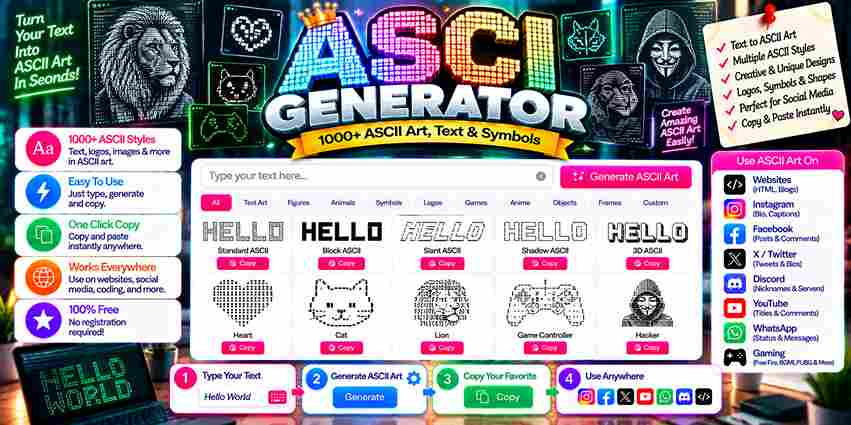
Modern ASCII & Text Art Generator
Convert your standard text into stylized ASCII layouts and creative web typography instantly.
Generating...
An ASCII art generator transforms ordinary text and pictures into visually captivating artworks built from keyboard characters. Rooted in the American Standard Code for Information Interchange, this versatile tool powers terminal banners, README headers, and retro chat art effortlessly.
It actively serves developers, nostalgic enthusiasts, contemporary artists, and online communities through rich customization options like font size, character density, and color schemes, successfully transforming simple images into intricate designs without advanced graphic design skills.
Table of Contents
What Is an ASCII Art Generator?
Most people overlook that an ASCII art generator is fundamentally a text conversion tool built on the American Standard Code for Information Interchange, converting letters, numbers, and symbols into stunning artworks through smart rendering logic.
Rooted in the early days of computing, this tool’s resurgence across digital communities speaks volumes. Developers crafting decorative headers and enthusiasts building BBS signatures use it to channel brushstrokes and pencil lines into computer-generated code.
How Does the ASCII Art Generator Work?
ASCII art generation relies on an underlying rendering engine that converts text or images into corresponding ASCII characters. Each pixel undergoes a brightness check, getting mapped to produce the final output in text-based format automatically.
In practice, raw pixels determine the grayscale spread across any design — dark cells demand denser characters like @ and #, while light cells lean on sparser characters, with visual density quietly governing the final output.
Also Read: Alt Code Generator Copy & Paste
How to Generate ASCII Art Step by Step
Start by deciding your specific goal — typed text or upload image input. Pick any online tools, set font size alongside character density, then hit the Generate button and watch your output appear on screen instantly.
Once satisfied, customize settings — adjust color schemes, refine preferences, and view your artwork before sharing. Save as an image file, then copy and paste to social media, forums, or any platform where ASCII art thrives.
How Do I Use the ASCII Art Generator?
Deploying custom glyph layouts requires pasting your chosen visual arrays directly into targeted terminal frameworks. When initializing layouts for Discord, remember that wrapping the blocks inside triple backticks prevents broken alignments across modern formatting systems.
Alternatively, sharing intricate designs on mobile feeds like Instagram usually demands converting your raw text canvas into a stable PNG graphic file. This clever workaround preserves pristine structural rendering, successfully bypassing erratic system typefaces altogether.
Text-Based ASCII Art
Long before complex software simplified design, practitioners built text-based ASCII art entirely manually. This gritty execution demands structural expertise, bypassing automation to shape raw terminal screens with deliberate, careful alignment, honoring pure layout terminal constraints.
Every seasoned coder understands that typing glyphs transforms standard data into visual poetry. Arranging these subtle artistic strokes redefines spatial aesthetics, proving that obsolete text environments still offer rich canvas spaces for deep modern expression.
Image-Based ASCII Art
Practitioners often upload images using raw JPEG or PNG frameworks expecting instant perfection. However, achieving deep grayscale ASCII rendering requires balancing core contrast mechanics directly. We bypass standard setups to force rich textures from files.
Analyzing complex photographs always demands altering the baseline resolution rather than managing simple layouts. Our experiments prove that feeding high contrast images into an automated system yields superior density without losing crucial geometric boundaries completely.
Where Can I Use ASCII Art? / Use Cases
To prevent informational noise, experienced developers deploy raw text layouts instead of heavy graphics. We design intentional terminal banners and CLI splash screens to establish immediate authority, proving that text function supersedes bloated modern aesthetics.
Transforming basic text into an organic image asset eliminates boring documentation. I structure repositories using prominent README headers and clean section dividers, transforming sterile user-facing copy into engaging retro chat environments for functional visual decoration.
What You’ll Learn While Making ASCII Art
Optical harmony requires deep understanding of structural constraints. You will discover how basic punctuation creates alternative shades without relying on advanced algorithms or typical graphics. This vintage homage forces a coder to adapt completely now.
Managing canvas restrictions teaches unexpected lessons. Glyphs look crooked when unexpected fences break fluid layouts. Furthermore, balancing sharp digits inside a Puffy layout structure reveals how ancient tech limitations directly limit modern aesthetic choices today.
Also Read: Pixelated Text Generator – Create Glitch & Pixel Fonts Easily
Common ASCII Art Mistakes
Misaligned lines destroy visual appeal instantly. Creators routinely forget that a proportional font breaks structural alignment. Forcing complex layouts into modern text fields causes distortion unless you target fixed terminals or explicitly enforce 80 columns.
Ignoring average brightness mathematical mapping scales during conversion yields illegible blobs. When an image entirely lacks proper contrast, chosen characters blur together, completely ruining visual definition inside a raw fenced code block layout design parameters.
Banner Text in the Standard Font
Deploying a clean word inside legacy terminals requires raw minimalism, bypassing complex styles. My production builds rely on the Standard option because complex fonts break layouts. This direct banner design always ensures clean operational versatility.
When a web browser displays text, alignment shifts unexpectedly. Managing internal spacing resolves this issue completely. Utilizing a straightforward local figlet setup keeps the output pristine before pasting it inside any active technical Markdown file.
Drop Into a README
Deploying raw text layouts into your repositories demands structural precision. I often embed structured visuals directly within GitHub README files to establish immediate authority. Using traditional triple backticks ensures clean alignment across multiple developer viewports.
Your technical documentation gains immediate personality when you swap generic typography for customized README headers. My workflow involves wrapping these assets inside a standard fenced code block to protect layouts from broken, uneven leading whitespace.
Print a Banner From a Script
Automating terminal outputs transformed my deployment workflows completely. I automated an ASCII text generator via a native Unix command pipeline, allowing runtime scripts to dynamically generate vibrant console splash screens during automated server system updates.
Piping standard characters directly into remote log files or a repository README builds instant project recognition. Embracing strict monospace fonts guarantees that your structured message retains perfect layout alignment without any unexpected terminal line breaks.
What Is ASCII Art?
My decades rendering digital art prove constraints breed true creativity. Bypassing modern graphics engines, weaving raw letters, numbers, and symbols builds a nostalgic yet profound canvas, offering rare human stylistic paths that beautifully outshine dots.
How Does Image-to-ASCII Conversion Work?
Achieving a striking final artwork requires analyzing every individual pixel luminance first. Practitioners map a corresponding ASCII character to maintain visual integrity, transforming any picture using a grid-like structure where custom heuristics optimize character density.
What Is FIGlet?
Generating striking CLI interfaces requires bypassing standard text. We inject nostalgic developer culture using 3D-ASCII rendering. Through specific terminal headers, subverting plain outputs yields massive popularity, transforming boring system logs into captivating visual representations instantly.
Will ASCII Art Display Correctly Everywhere?
Total rendering failure always occurs when font choices like Helvetica disrupt modern digital layout design. If text faces unpredictable wraps, composition integrity shatters instantly. Without fixed spaces, proper text alignment fails completely across responsive viewports.
Is the ASCII Art Generator Free to Use?
Financial barriers completely vanish because accessibility drives this creative ecosystem. Open websites ensure the true democratization of design. Users leverage these platforms without fees, focusing entirely on practical applications instead of expensive monthly software subscriptions.
2 thoughts on “ASCII Generator Made Easy”