
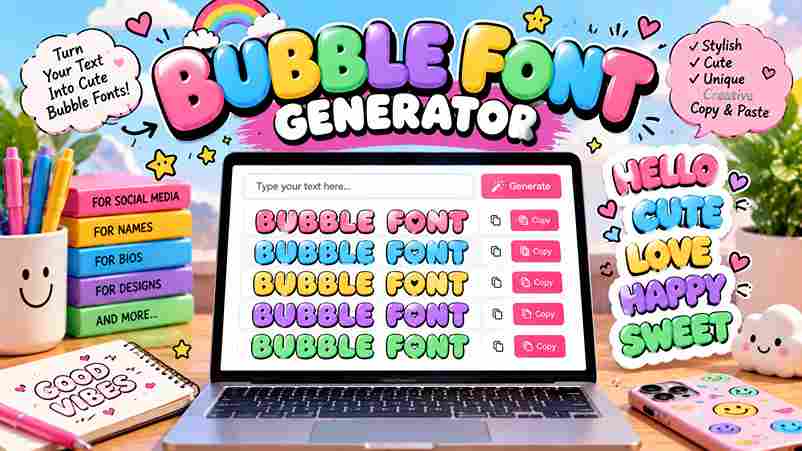
Bubble Font Generator
Type your text below to see it transformed into bubbly styles.
A bubble font generator is a free online tool that converts regular text into decorative bubble letters using actual Unicode characters. These circled letters appear rounded, enclosed, and instantly ready to paste across any platform.
Unlike standard fonts, Unicode text generators produce two main types — lowercase circled alphabet and negative circled characters with dark circles. This high-contrast, badge-like look gets recognized across devices, any app, and all major platforms globally.
Table of Contents
What Is a Bubble Font Generator?
A bubble font generator does something deceptively simple — it converts plain text into bubble letters instantly. Unlike design software, it runs in your browser, requires zero graphic design experience, and works on any modern device.
What makes this tool genuinely different is standard Unicode — the bubble text it produces contains actual circled letters that render natively across Instagram captions, TikTok bios, Discord, Twitter, and WhatsApp statuses without any platform limitations.
What It Does
A bubble font generator transforms ordinary input into Unicode characters that visually resemble enclosed circles. You never need to install anything — just type, hit generate, and your bubble text gets copied to your device clipboard.
What makes this tool genuinely useful is that its entire output behaves exactly like standard text symbols, pasted freely into Instagram bios, Discord messages, TikTok captions, Twitter posts, and WhatsApp statuses without any platform restriction.
How It Works
Visit the bubble writing font maker, drop your brand name or title into the input box, and hit the generate button. Within few seconds, multiple bubble font styles appear — from classic circles to graffiti bubbles.
Pick your preferred bubble font style — cursive bubbles, squared bubbles, or something edgy entirely — and then press the Copy button. On Windows, use Ctrl+C; on Mac, Cmd+C pastes your text directly onto the target platform.
Unicode Bubble Styles
Unicode styles go beyond simple aesthetics — circled letters, squared bubbles, and parenthesis bubbles behave differently across platforms. These enclosed characters help you choose the right bubble text style for any occasion or social media update.
Dark filled bubbles feel visually heavier compared to hollow circled letters, which carry a lighter playful appearance. Fullwidth characters naturally create block-like characters with extra width, while graffiti bubbles and cursive bubbles bring urban personality.
Google Font Previews
Not every design project needs custom typefaces — Google Fonts alone delivers the right bubble font aesthetic. Fredoka One, Bubblegum Sans, and Chewy are top bubbly fonts offering softly rounded letterforms without any specialized extra tool.
Running previews across Baloo 2, Comfortaa, Pacifico, Lilita One, Boogaloo, Titan One, and Rowdies reveals distinct personality differences — each typeface leans into bubble roundness differently, making side-by-side comparison essential before committing to any final direction.
How to Use
Open any browser on your mobile or desktop device. Type your text into the input field, choose your preferred style, and watch instant conversion happen in just seconds. No account, sign-up, or payment is required.
Once converted, copy and paste the result anywhere — Instagram bios, TikTok bios, Discord usernames, comments, or captions. The tool is completely free, easy to use, and works across every platform without loading delays or waiting.
How It Works
The bubble font generator maps each character to a circled Unicode character, bypassing font files entirely. Your bubble text styles render using Unicode characters any operating system recognizes, with no app installation or software needed.
Behind the scenes, 6 distinct Unicode bubble styles span classic hollow circles, bold filled dark bubbles, squared bubble letters, uppercase, lowercase variants, and parenthesis style — each one instantly copyable without any bubble fonts actually installed.
Why Use a Bubble Font Generator?
People who skip expensive design software and turn to a free bubble font generator discover something genuinely interesting: fun, cheerful typography naturally helps your content stand out in any feed, bio, or Instagram post today.
The real advantage lies in versatile application. You can compose a party message, craft WhatsApp statuses, or design merchandise using the same generator. The audience sees playful, edgy, or sophisticated bubble letters — your vibe, instantly.
Where to Use
Bubble fonts shine across social media profile pages, TikTok, and Instagram captions easily. Their playful bubble appearance suits kids content, party invitations, and toy brands. Gaming communities love using them for usernames and Discord servers.
A website can leverage bubble letter fonts to build an approachable brand image effectively. Children’s content, educational materials, and birthday cards benefit equally. Even Twitter and fun posts use bubbly styles for digital brand engagement.
Create Playful Logos in Seconds
A playful logo emerges in seconds when AI reads your text description and preferred colors carefully. No graphic design experience is needed — your brand name transforms into a memorable logo using bubbly, rounded fonts automatically.
The AI bubble font logo generator behaves like a modern design studio. Give it prompts and visual direction; it builds creative logos using filled bubble letters — no design skills, no subscription, and entirely unique output.
High-Quality Logos for Any Application
Most designers overlook how high-resolution output from a bubble font logo generator completely transforms toy brands and skincare identities. The glossy 3D effect and pastel color palette give each finished logo an approachable brand image.
No design experience needed to craft a one-of-a-kind whimsical logo. Describe your vision via a prompt, and AI generates tailored results with background elements, accompanying graphics, and endless possibilities for cosmetics or birthday party branding.
Using Bubble Fonts in Canva
Canva pairs well with Bubblegum Sans and Fredoka One, two hand-picked bubbly Google Fonts delivering a bold bubble font aesthetic. Adjusting colors, rounded styling, and detail gives designers genuine creative freedom to craft standout visuals.
Most designers download a unique bubble font logo, then directly import it into Canva for print use. The crisp, high-quality output perfectly suits event branding, party invitations, and TikTok channels, ensuring consistently professional visual results.
Related Bubble Font Styles
Classic bubble letters, rounded typefaces, and balloon style designs each occupy a distinct visual niche. Puffy and enclosed letter styles — these multiple bubble font styles define the full spectrum of available bubbly text design choices.
Visual bubble alphabet fonts span Unicode circled characters to round fonts with a crafted flair. Ball fonts, circled text, and encircled characters represent distinct font styles, each transformed through standard Unicode into expressive, playful forms.
How Do I Use This Bubble Writing Font Maker?
Type your name or a creative phrase directly into the generator box — the bubble writing font maker converts input text real-time and auto-copies it to your clipboard. Your free, generated Instagram caption is instantly ready.
Are These Bubble Fonts Free to Use?
Most free bubble fonts from a bubble text generator carry absolutely zero cost. Unlimited free bubble fonts let you generate fun bubble letters for playful bios, fun usernames, or Discord without needing a font installed.
What Are Bubble Alphabet Fonts?
Bubble alphabet fonts transform plain text into rounded enclosed characters styled as ball letters within classic circles. This playful text format uses free fonts that feel timeless, making every typed word carry strong visual personality.
Can I Use Bubble Letter Fonts on Instagram?
Instagram fully supports bubble letter fonts because they rely on Unicode text style encoding, not actual fonts. Your profile bio, cute captions, and usernames display these rendered characters natively across iOS, Android, and mobile devices.
Do Free Bubble Fonts Work on iPhone and Android?
Free bubble fonts surprise many — they render on iPhone and Android via Unicode text without any install. Every modern device readily supports generated glyphs across messages, stories, and channel descriptions, keeping them naturally responsive everywhere.
2 thoughts on “Create Gorgeous Bubble Font Generator Instantly Free”