
Star Font Generator
Create aesthetic starry Unicode text, sparkling borders, and celestial fonts for Instagram, TikTok, Discord, and Roblox.
A star font generator turns ordinary typing into decorative text by combining Unicode characters, symbols, and visual styles. It gives creators quick copy and paste results for names, bios, profiles, and messages online today.
From a practitioner’s perspective, testing across devices shows the strongest results balance aesthetic detail with readable presentation. Users can explore stars, sparkles, patterns, and different style while keeping decorated text practical for profiles and chats.
Table of Contents
What Are Star Fonts / Star Symbols?
Star fonts are not separate typefaces; they are Unicode stars and decorative symbols placed with normal text to create star decorated fonts. Common marks such as ★, ☆, and ✦ add structure, emphasis, or character.
In practical use, these symbols turn ordinary typing into fancy text, text art, or stylish text for bios, captions, and social profiles. I often treat them as visual accents, balancing aesthetic, creative, and readability clearly.
How To Use The Star Font Generator
Start by entering your text, then let auto-generation display 120+ star font styles through real-time previews. I usually compare several options before using one-click copy, especially when readability matters across profiles and messages today smoothly.
For smoother work, keep the current browser open and test results on all devices. The mobile friendly interface needs no sign-up, making quick experiments practical when you want a polished star style without interruptions everywhere.
Also Read: Create Gorgeous Bubble Font Generator Instantly Free
Features
It offers a free tool for creating star symbols, stylized fonts, and decorative symbols without software. Users can make text art, preview designs, then copy and paste polished results for profiles, chats, usernames, or posts.
The feature set supports customizable star styles, quick copying, and platform use, helping creators add a magical and eye-catching identity. From social profiles to gaming tags, results stay convenient, expressive, and ready for everyday sharing.
Benefits Of Star Fonts
Star fonts give ordinary messages a clean look while adding decorative style and a pro-level aesthetic. For creative names, dreamy details can attract extra attention, especially when profiles need visual distinction across busy social feeds.
For active users, gaming usernames become more memorable, while personal messages gain a polished identity. I often suggest four-point stars, solid star ★, or glowing star ✪ when emphasis should stay noticeable yet uncluttered naturally.
Where / Who To Use Star Fonts (Use Cases & Platforms)
Star fonts fit places where identity matters quickly: gaming usernames can frame a player name, while Instagram bio text adds personality. I often see TikTok creators using decorative designs to separate short posts and captions.
Beyond social media, Discord communities use stars around tags, and Facebook posts can gain an aesthetic touch without changing the message. For branding, Twitter profile text and email signatures can create consistent online branding.
Types Of Stars / Star Font Styles
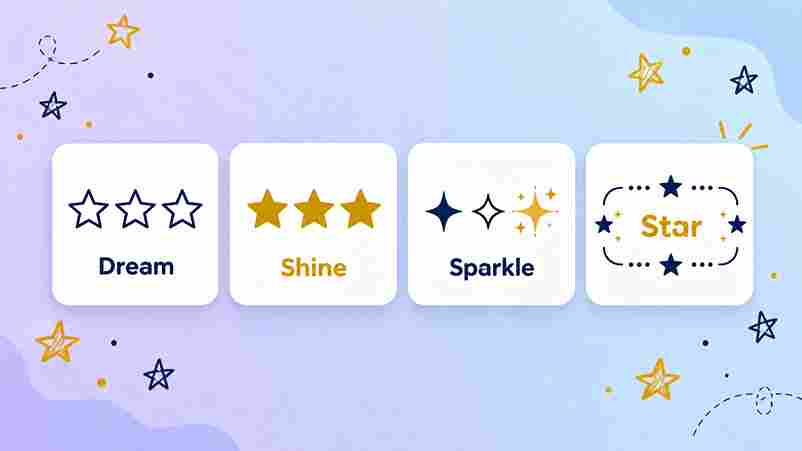
Star font styles differ mainly by silhouette, density, and surrounding marks. A solid five-point star feels energetic, while a hollow star creates lighter spacing. Circled stars add a compact badge-like finish for names and identity.
More expressive options combine four-point sparkles with decorated lettering, while fullwidth layouts change spacing and visual weight. I often test fraktur, script, and bold sans variations beside simpler star symbols before choosing a final style.
Creating A Stellar Aesthetic
Creating a stellar aesthetic begins with restraint: combine subtle sparkles and a glowing look around phrases, then balance spacing, letter weight, and symbols. In my experience, this keeps creative lettering polished without making lines compete.
For profiles, I often pair soft typography with star accents, using star borders selectively beside names, captions, or aesthetic bios. A measured Mix Fonts approach can add personality while preserving readability across screens and layouts.
The Pro Gamer
A pro gamer treats a nickname as part of competitive identity, so I usually test gaming usernames with Unicode stars, readable spacing, and supported characters before publishing. This keeps branding sharp without risking awkward display.
For titles and profiles, Free Fire, PUBG, and Call of Duty Mobile players can personalize names with universally supported symbols, while checking each name-change field because some games may restrict symbols. In practice, these details keep stylish branding practical during competitive play.
The Dreamer
For a dreamer, star fonts turn ordinary messages into celestial text styles, adding a sparkle that suits reflective usernames, profiles, and captions. I often pair ☆ with simple wording because restraint keeps the mood memorable.
For a softer identity, I use star-decorated letters beside short phrases, then test the result across mobile and desktop views. This approach feels personal yet practical, especially when Instagram bios need decoration without sacrificing readability.
The VIP
A VIP username should feel selective, not overloaded. I usually pair VIP usernames with restrained starry styles, then test layouts before choosing a prestigious identity that feels distinctive, readable, and intentional across platforms and profiles.
From experience, the strongest look comes from balance. Bold fonts can establish presence, while decorative appearance adds status without clutter. A carefully spaced star symbol can strengthen a distinct identity and keep the profile memorable.
Best Practices For Using Star Fonts
I usually treat star fonts as accents, not decoration everywhere. A few sparkle effects can create a minimalist vibe, while repeated symbols may weaken readability. Match the star style with your message, audience, and platform.
From experience, the strongest results keep important text readable and use symbols consistently. Test copy and paste across all devices, then check whether Unicode star symbols display incorrectly before publishing in your intended spaces online.
Common Mistakes To Avoid
A common mistake is treating decorative characters as ordinary typography. I test Unicode text styles across apps, because compatibility can change. Check browser preview, verify spacing, and keep important text easy to read before publishing.
Another mistake is adding symbols everywhere for decoration. Practice: choose a style that matches your content, test the copy result, and confirm there is no app requirement. Excess styling can reduce clarity and distract readers.
Conclusion
Star Font Generator gives creators a way to turn ordinary messages into decorative designs with a more aesthetic touch. In my experience, carefully chosen 30 unique styles create personality without sacrificing clarity across social platforms.
Use the results thoughtfully: choose a style, check how uncommon characters appear on mobile devices, then copy your final text. A balanced approach keeps profiles, usernames, captions, and messages recognizable while making them easily distinctive.
What Are Star Decorated Fonts?
Star-decorated fonts blend decorative star fonts with custom lettering, creating accents for names and short messages. In practice, I find Unicode styles especially useful because they display directly without an installed font across device screens.
How Do Star Fonts Work?
Star fonts work because Unicode characters are encoded as text information, while familiar common symbols and ★ remain recognizable across devices. The effect feels like a font, but technically combines characters and compatible rendering systems.
How Do I Get Stars Around My Name / Copy Star Text?
To get stars around your name, enter your name into a generator, choose a star decorated fancy text style, then copy result and paste it into profiles, usernames, bios, or messages with one click instantly.
Are Star Fonts Free?
For most users, star font generators offer free access, unlimited use, and no installation through a website. You can create fancy text, copy it, and reuse styles across messages without additional payment or registration today.
Do I Need An App?
An app is usually unnecessary because a browser-based generator works on mobile and computer devices, offering quick access with one click copying. I prefer this setup when testing styles or changing names frequently between drafts.
Are There Different Types Of Stars?
Yes, star fonts vary widely, from Classic solid symbols to hollow, circled, Shining Star Fonts, and Star Symbol Fonts. I often mix Cute and Fancy patterns to match names, bios, gaming, or decorative posts naturally.
3 thoughts on “Star Font Generator – Generate Unique Star Text”