
Stencil Font Generator
Create bold stencil-style lettering instantly. Customize the text, size, spacing and preview, then copy, download or print your design.
A stencil font generator turns ordinary typing into structured printable stencil letters, letting designers test shape templates, render live, and see how your words will look before starting each new project with confidence and precision.
In practice, I find a stencil font generator tool most useful when experimenting with industrial stencil, military stencil, or condensed styles, because quick previews help judge spacing, readability, and visual balance across projects before production.
Table of Contents
How The Stencil Font Generator Works / How To Use
At the first stage, type your text in the editor, then compare available fonts while watching the preview update. The generator converts your wording into styled stencil lettering, letting you test spacing, weight, and readability.
After selecting a style, use the result as copy-and-paste Unicode styles for profiles or captions. When the appearance is approved, save the version ready to download and place it anywhere text is allowed, without editing.
Upload Fonts
Upload custom traditional font files to test a preferred typeface beside your text, especially when built-in choices feel limited. I usually preview spacing, weight, and alignment first, then save the strongest result for practical projects.
Custom fonts support logos, banners, gaming labels, or printable work, then be checked across the actual platform because apps may render characters differently. For commercial projects, follow licensing restrictions, always check license details before publishing.
Also Read: Embroidery Font Generator
Type In Your Text
When working with a stencil generator, type your text first and watch the layout form around practical cutting needs. I usually keep wording short, because stencil fonts perform best when each letter remains clearly defined.
A quick live preview helps confirm spacing before you commit. For projects involving Cricut or signs, cut-friendly SVG file preparation matters, while real-time checking keeps edges, bridges, and counters visually balanced during careful final production.
Change Font Color
Changing font color is more than decoration; it can separate details, strengthen contrast, and make a stencil design easier to read. In projects, I preview colors before exporting because screens and materials can behave differently.
Use the tool to test a selection, adjust sizes, and compare high-contrast styles during real time editing. I usually update the shade while typing, then check the perfect style before creating final text graphics carefully.
Browse Styles
Start by browsing a massive collection where favorite style choices range from gothic and cursive forms to glitch lettering. I usually compare silhouettes first, because negative space determines whether stencil characters stay crisp at sizes.
Then test 3D stencil, grunge, distressed, and bold weight options beside italic and display fonts. A quick side-by-side review reveals which slab serif or sans-serif stencil treatment best matches your project's lettering before final export.
Copy & Paste
Experienced users often treat copy and paste as the real test of a stencil generator. Once text becomes Unicode, I check whether the result stays readable across Discord, Instagram, and Facebook without unnecessary visual clutter.
After selecting a style, move the result into captions, messages, or game chats. Because these are Unicode characters, not images, Twitter, Google Docs, and most platforms can usually accept them easily and cleanly during testing.
Download The Final Output
Once the design looks right, click download to preserve your stencil as a practical asset. I usually inspect the final result first, especially when special text symbols or detailed lettering may behave differently across devices.
Save the result for laser cutting or later editing, and check the font license before commercial distribution. For physical work, I recommend testing edges, spacing, and readability before committing materials or producing multiple copies carefully.
Stencil Font Generator Features
100% Free, No Sign-Up
Professional stencil work should not begin with installation barriers. Our stylish text generator creates stylish text in seconds, with no sign-ups, while the browser handles everything smoothly. I value this frictionless workflow online today.
Because it uses copy-and-paste Unicode styles, you can move results into social media posts, gaming profiles, or text graphics without downloads. The process stays practical, easy, and fun, especially for rapid stencil concepts during testing.
Instant Live Preview
An Instant Live Preview helps you judge stencil spacing before exporting. I watch the textbox while letters change, because seeing previews generated on the fly makes the workflow easy and catches awkward gaps early onscreen.
Choose a style and render your text without leaving the editor. As each option appears instantly, the text converted result reveals whether the design feels unique and fits your vibe before saving for confident export.
Works Everywhere
From my testing, a stencil generator should feel dependable across desktops, tablets, and phones, because creators switch screens constantly. The best tools use Unicode fonts to keep styled text practical wherever projects begin and evolve.
It also helps when mobile users move from gaming platforms to social spaces; the same copy-pasteable text can become text graphics quickly, then support personalized designs without requiring actual font files anywhere across devices globally.
Mobile Friendly
Designed for phones, this stencil font generator runs entirely in a mobile browser, requiring no installation. I find live previews especially useful when testing Unicode text styles, spacing, and bold stencil effects on smaller screens.
Because it works with hosted fonts, you can create stencil text anywhere text is allowed, then copy results for profiles, posts, or designs. Responsive controls keep Browse Styles, colors, and outputs comfortable on mobile screens.
Vast Library Of Unicode Fonts
From testing, a largest selection helps because a collection of stencil fonts puts favorite stencil fonts beside real stencil fonts. Unicode characters broaden styled letters across modern platforms, while highest quality output preserves clear results.
Practically, free stencil fonts and templates speed exploration. I check 3 styles and copy and paste behavior, because specific Unicode character rendering depends on font support across older systems and platform. Test the text first.
Boost Engagement
Stencil typography can personalize your profile while making unique usernames, bios, and headlines easier to notice. In my experience, restrained special characters and structure encourage readers to pause, recognize identity, and engage with content longer.
For social posts, combine text effects, a clean overlay, and clear lettering to strengthen recognition in seconds. Testing different templates before posting improves engagement because audiences understand the message immediately, without visual clutter distracting them.
Personalize Your Profile
Personalizing a profile with stencil text can make a username, bio, or status feel deliberate without becoming cluttered. I often recommend eye-catching text that stays readable, reflects personality, and helps you stand out naturally today.
For gaming, social media, or creator pages, testing stylish fonts, unique spacing, and Unicode text styles can strengthen your digital expression. Keep the composition balanced, because memorable profiles usually feel customized rather than overloaded clearly.
Create Text Graphics With Stencil Fonts
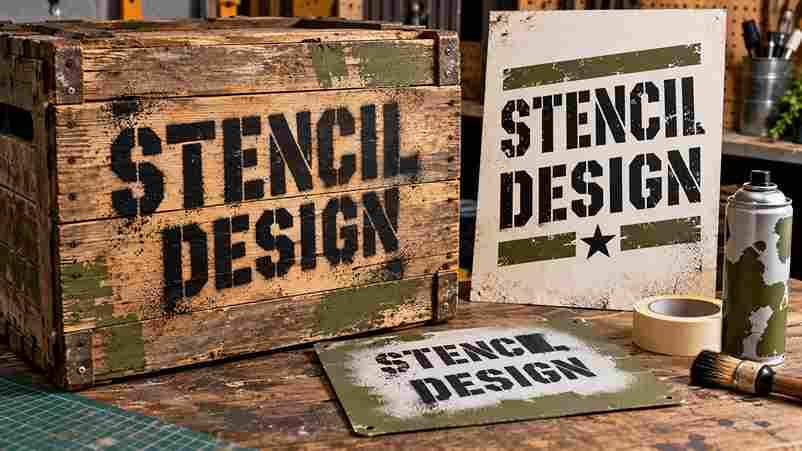
Creating text graphics with stencil fonts works best when the layout stays clear and reproducible. I often combine bold letterforms with printable designs, then test spacing before exporting artwork for posters, labels, or branding assets.
For craft work, these graphics can move beyond screens into vinyl, wood, cardstock, or fabric, while SVG files preserve clean edges. My preferred workflow is simple: refine the design, preview it, then create physical pieces.
Printable Stencil Font
A printable stencil font is useful when letter openings stay clean across paper, poster board, and construction paper. From my testing, bold outlines, consistent spacing, and simple forms produce sharper cuts and more reliable transfers.
For home projects, I prefer testing a small sample before committing a full sheet, especially with paper, canvas, or plexiglass. This practical check helps confirm alignment, readable edges, and repeatable results before sign making begins.
Other Patterns, Stencils And DIY Designs
Beyond letters alone, new templates can turn a stencil into labels, borders, icons, and craft motifs. I often combine Cricut cuts with layered patterns, testing spacing before committing to material for cleaner DIY results overall.
Small stencil projects benefit from commercially proven layouts, while application choices determine whether paint, ink, fabric, or wood stays crisp. My approach is to test enhancing details separately, then assemble the design carefully for durability.
Tips For The Best Results
For clean stencil output, I start with custom designs, then test the patterns at size. Keep letter spacing balanced, avoid overly delicate details, and choose unique designs that remain readable after cutting under lighting conditions.
Before production, I compare the preview with the material, especially plastic, cardboard, or metal. Check edges, bridges, and spacing carefully, because practical testing reveals problems that may look invisible on screen during early design checks.
Stencil Font Styles And Types
Stencil fonts are not one look; they range from military cuts to logotypes, spray paint lettering, and handmade look styles. Each pattern changes how gaps, edges, and counters survive when designs are reproduced in practice.
From my testing, stenciling works best when style matches the surface: ink favors clean shapes, while construction themed projects often suit heavier forms. Mixing proportions creates distinctive lettering without sacrificing readability for practical stencil work.
Is The Stencil Font Generator Free To Use?
The stencil font generator is completely free, with no downloads required, so creators can generate text instantly, test styles, and prepare designs for personal projects before sharing or printing them anywhere online with confidence easily.
How Does The Stencil Font Generator Work?
Rather than treating it like a traditional font file, the generator converts typed input into stencil-style previews generated on the fly, helping you follow the steps with easy adjustments while changes appear immediately during testing.
Can I Use These Fonts For Commercial Projects?
For commercial projects, distinguish generated text from font files: .otf and .ttf licenses may restrict redistribution, while copied Unicode text can be used more broadly. Always review the downloaded font license before selling online designs.
Is This Really A "Font Generator"?
Despite the name, I treat this as a text-design tool: you enter any text, test a font change, apply a font color change, and inspect the preview before exporting graphics rather than installing a typeface.
Why Do Some Characters Show Up As Squares Or Question Marks?
Squares or question marks usually appear when a device lacks the required glyph, encoding support, or fallback font. In my testing, Unicode characters may fail because every character is not available in a standard font.
1 thought on “Stencil Font Generator – Create Custom Stencil Text”