
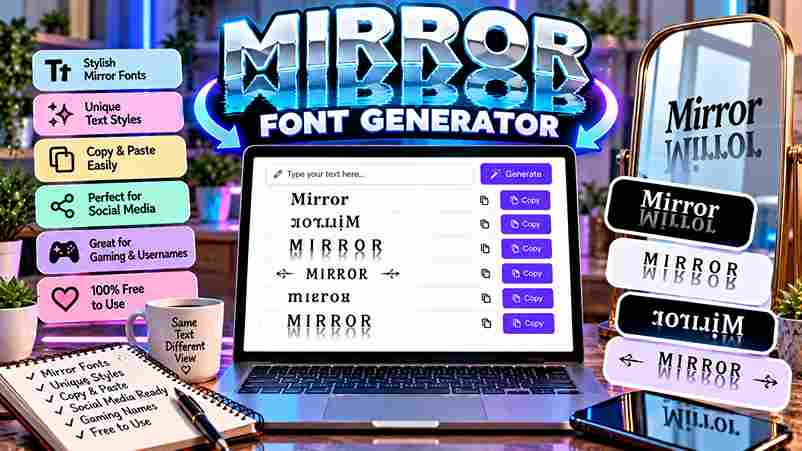
Mirror Font Generator
Create unique reversed and flipped text instantly. Perfect for creative social posts!
Observing digital symmetry requires a mirror generator that manipulates the orientation of every character. This tool creates a reflected version of your writing, ensuring the reversed text maintains a true reflection for unique, creative designs.
Users seeking mystique for gaming personas often paste their text into the input box. Instantly, the results are transformed, appearing within milliseconds as flipped characters ready for social media or perfectly engaging unique digital posters.
Table of Contents
How To Use The Mirror Text Generator
Don’t just stare; move to the page top to type your regular text. Enter 1st box or upload from a drive. This input process creates a flipped version of your individual writing. Instant creative tool!
Click the Generate Mirror Text button. Within seconds, the 2nd output appears mirrored. View and copy to your clipboard from the 3rd area. Your entered content is generating a unique mirrored reflection. See online experiments.
Enter Text Type
Type your words into the input box — the generator processes each letter in sequence without delay. I’ve found it reliably detects original text direction, applies your chosen mode, and produces mirrored output seamlessly and correctly.
Generate Mirror Text Button
The Generate Mirror Text button is where transformation happens. One click delivers instant output — efficiently produces your reversed result, ready to copy across apps, platforms, messaging sites — no sign-ups, registration, or hidden account details needed.
View
The panel instantly renders your mirrored characters clearly, letting readers find their visual output with ease. Results appear horizontally or vertically by mode, giving content creators across mobile, desktop, and tablet devices a clean preview.
Copy
Once generated, your mirrored result is ready to copy with no app or software barriers. The browser function keeps your data private and safe, supporting personal and commercial projects regardless of size, cost, or limits.
Alternative
Artists and designers seeking an alternative often incorporate manual Unicode encoding directly. This simple process lets anyone type individual Latin letters with IPA counterparts, maintaining symmetry without solely relying on multi-platform applications for all transformations.
Gamers establishing memorable multiplayer names sometimes reverse word order manually, using 3D Rotation effects. Developers also validate string manipulation functions through built-in processes, making eye-catching logos and artwork free from formatting glitches on any system.
Key Features / Benefits
Modes of Mirroring
Lettering reversal, orientation flips, and order changes represent three key mirroring modes. Graphic enthusiasts commonly use each style to enhance artistic language, replacing standard character positions with casual yet visually distinct effects and creative messages.
Mirror Wording
Mirror wording reverses all symbols from the Roman alphabet, swaps reading directions, and maintains a backwards visual equivalent. This technical approach uses Unicode substitute characters — each represents uppercase letters, numbers, and punctuation with approximate match.
Mirror Each Text Lettering
Mirror Text mode handles each individual lettering by applying flip logic at the character level. Unlike basic wording changed approaches, this form keeps unchanged letters like b, d, p, q visually real and defined consistently.
Reverse Word Order
Unlike character flipping, reverse word order sends your sentence back to front at each step. Every word shifts to an opposite slot—this primitive option works as a replacement, entirely free of complex converter logic.
Who Uses the Mirror Text Generator?
From smartphone users to laptop professionals, this tool sees real demand based on creative needs. Designers, educators, and translator communities use it to mimic stylized text, adding a personal touch across 100 different digital platforms.
Social media influencers, students, and developers who value accessible design are among the top users. Whether they sign posts or upload content, the tool offers time-saving support without needing costly packages or external server processing.
What Is the Difference Between Mirrored Text and Reversed Text?
Mirrored text reflects each individual character along its vertical axis — like holding paper before a bright mirror. Reversed text only flips the sequence order. Both alter how you read them, but through different optical mechanisms.
The distinction matters more than people commonly assume. A camera pointed at mirrored text decodes it quite differently than reversed text. The background logic in Unicode computer encoding treats each as a separate typographic challenge.
How to Mirror Text in Word
Microsoft Word supports a text flip through its page layout tools. The work is surprisingly light — select your text, open Format Shape, apply a 3D rotation, and generate a mirror effect regardless of operating system.
Unlike alternative tools, Word’s built-in method can handle mirrored text of any length, whether long or concise. The same 1-step WordArt package maintains text identity, making it 100% editable — no file needs to be sent.
Where Do the Mirrored Unicode Characters Come From?
The Unicode Consortium operates with strict standards, embedding mirrored characters across a repository built over decades. These symbols remain catalogued there, driven by interest in bidirectional scripts — placed below the surface of everyday text encoding.
What makes this better than custom fonts is Unicode’s top-tier encoding — a 50-year drive toward consistency. Each mirrored glyph carries a unique code number, and that difference distinguishes functional mirrors from decorative lookalikes.
Is It Free?
The mirror text generator is completely free to use, requiring no registration, subscription, or payment. Anyone can instantly flip, reverse, and generate mirrored Unicode characters online without hidden charges or premium upgrades ever blocking access.
Where Can I Use Mirrored Text?
Mirrored text fits smoothly into social media bios, Word documents, and design platforms. You can Insert it into a Text Box, expand visual Effects, or use it to Draw bold attention on creative digital posts.
How Do I Read Mirror Writing?
Reading mirror writing requires your brain to actively process each reversed character like a rotated icon, applying a full 180-degree mental flip. The International Phonetic Alphabet similarly trains symbol recognition, providing useful cognitive suggestions.
Are There Length Limits?
Most mirror text generators offer no hard character cap. Options for input range from short captions to full paragraphs — paste freely and the tool converts everything instantly, regardless of actual length or text complexity involved.
Is It Safe?
Mirror text generators are absolutely safe for everyday use. Whether on a Mac or Windows system, they run in-browser with no downloads. Right-click the Options and flip characters without exposing personal data or risking security.
6 thoughts on “Mirror Font Generator — Flip Your Text Instantly”