3D Font Generator – Create Stunning 3D Text Online
3D Font Generator

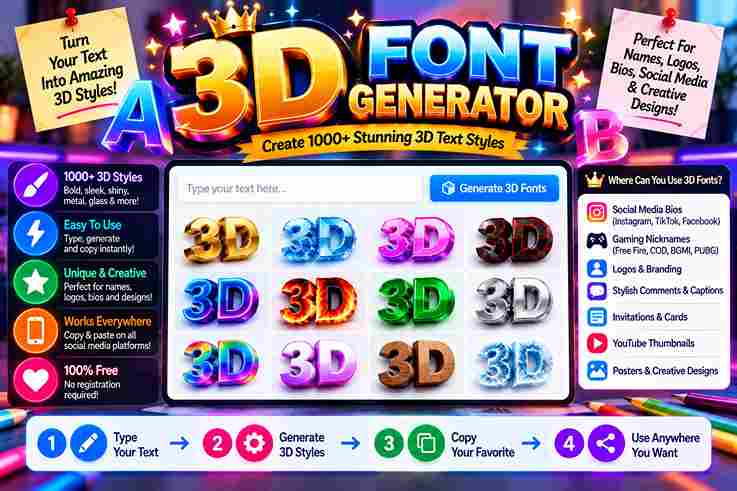
From my practical experience, a 3D font generator becomes valuable when letters gain convincing depth, lighting, and material choices without complex software. The best results begin with readable typefaces, balanced spacing, and purposeful bevel settings. I usually test the live preview before committing, rotating the design to inspect shadow, texture, and stroke weight. A flexible browser workflow then supports rapid PNG, GLB, OBJ, or STL export for practical creative production. Export Formats / Download Options From testing, the best export format depends less on visual polish than destination. Choose Transparent PNG for layered layouts, check high resolution and size, then use the download button only after inspecting the preview toolbar. For reusable assets, I typically retain GLB, OBJ, or STL beside a mesh file; Blender handles revisions, while Unity, Unreal, and Roblox Studio receive optimized copies after conversion, preventing repeated rebuilding across demanding production pipelines. How It Works / Steps Start by choosing a Style, then enter your Text and adjust colors, background, depth, and spacing. I usually inspect the live preview, because early readability review prevents weak structure before any final download or export. Next, refine the font, material feel, and lighting controls, examine the 3D model, then select transparent PNG, STL file, or another supported format. In practice, I verify stroke thickness and production checks before saving locally. Real-Time Preview In practice, a preview toolbar should expose mistakes before commitment. I test raised wood letters, glossy chrome text, and cartoon sticker type at several viewing distances, watching edge clarity, depth balance, and awkward overlaps instantly. The most useful screen response is not decorative; it supports decisions. Compare an embossed gift tag beside a product mockup, switch the reference image, and inspect legibility before download, especially when client revisions arrive unexpectedly. Also Read: Underline Font Generator Copy and Paste Free / No Signup / No Watermark From my testing, the Free platform opens immediately without signup, login, a paywall, or any usage cap. Every user can shape polished designs while avoiding hidden cost, forced upgrades, and avoidable interruptions entirely during creation. Clean exports arrive without a watermark, keeping unlimited experiments ready for clients, classrooms, or individual use. In practice, that freedom speeds iteration because nothing must be registered, purchased, removed, or corrected before sharing with confidence. Use Cases / Who It’s For From my experience, students, indie creators, and studios benefit most: they can build social posts, gaming headers, birthday invites, or brand mockups quickly, while testing color, contrast, and layout before committing production resources or budgets. Practical users range from makers creating custom signs, name plates, keychains, and cake toppers to sellers developing product tags, packaging, stickers, and labels; designers can also prototype logos, videos, games, or signage without complex workflows. 3D Printing From workshop experience, 3D Printing succeeds when makers treat typeforms as structure, not decoration. I test wall thickness, joins, and balance early, helping 3D lettering survive slicing while reducing failed prototypes and wasted filament overall. For small studios, production workflow matters more than flashy previews. I convert sturdy letterforms into printed samples, then refine tolerances for packaging, ornaments, and event decor, giving small shops dependable, repeatable results across batches consistently. Make 3D Text Online Unexpectedly, the fastest route to polished lettering is often browser based. I use client-side WebGL processing to shape depth immediately, avoiding a server roundtrip while rotating and zooming until spacing, shadows, and perspective feel balanced. Instead of designing from emptiness, I test Presets against the message first. Cute logos suit playful names, sports logo text adds competitive weight, while Barbie Pink or Dream Pop gives campaigns personality without weakening readability. A Free Alternative To 3D Text In Photoshop A free browser workflow challenges the belief that serious dimensional lettering requires Creative Cloud, a subscription, or desktop install. For quick campaigns, it can replace Photoshop 3D when the goal is a convincing rendered image. That freedom has limits: a PSD with editable 3D layers still belongs to specialist software. Yet an editor link removes the conversion step for routine revisions, letting teams adjust composition, lighting, and typography quickly together. Text To 3D Model Rendering From production experience, the strongest Text to 3D model workflow begins with the final render, then works backward through materials, geometry, and lettering choices, producing a convincing real 3D mesh without unnecessarily bloated technical steps. I routinely test each 3D output by rotating the word under controlled light, because attractive photoreal PBR textures cannot rescue weak three-dimensional shapes, thin strokes, tight spacing, or poorly formed inner counters during demanding rendering. On Your Device On your device, the practical advantage is immediate control: Chrome, mobile Safari, or desktop access lets hardware process changes locally, avoiding an upload queue, account friction, software install delays, and the wait between detailed refinements. For quick client reviews, I prefer an online 3D text generator with real-time preview, instant results, and no install. It keeps styles searchable, preserves fine-tuning, and makes PNG export dependable for a YouTube thumbnail handoff. Meshy 3D Text At A Glance Vs Adobe Creative Cloud Tools In my testing, Meshy behaves like a focused 3D text creator, producing fast visual results without the layered setup usually required across Photoshop, Illustrator, and After Effects for comparable dimensional lettering workflows in one place. Adobe’s suite offers deeper manual control, while Meshy prioritizes rendering on your device, reducing setup friction when experimenting with type. I find it stronger for quick concepts, though Creative Cloud remains better for detailed refinement. Template-Led Workflow Starting with presets often beats designing blindly: I select material cues, test clean metallic, and compare a preview before adjusting gradients, stroke, and lettering direction for a faster, more dependable creative direction each time consistently. In practice, templates turn scattered experiments into repeatable decisions. Spark Joy can define streaming covers, while Rose Luxe guides soft metallic lettering; creators refine Roboto Bold, Bungee, Cozy, Studio, and export menu choices with confidence. Popular Template Starters I usually begin with blank canvas presets only after testing a ready-made copy; the strongest project starters expose … Read more
Underline Font Generator Copy and Paste

Underline Font Generator

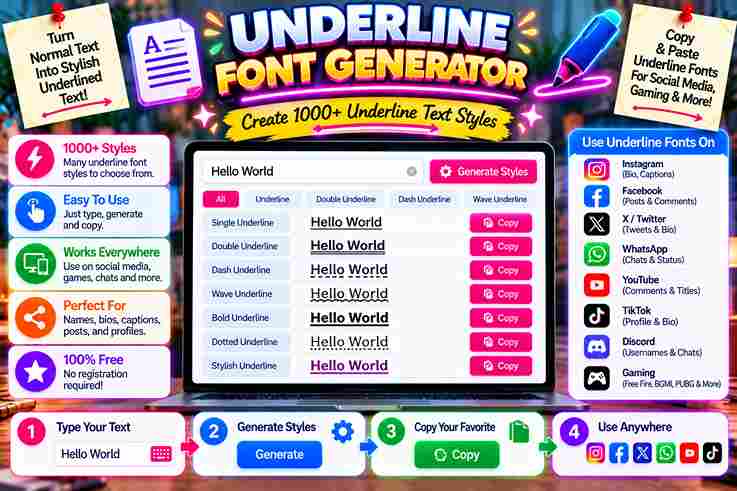
Underline Font Generator Type below to instantly generate copyable text styles for social media. 0 characters Clear Text Single Underline Copy Double Underline Copy Wavy Underline Copy Strikethrough Copy In my design experience, standard layouts look dull. I always use a generator tool to forge a distinctive presence, making specific headlines pop across various digital platforms with a wavy or solid creative content flare. By leveraging a unique mechanism involving Unicode combining characters, this system alters typography directly. My testing confirms privacy first protocols ensure nothing stored ever remains online, delivering completely safe, stylized results for modern digital communication. How to Use / Steps to Generate Underline Text Experiencing broken layouts taught me that pasting your user text yields a stable order immediately. This occurs because our full mixed generator processes a fake underline layer beneath, converting standard characters into custom rendering alternatives. Watching the style list refresh proves that regenerating your customized formatting requires zero remote storage. Local processing ensures total privacy since the entered text remains locked locally, safeguarding sensitive data while creating your stylized outputs. Tips / Best Practices for Using Underline Text Prioritizing clean layout ensures your documents remain easy to read without formatting clutter. Apply subtle highlighting strictly for emphasis on vital phrases rather than whole sentences, preserving textual clarity across busy social media creator captions. When crafting unique usernames for diverse modern devices, select a bold yet highly readable underline design. This strategic custom choice instantly injects a stylish aesthetic, helping profile names pop beautifully within crowded digital interface environments. Use Cases / Where to Use Underline Text Optimizing digital content requires psychological disruption. When formatting social media posts, inserting unique styling helps modern authors grab attention instantly. This strategic emphasis anchors readers, ultimately elevating an individual’s professional online presence quite effectively now. Deploying decorative typography within social bios creates immediate engagement. Creators use stylized text as narrative hooks to isolate critical profile details. Whether differentiating custom usernames or bolding important phrases in captions, selective decoration drives conversion. Style Categories / Feature Highlights Managing digital layout systems requires in-browser rendering mastery, transforming standard glyphs via complex diacritic-stacking routines. My development tests prove that utilizing a Unicode-based Monospace or raw Fraktur aesthetic fundamentally alters interface readability across active platforms. Creating an emphasized visual illusion beneath dynamic characters bypasses traditional styles. Experienced designers instantly observe how a real-time text underline function enhances attention without forcing users into any costly platform subscription tier or software overhead. Related Styles / Other Generators Using a text generator shifts how users perceive digital text decoration across dynamic platforms. Applying a specific Script or dashed style alters user engagement instantly. Ultimately, Unicode outputs redefine readability on Facebook and TikTok feeds. Combining a Bold layout with a Sans Bold presentation creates distinct separation. Choosing an Italic treatment or Double emphasis offers functional variety. These Clean, Decorated assets elevate everyday strikethrough text, modifying generic aesthetic fonts effectively. What This Underline Page Does This platform lets you transform text using a free online tool that alters traditional styling. My experience with these underline styles reveals how simple adjustments elevate visual appeal and make digital layouts look remarkably distinctive. Users get immediate feedback here. Generating unique decorations helps digital creators stand out across various networks. This special utility delivers an instant copy function, bypassing standard device text styling restrictions while keeping operations entirely seamless. How Underline Styles Work My experience shows that systems render these symbols through clever manipulation. Every system styles differently when processing raw data. We observe how an underscore anchors the true appearance by injecting specialized diacritics beneath letters seamlessly. Controlling font thickness requires zero server interaction. Our advanced tools offer exact control over how letters flow. Consequently, distinct underline Unicode styles manifest multiple aesthetic variations now, creating a solid, highly cohesive visible line effortlessly. Also Read: Strikethrough Text Generator ✨ Copy & Paste Technical Explanation — Diacritic Mechanism We observed how combining marks dynamically alter baseline alignments across platforms. Code scripts inject specialized glyphs beneath letters to simulate genuine visual rules. Consequently, standard application headings accept these inputs, transforming basic typing into art. My implementation experience reveals that diacritics occupy specific text blocks seamlessly. This architecture requires no external database, ensuring every generated style remains completely free from tracking while sorting each character into a single distinct category.

Strikethrough Text Generator ✨ Copy & Paste

Strikethrough Text Generator

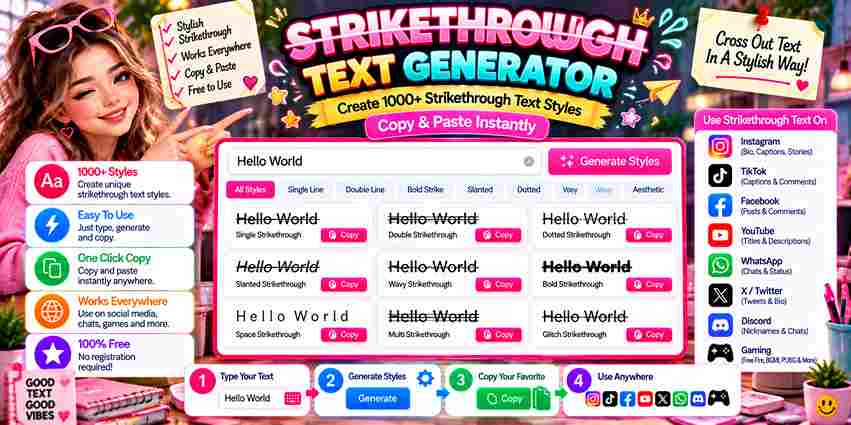
Unicode Strikethrough Generator Type your text below to generate copy-pasteable styles for Discord, WhatsApp, and social media. Most people first notice crossed-out text appearing on Facebook or Twitter and wonder how it’s done. The answer lies in special Unicode characters that place a horizontal line overlay through each character across digital formats. The Slash Text Tool removes every technical barrier. You enter text, choose a strikethrough style, and the output is ready to copy, then pasted across platforms — from Instagram posts to emails, blogs, or WhatsApp messages. What Is Strikethrough / Slash Text? Strikethrough text sits among the most distinctive text decoration formats where a specific character — Unicode \u0336 — is overlaid across each letter, marking it as crossed-out, deleted, or corrected text without changing the underlying plain text. Unlike styled HTML, a slashed text generator smartly uses Unicode characters to produce visually striking phrases and paragraphs across apps, social media posts, and instant messaging, giving content creators a free and versatile creative flair. Also Read: Wavy Text Generator – Generate Cool Text Effects How Does It Work? Formatted text on any platform doesn’t just change fonts—special Unicode characters actually replace each character. The Slash Text Tool lets you type or paste into the input field, automatically changing normal text in seconds. Unicode formatting maps each letter to obscure characters with special codes. The Output textbox displays your crossed-out appearance, ready to copy to clipboard and share across any social media or messaging app without HTML restrictions. How to Use / Step-by-Step Guide Drop your content into the text input on the Strikethrough Text Generator, pick a style, and the slash tool delivers your styled text instantly — already formatted and ready to paste or display with total ease. The result is a unique mix of slashes, underlines, and effects that stay compatible across platforms. Simply copy and convert the text anywhere to emphasize specific words or cross out anything that no longer fits. Available Styles The tool provides multiple styles for every creative need. From Long Stroke to Short Stroke, each strikethrough style creates a distinct visual style. Options like Cursive Text, Bold, and dotted line make formatting truly intuitive. Curved strikeout lines add personality while Italics Text and wave line effects bring creative energy. Each unique option supports emphasis and tone, letting casual users and professionals experiment freely with Unicode text across any platform. Why Use This Tool? Editing documents, chats, and Facebook posts with strikethrough once demanded Microsoft Word or those clunky plugins. This online tool lets you quickly create crossed out text that’s cool, easily visible across any device — no downloads. Beyond correction, this tool serves creative writing, professional content, and humor alike. Select italic, bold, or unique styles to transform notes, drafts, even Instagram bios — making each stand out with eye-catching effect and creative touch. Where Is Strikethrough Text Used? Social media platforms like Facebook, Twitter, and Instagram rely on strikethrough text for creative styles. Writers use line through text to show corrections, making inputted text visually appealing while retaining the original for human eyes. Tweets and fun edits often rely on unique effects the strikethrough effect creates. It signals deletion or sarcasm without erasing content. Formatting tools support combining bold text with slashes, making posts distinctive on any browser. Slashed Text Example Observing a digital hello altered via striking overlays reveals psychological friction. When you share messages, friends immediately notice this unique look disrupting standard reading patterns, proving that typographic destruction heavily deepens human text data engagement. Consider retail pricing dynamics where crossing out $999 to display $599 creates instant urgency. This uncommon visual execution remains highly playful yet disruptive, forcing modern consumers to reconstruct historical value metrics through strategic text formatting. How to Strikethrough Text in Word In any desktop document, achieving clean layouts requires intentional choices. Practitioners tracking edits manually bypass the standard Strikethrough button interface entirely. Instead, they highlight the selected text block to apply a native format change instantly. This architecture mirrors how Microsoft Word processes typography internally. Unlike modern Docs platforms where a clean line through rendering feels secondary, legacy desktop software embeds this specific strikeout style deeply within localized layout engines perfectly.

ASCII Generator Made Easy

ASCII Generator

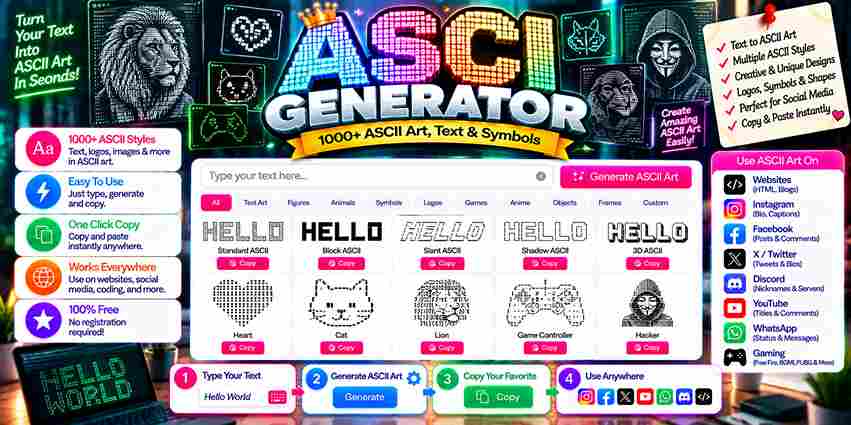
Modern ASCII & Text Art Generator Convert your standard text into stylized ASCII layouts and creative web typography instantly. Enter Your Text Font Archetype Retro Bold Banner (3-Line)Bubble Text (ⓐⓑⓒ)Filled Bubble (ⒶⒷⒸ)Square Blocks (🄰🄱🄲)Vaporwave / Wide (WIDE) Text Case FORCE UPPERCASEPreserve Input Case Live Preview Output Copy to Clipboard Clear Generating… An ASCII art generator transforms ordinary text and pictures into visually captivating artworks built from keyboard characters. Rooted in the American Standard Code for Information Interchange, this versatile tool powers terminal banners, README headers, and retro chat art effortlessly. It actively serves developers, nostalgic enthusiasts, contemporary artists, and online communities through rich customization options like font size, character density, and color schemes, successfully transforming simple images into intricate designs without advanced graphic design skills. What Is an ASCII Art Generator? Most people overlook that an ASCII art generator is fundamentally a text conversion tool built on the American Standard Code for Information Interchange, converting letters, numbers, and symbols into stunning artworks through smart rendering logic. Rooted in the early days of computing, this tool’s resurgence across digital communities speaks volumes. Developers crafting decorative headers and enthusiasts building BBS signatures use it to channel brushstrokes and pencil lines into computer-generated code. How Does the ASCII Art Generator Work? ASCII art generation relies on an underlying rendering engine that converts text or images into corresponding ASCII characters. Each pixel undergoes a brightness check, getting mapped to produce the final output in text-based format automatically. In practice, raw pixels determine the grayscale spread across any design — dark cells demand denser characters like @ and #, while light cells lean on sparser characters, with visual density quietly governing the final output. Also Read: Alt Code Generator Copy & Paste How to Generate ASCII Art Step by Step Start by deciding your specific goal — typed text or upload image input. Pick any online tools, set font size alongside character density, then hit the Generate button and watch your output appear on screen instantly. Once satisfied, customize settings — adjust color schemes, refine preferences, and view your artwork before sharing. Save as an image file, then copy and paste to social media, forums, or any platform where ASCII art thrives. How Do I Use the ASCII Art Generator? Deploying custom glyph layouts requires pasting your chosen visual arrays directly into targeted terminal frameworks. When initializing layouts for Discord, remember that wrapping the blocks inside triple backticks prevents broken alignments across modern formatting systems. Alternatively, sharing intricate designs on mobile feeds like Instagram usually demands converting your raw text canvas into a stable PNG graphic file. This clever workaround preserves pristine structural rendering, successfully bypassing erratic system typefaces altogether. Text-Based ASCII Art Long before complex software simplified design, practitioners built text-based ASCII art entirely manually. This gritty execution demands structural expertise, bypassing automation to shape raw terminal screens with deliberate, careful alignment, honoring pure layout terminal constraints. Every seasoned coder understands that typing glyphs transforms standard data into visual poetry. Arranging these subtle artistic strokes redefines spatial aesthetics, proving that obsolete text environments still offer rich canvas spaces for deep modern expression. Image-Based ASCII Art Practitioners often upload images using raw JPEG or PNG frameworks expecting instant perfection. However, achieving deep grayscale ASCII rendering requires balancing core contrast mechanics directly. We bypass standard setups to force rich textures from files. Analyzing complex photographs always demands altering the baseline resolution rather than managing simple layouts. Our experiments prove that feeding high contrast images into an automated system yields superior density without losing crucial geometric boundaries completely. Where Can I Use ASCII Art? / Use Cases To prevent informational noise, experienced developers deploy raw text layouts instead of heavy graphics. We design intentional terminal banners and CLI splash screens to establish immediate authority, proving that text function supersedes bloated modern aesthetics. Transforming basic text into an organic image asset eliminates boring documentation. I structure repositories using prominent README headers and clean section dividers, transforming sterile user-facing copy into engaging retro chat environments for functional visual decoration. What You’ll Learn While Making ASCII Art Optical harmony requires deep understanding of structural constraints. You will discover how basic punctuation creates alternative shades without relying on advanced algorithms or typical graphics. This vintage homage forces a coder to adapt completely now. Managing canvas restrictions teaches unexpected lessons. Glyphs look crooked when unexpected fences break fluid layouts. Furthermore, balancing sharp digits inside a Puffy layout structure reveals how ancient tech limitations directly limit modern aesthetic choices today. Also Read: Pixelated Text Generator – Create Glitch & Pixel Fonts Easily Common ASCII Art Mistakes Misaligned lines destroy visual appeal instantly. Creators routinely forget that a proportional font breaks structural alignment. Forcing complex layouts into modern text fields causes distortion unless you target fixed terminals or explicitly enforce 80 columns. Ignoring average brightness mathematical mapping scales during conversion yields illegible blobs. When an image entirely lacks proper contrast, chosen characters blur together, completely ruining visual definition inside a raw fenced code block layout design parameters. Banner Text in the Standard Font Deploying a clean word inside legacy terminals requires raw minimalism, bypassing complex styles. My production builds rely on the Standard option because complex fonts break layouts. This direct banner design always ensures clean operational versatility. When a web browser displays text, alignment shifts unexpectedly. Managing internal spacing resolves this issue completely. Utilizing a straightforward local figlet setup keeps the output pristine before pasting it inside any active technical Markdown file. Drop Into a README Deploying raw text layouts into your repositories demands structural precision. I often embed structured visuals directly within GitHub README files to establish immediate authority. Using traditional triple backticks ensures clean alignment across multiple developer viewports. Your technical documentation gains immediate personality when you swap generic typography for customized README headers. My workflow involves wrapping these assets inside a standard fenced code block to protect layouts from broken, uneven leading whitespace. Print a Banner From a Script Automating terminal outputs transformed my deployment workflows completely. I automated … Read more

Cursed Text Generator – Ultimate Chaos

Cursed Text Generator

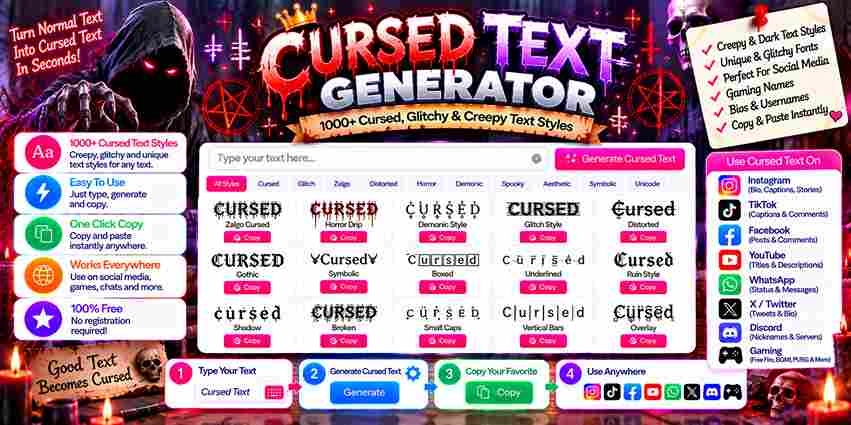
Cursed Text Generator Enter Normal Text: Cursed Intensity: 50% Spread Direction: Up Middle Down Cursed Result: Copy to Clipboard What drew me to cursed text first was how combining Unicode characters stack above, through, and below regular letters via diacritical marks, producing glitchy, messed up, hardly readable symbols — the essence of raw digital chaos. Practitioners using horror or dark humor content quickly discover this free cursed text generator uses combining character techniques and Unicode standards to transform any text limitlessly — just enter, generate, and copy paste across multiple platforms. What Is Cursed Text? When I first encountered cursed text, its wild hacked appearance immediately caught me off guard: combining characters stacked above and below normal letters create overlapping glyphs that are hardly readable, inherently disturbing, and oddly fascinating. Technically, it exploits Unicode combining characters, those diacritics and diacritical marks found in languages worldwide, pushing characters into weirdness, achieving a void text visual effect that simultaneously mimics satanic text, demonic text, and glitched fonts. Also Read: Creepy Text Generator – Make Creepy Text That Chills Spines Instantly How to Use the Cursed Text Generator Step 1 — Enter Text in the Field Begin by typing your desired text directly into the input field. The cursed word generator instantly processes each character, letting you watch the effect take shape in real time, making the experience surprisingly addictive overall. Most people overlook the craziness level slider entirely, but it’s the real power tool here. Pushing it higher will amplify your eerie fonts output, letting you create something genuinely unsettling well beyond just cool aesthetics. Step 2 — Choose a Font Style Once your text is ready, you’ll encounter an extensive list of font style options. Scroll through the styles, each featuring unique distorted characters that shift from subtle warping to deeply supernatural corruption across various combinations. The way each style resonates differently with your creative vision is precisely where the real excitement lies. Select the option that feels most right — haunting, quietly chaotic, or sinister — and watch your text truly transform. Step 3 — Copy and Paste Font With your distorted version finally ready, the next step becomes effortless. Hit the copy and paste button, then head to your desired platform — whether that’s Facebook, Instagram, Twitter, or Discord — and drop it directly in. No special formatting experience is required here. The generator handles everything automatically, preserving your chosen text’s corrupted appearance across different interfaces without manual adjustments, making the entire sharing process genuinely fast and painless for anyone. Extensive Collection of Cursed Font Styles The cursed font collection never follows standard typographic rules. Each font style carries its own intensity — from mildly unsettling marks to extremely corrupted glyphs displaying a glitchy appearance. This diverse flexibility defines true design power. Beyond aesthetics, font styles resonate differently with audiences. Creepypasta writers favor intensely distorted text, while gaming usernames lean toward glitched fonts that capture identity. True cursed writing styles serve tone, not just visual uniformity alone. Use Cursed Text Across Platforms Discord usernames, Twitter bios, Reddit posts, and Instagram captions all support glitched aesthetics through Unicode characters that stack and overlap. Your social media accounts and profiles genuinely stand out on every platform without extra effort. YouTube comment sections, internet comments, and chat messages often thrive on creepy text. Just copy and paste generated text across devices — the hacked text effect conveys darkness and supernatural themes wherever you are posting content. Amplify Your Social Media Presence With Cursed Text Social media competition is brutal — most bios fade out instantly. Switching over to cursed text fonts gives your digital identity an indelible mark, making followers stop, engage, and genuinely remember you without any extra effort. Most creators overlook how eerie fonts can shift perception. A cursed text generator, when pasted across social media platforms, creates distorted characters that feel mystical, giving branding a distinctive edge over ordinary regular text strategies. The Free Toolkit for Cursed Text Maker Most practitioners overlook how deeply a free cursed font generator shapes digital identity. Unlike paid tools, this website delivers eerie precision, letting your word carry horror weight without budget constraints or platform restrictions slowing creative momentum. What separates casual users from intentional creators is knowing how craft meets function. Every message built here uses Unicode standards to generate results that feel possessed, pushing text beyond ordinary formatting into genuinely disturbing visual territory worth exploring. Elevate Plain Text Using Our Free Cursed Text Generator Every digital age creative knows that standing out requires more than polished grammar. Cursed letters introduce deliberate dramatic effect, transforming ordinary sentences into visually distorted form outputs that stop scrollers mid-feed with raw, unexplained mystique. Retain attention by embracing weirdness as a design strategy. The cursed letter generator feels paramount when standard fonts fail to enrich your message, delivering visual disruption that speaks louder than conventional typography ever could. Create Stunning Designs Using Cursed Fonts Designers who work with cursed fonts understand that typography alone carries profound character. The distorted form of each letter creates an aura of mystery that standard plain text simply cannot replicate in digital narratives or branded visuals. Cryptic typography gives your work an extraordinary visual edge. A cursed font generator morphs ordinary letters into captivating arrangements, revamps your entire cursed text style, and transforms every input into something genuinely remarkable for design projects. Captivate Attention With Stunning Social Media Bios Your Twitter bios rarely get second chances at first impressions. Using cursed fonts strategically within your profile creates an instant creepy first impression that stops scrollers cold, making your consistent branding feel genuinely popular and unforgettable across every platform. Most creators overlook how Unicode characters can transform standard bios into something visually striking. When you integrate eerie vibes through carefully chosen font styles, your social channels suddenly project personality, mystery, and deliberate creative intent beyond ordinary text. Display Issues & Compatibility Warning Working with cursed text across digital environments has taught me something practitioners rarely discuss — heavy cursed text doesn’t … Read more

Weird Fonts Generator – Generate Weird Fonts That Stun Everyone

Weird Fonts Generator

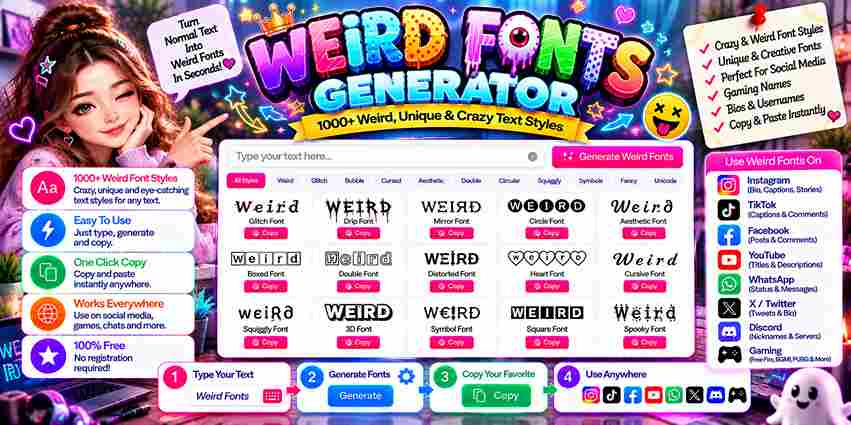
✨ Weird Fonts Generator Type your text below to instantly convert it into weird, cool, and aesthetic fonts. Click to copy! As a seasoned developer, I notice digital expression often defies expectations when standard layouts feel restrictive. Implementing experimental glyphs or Zalgo Text yields an unsettling, cursed look that redefines traditional typography through unconventional styling paradigms. Manipulating these sub-elements bypasses basic communication rules, injecting raw individuality into plain interfaces. My research proves that deploying glitchy text with unpredictable patterns elevates emotional engagement, fracturing monotonous online spaces with intense, decentralized aesthetic friction. What Are Weird Fonts? Digital typography subversion relies on special Unicode to bypass standard design constraints. These visually unexpected assets utilize combining diacritical marks, forcing a base character to bleed vertically across layouts. This creates a mysterious interface notation. As a seasoned practitioner, I witness how glitching unusual patterns transform normal text into beautifully corrupted digital art. By stacking multiple diacritic signs, this weird font phenomenon breaks constraints to manifest true decentralized creative expression. Also Read: Gibberish Font Generator – Copy & Paste Fonts Understanding Weird Fonts in Simple Terms Observing online behavior reveals why traditional design patterns lose impact. Viewers overlook regular formatting completely. However, applying quirky Unicode characters yields unexpected shapes, modifying plain sentences into text styles that instantly capture reader focus effectively. From my development expertise, this phenomenon relies on unpredictable alterations. When phrases defies typical rendering expectations, it generates surreal visuals. These customized letterforms reshape boring commentary into an engaging experience within any online space smoothly. Types of Weird Fonts / Font Styles Embracing eccentricity redefines digital aesthetics completely. My practice with bizarre fonts proves that utilizing unusual patterns breaks traditional engagement models. These specialized text choices inject raw quirkiness into communication, defying standard corporate design world norms. Deploying experimental design hidden macro structures generates profound psychological impacts. Through intentional distortions, creators navigate obscure visual landscapes where standard layout aesthetics dissolve, forcing deep cognitive processing via intricate, hidden Unicode characters that surprise audiences. How to Use the Weird Font Generator? When humans enter raw text here, they quickly scroll through endless combinations to copy and paste modified glyphs. This fluid workflow immediately bypasses boring layouts, injecting fresh energy into every single specific online dispatch today. Our crazy font generator offers an extensive list of peculiar variants. Selecting one adjusts your narrative, allowing you to instantly broadcast customized phrases across any preferred electronic platform with absolute visual authority for maximum impact. Step 1 — Enter Text in the Field Digital manifestation always begins the very moment your normal text fills this empty web input box. Skipping tedious platform signup barriers completely ensures instant results, transforming basic communication into highly customized, deeply engaging, algorithmic creativity. As a practitioner, I observe that this simple interaction triggers the underlying font generator without requiring any software installation. Your initial keystrokes fundamentally redefine standard alphabets, preparing those raw characters for an exceptionally eccentric evolution. Step 2 — Choose a Font Style Selecting Experimental fonts demands an analytical perspective on digital design. Practitioners deliberately manipulate a bizarre combination of complex options to transform standard text. Prioritizing uniqueness ensures your chosen styles instantly yield a highly quirky output. Evaluating Distorted fonts reveals how atypical letters completely challenge standard cognitive recognition. This strange, crazy curation process bypasses predictable layouts. Embracing an unusual font architecture directly converts ordinary inputs into a deeply Cryptic visual experience. Step 3 — Copy and Paste Font Instant deployment shifts your digital strategy entirely. Once the system has converted standard inputs, capturing that specific weird font style moves directly to your clipboard. This frictionless execution ensures immediate aesthetic alterations across various layouts. Simply paste the generated characters to inject a distinctive flair into modern status updates. This finalizes the workflow, instantly transforming ordinary comments into striking focal points without relying on complex software design tools or plugins. Why Are Weird Fonts So Popular? Digital algorithms feed on sameness, forcing creators to rebel. Embracing pure unconventionality on modern platforms subverts expected text norms, which instantly attracts users seeking some raw, authentic human friction within clinical, automated, heavily optimized ecosystems. Psychological data shows that standard text gets ignored. Conversely, deploying visually unexpected patterns through uncommon text designs forces deep cognitive processing, unlocking high engagement potential simply because the human brain breaks routine to decode messages. Benefits of Using Weird Fonts Establishing a unique identity online requires redefining standard branding metrics. Elevating your creative expression using customized aesthetics drastically maximizes your overall content visibility, which ensures your digital footprint consistently performs better across competitive social feeds. Integrating unique text into profiles bypasses conventional communication barriers. I have witnessed firsthand how structural stylistic shifts spark immediate consumer interaction, allowing niche brands to stand out effortlessly while project narratives retain a unique charm. Where Can You Use Weird Fonts? In my consulting practice, digital interfaces often ignore rigid systems. I deploy creepy text on underground posters to disrupt regular algorithmic feeds. Audiences slow down, forced to decipher hidden messages within these mysterious geometric letters. We must explore tactical branding beyond clean typography. Applying alternative layouts to corporate logos builds profound psychological friction. Embracing these rebellious new styles ensures your specialized communications subvert standard corporate expectations with extreme, calculated intentionality. Weird Fonts in Social Media Growth Our testing shows an unconventional character choice disrupts the standard scrolling feed. This psychological friction captures fleeting attention, shifting standard metrics. Injecting unique scripts into your presence naturally elevates organic consumer engagement across active profiles. Optimizing your TikTok or Twitter outreach requires challenging traditional aesthetics. Audiences weary of polished marketing crave raw, quirky expressions. Deploying these formats drives higher interaction rates, ensuring your content will deeply resonate with digital cultures. Create Stunning Designs Using Weird Font Styles Disrupting traditional design rules offers a powerful tool for modern interfaces. When developing creative content, standard text fails. My experience proves that digital engagement shifts completely when modern layout elements embrace highly unpredictable typographic aesthetics. When formatting professional content, excess variation makes messages unreadable. Avoid overusing styles recklessly. Instead, select captivating fonts … Read more

Creepy Text Generator – Make Creepy Text That Chills Spines Instantly

Creepy Text Generator

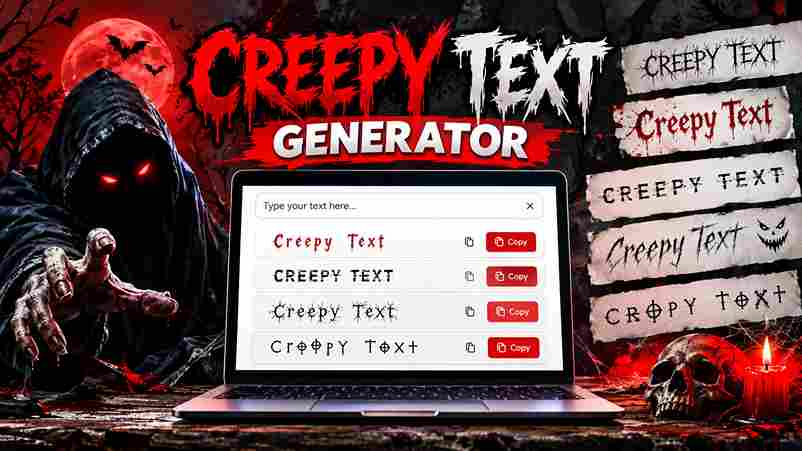
C̵r̷e̷e̵p̷y̵ ̷T̵e̷x̵t̴ ̵G̷e̵n̴e̷r̴a̵t̵o̷r̵ Normal Text: Chaos Level: Medium Mess Upwards Mess Middle Mess Downwards Creepy Text: Copy to Clipboard Most people discover creepy text through social media, puzzled by those glitchy, corrupted letters that look almost possessed. This creepy text generator quietly transforms regular text into something unsettling using Unicode — no hacking skills required. Behind those dark aesthetics lies something deceptively simple: combining diacritical marks and extra Unicode marks via stacking within characters. What resembles digital horror is standard Unicode manipulation — always copy paste ready across all electronic devices. Generating Creepy Text / How Does It Work? Having tested dozens of tools, I found creepy text generators stack combining Unicode characters onto letters, exploiting browser rendering. Each character receives cascading diacritical marks above and below, building that haunting glitched, corrupted text aesthetic. What surprised me: the glitch aesthetic relies entirely on Unicode sets containing endless combining marks. The aggressive stacking I observed generates visual noise mimicking digital errors, then you copy and paste output precisely for impact. Also Read: Weird Fonts Generator – Generate Weird Fonts That Stun Everyone Copy and Paste Creepy Text Creepy fonts demand zero design skills — just copy paste and go. A cursed text generator delivers that horror-themed wrongness instantly to your social media accounts, bios, or any blog post craving that raw macabre energy. Most online creepy text generators layer diacritical marks directly over normal text, producing that digitally broken, deeply chaotic visual result. Paste outputs into Discord, Reddit, or Instagram captions — readability drops, but spooky mood spikes dramatically. Where to Use Creepy Text / Use Cases Usernames crafted with cursed text leave lasting impressions across gaming platforms and Discord server names. From Reddit to TikTok, I’ve watched horror content creators build a truly commanding digital presence using a creepy font generator. Halloween posts and haunted house content thrive with glitch effects. Blogs about horror stories and creepypasta gain extra emphasis using stylized fonts. Meme captions across YouTube comment sections feel sharper with deliberate weirdness naturally included. Tips for Using Creepy Text Avoid excessive Zalgo text on platforms where automated systems often flag it as spam. Keep distortion moderate to stay readable while preserving that unsettling, eerie vibe. Always test across older devices before posting horror content. Mix and match Gothic-adjacent styles with cursed fonts or glitch text for Halloween posts. Pair void text with spooky captions without letting dark decorations overpower your core message. Always keep tone intentional, never purely chaotic. What Is Zalgo? / Messy / Glitch Text Styles Digital chaos manifests when demonic scripts disrupt internet culture entirely. Managing this aesthetic requires understanding how layering stacked diacritics breaks normal typography, transforming traditional layouts into an intentional, heavily distorted canvas filled with pure corruption. Encountering an unexpected Zalgo phrase evokes immediate unease, mimicking a hacked mainframe. These digital glitches use cryptic symbols to obscure meaning, crafting a dark mystery where the original text becomes an entirely unrecognizable visceral nightmare.

Symbol Text Generator – Cool Text Instantly!

Symbol Text Generator

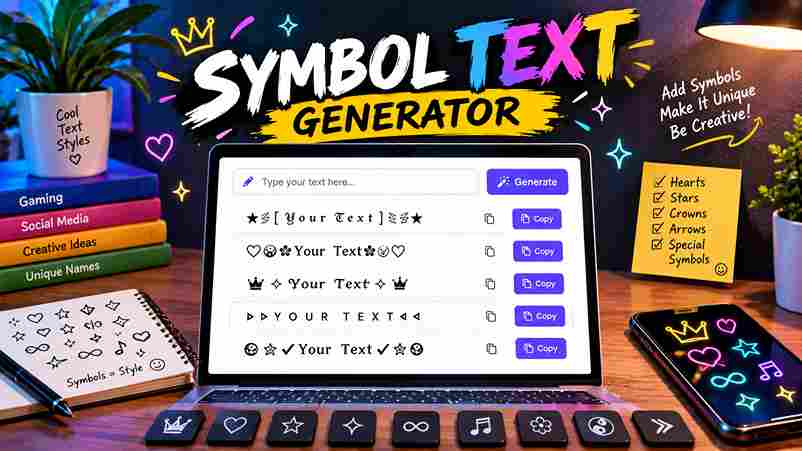
✨ Ultimate Symbol & Text Decorator ✨ Type your text below to instantly generate cool, stylish text with symbols, emojis, and unique borders. ✕ All Styles Cute & Kaomoji Cyber & Gaming Elegant & Borders Stumbling upon stylish text on social media taught me more about unicode character encoding than any manual ever could. A generator quietly converts regular text into bold, italic, or script forms across platforms and devices. The universal character encoding standard supports tens of thousands of characters, beyond old 256 characters limits. This range enables copy and paste of unicode symbols through any font, spanning symbol sets across devices and platforms. How It Works The symbol text generator operates through Unicode — a character encoding international standard that assigns each character a unique numerical value. Simply type into the input box, pick font styles, and copy results from real-time previews. Behind fancy text styles is JavaScript mapping Latin alphabet letters to Unicode characters — converting regular text into distinct symbol sets, ensuring devices on every platform seamlessly render your visually appealing, expressive text with full compatibility. Also Read: Flag Font Generator How to Use the Symbol Text Generator Type your text into the text box, scan hundreds of styles including bold, italic, cursive, old english, and monospace, copy the result, and paste it across social media or documents with your font style chosen. Experienced users strategically switch between text styles — carefully selecting script for creative expression, underlined for emphasis, or sans-serif — to keep messages highly readable, then directly copy and paste results into chats, notes, or forums seamlessly. Popular Use Cases Social Media Engagement Most creators underestimate how aesthetic fonts and text symbols deeply transform ordinary posts. Styling text deliberately signals effort, builds identity, and triggers real curiosity that pushes readers to engage rather than scroll past your content. Experienced strategists know that unique fonts and carefully chosen symbols do more than decorate—they format communication with clear intention. Characters breaking visual monotony actively increase dwell time, comments, and shares across every major platform. Digital Art & Design Digital art fully transforms when text symbols meet decorative elements. Designers leverage unicode symbols, geometric shapes, and intricate designs for aesthetic purposes. Combining characters with special symbol blocks creates remarkable visual compositions in creative projects. Text art, ASCII, and text picture effectively redefine digital art expression. Aesthetic symbols, cute symbols, and keyboard symbols add text styling depth. Using a font generator, designers craft decorative characters that elevate creative visual projects. Online Messaging Messaging apps like WhatsApp, Telegram, and Facebook Messenger changed how online messaging feels. A stylish message using symbol texts, emoticons, or fancy text turns an ordinary chat into a memorable greeting that reflects real personality. I’ve seen Discord servers where cursive letters and emoji symbols drive stronger interactions than plain text messages. Special characters add attention, boost social media posts reach, and maintain consistency across SMS, iMessage, and Signal conversations. Personal Branding Personal expression defines modern branding. A stylish name with fancy fonts on LinkedIn or Instagram bios creates first impressions that reflect professional identity, making stand out profiles that carry real visual appeal and elegant character. Messaging and business communications grow much stronger when symbols and bold font reinforce a consistent brand. Captions, usernames, and content styled with aesthetic quality transform social media marketing into maximum impact personal storytelling that resonates. Platform Compatibility Platform-specific behavior varies across modern devices and operating systems. What displays consistently on one browser may appear broken elsewhere. Compatible unicode standard text ensures your cool fonts render correctly on all devices, everywhere without compromise. Font variations emerge from different rendering engines across various platforms. TikTok, Facebook, and Twitter each interpret stylized text subtly differently. Widely supported international standard character encoding maintains consistent appearance, protecting important information on different devices. Social Media Trendy bold styles across social media platforms quietly define your personal brand identity. From Instagram profile to Facebook posts, the right aesthetic fonts build a distinctive, recognizable presence that naturally pulls online communities much closer. Engaging captions and comments gain real power through cursive style or bold script text on TikTok and Reddit. Smart ads leverage marketing with stylish bios to improve readability and convert passive viewers into loyal followers. Instagram Fonts Cultivating an organic digital identity requires strategic subversion. When creators enter text into a generic font changer, they often undermine readability. True impact relies on psychological friction, forcing viewers to pause during mindless vertical scrolling. Our data shows customized Instagram fonts shouldn’t dominate main feeds. Instead, tactical application within short stories captures fleeting human attention. Deploying trendy fonts selectively creates an intimate, non-AI aesthetic that builds deep, authentic audience trust. Fonts for Twitter Digital psychology shows Twitter/X feeds trigger algorithmic friction. Crafting tweets requires disrupting the standard layout to capture attention. Through special styling, we inject crucial emotional nuances directly into chaotic online conversations, transforming everyday profile aesthetics. Optimizing Twitter profiles shifted my perspective on digital identity. Beyond a passing trend, using stylish fonts establishes subtextual authority. Make text easy to read yet distinct, leveraging customized bio fonts on X for maximum impact. Facebook Fonts Transforming ordinary Facebook statuses requires stepping away from native restrictive layouts. Crafting fancy text posts forces algorithmic feeds to pause, establishing maximum visual impact instantly. I notice engagement metrics spike when altering standard digital profiles. Whether deploying a witty comment or a sharp reply, customized styling elevates conversational depth. Adjusting your caption fonts mirrors an explicit content mood, bypassing boring standard text to project genuine personal aesthetic authority online today. Threads My years engineering digital identities prove that a standalone messaging app thrives on visual disruption. On Threads, establishing personal branding requires bypassing standard interfaces entirely. I intentionally deploy non-linear character sets to alter audience reactions. Algorithmic feeds reward raw individuality over curated uniformity. When users customize digital signatures, corporate feeds transform into artistic illustrations. This psychological shift proves that formatting is not decorative; it directly anchors deep user sentiments organically. Reddit Subverting standard community infrastructure always requires a robust text … Read more

Mirror Font Generator — Flip Your Text Instantly

mirror font generator

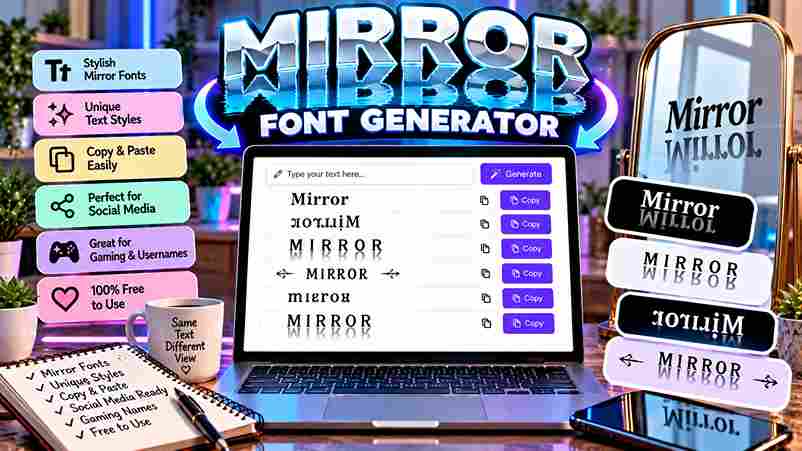
Mirror Font Generator Create unique reversed and flipped text instantly. Perfect for creative social posts! Input Text Characters: 0 | Words: 0 Mirrored Output Characters: 0 | Words: 0 Full Text Mirror Mirror Word Order Mirror Each Word’s Lettering Copy Output Clear All Observing digital symmetry requires a mirror generator that manipulates the orientation of every character. This tool creates a reflected version of your writing, ensuring the reversed text maintains a true reflection for unique, creative designs. Users seeking mystique for gaming personas often paste their text into the input box. Instantly, the results are transformed, appearing within milliseconds as flipped characters ready for social media or perfectly engaging unique digital posters. How To Use The Mirror Text Generator Don’t just stare; move to the page top to type your regular text. Enter 1st box or upload from a drive. This input process creates a flipped version of your individual writing. Instant creative tool! Click the Generate Mirror Text button. Within seconds, the 2nd output appears mirrored. View and copy to your clipboard from the 3rd area. Your entered content is generating a unique mirrored reflection. See online experiments. Also Read: Reverse Text Generator – Create Backwards Text Enter Text Type Type your words into the input box — the generator processes each letter in sequence without delay. I’ve found it reliably detects original text direction, applies your chosen mode, and produces mirrored output seamlessly and correctly. Generate Mirror Text Button The Generate Mirror Text button is where transformation happens. One click delivers instant output — efficiently produces your reversed result, ready to copy across apps, platforms, messaging sites — no sign-ups, registration, or hidden account details needed. View The panel instantly renders your mirrored characters clearly, letting readers find their visual output with ease. Results appear horizontally or vertically by mode, giving content creators across mobile, desktop, and tablet devices a clean preview. Copy Once generated, your mirrored result is ready to copy with no app or software barriers. The browser function keeps your data private and safe, supporting personal and commercial projects regardless of size, cost, or limits. Alternative Artists and designers seeking an alternative often incorporate manual Unicode encoding directly. This simple process lets anyone type individual Latin letters with IPA counterparts, maintaining symmetry without solely relying on multi-platform applications for all transformations. Gamers establishing memorable multiplayer names sometimes reverse word order manually, using 3D Rotation effects. Developers also validate string manipulation functions through built-in processes, making eye-catching logos and artwork free from formatting glitches on any system. Key Features / Benefits Modes of Mirroring Lettering reversal, orientation flips, and order changes represent three key mirroring modes. Graphic enthusiasts commonly use each style to enhance artistic language, replacing standard character positions with casual yet visually distinct effects and creative messages. Mirror Wording Mirror wording reverses all symbols from the Roman alphabet, swaps reading directions, and maintains a backwards visual equivalent. This technical approach uses Unicode substitute characters — each represents uppercase letters, numbers, and punctuation with approximate match. Mirror Each Text Lettering Mirror Text mode handles each individual lettering by applying flip logic at the character level. Unlike basic wording changed approaches, this form keeps unchanged letters like b, d, p, q visually real and defined consistently. Reverse Word Order Unlike character flipping, reverse word order sends your sentence back to front at each step. Every word shifts to an opposite slot—this primitive option works as a replacement, entirely free of complex converter logic. Who Uses the Mirror Text Generator? From smartphone users to laptop professionals, this tool sees real demand based on creative needs. Designers, educators, and translator communities use it to mimic stylized text, adding a personal touch across 100 different digital platforms. Social media influencers, students, and developers who value accessible design are among the top users. Whether they sign posts or upload content, the tool offers time-saving support without needing costly packages or external server processing. Where Can You Use Mirror Text? Use mirrored text in Instagram bios, TikTok captions, Twitter or X profiles, and Discord chats when short phrases need visual hooks. Check each platform before publishing because displays can vary across devices on older phones. Beyond social profiles, puzzle challenges, novelty prints, decals, and digital art offer playful applications. Teachers can demonstrate right-to-left rendering in educational contexts, while designers test a brand mark or signage before printing for real-world use. What Is the Difference Between Mirrored Text and Reversed Text? Mirrored text reflects each individual character along its vertical axis — like holding paper before a bright mirror. Reversed text only flips the sequence order. Both alter how you read them, but through different optical mechanisms. The distinction matters more than people commonly assume. A camera pointed at mirrored text decodes it quite differently than reversed text. The background logic in Unicode computer encoding treats each as a separate typographic challenge. How to Mirror Text in Word Microsoft Word supports a text flip through its page layout tools. The work is surprisingly light — select your text, open Format Shape, apply a 3D rotation, and generate a mirror effect regardless of operating system. Unlike alternative tools, Word’s built-in method can handle mirrored text of any length, whether long or concise. The same 1-step WordArt package maintains text identity, making it 100% editable — no file needs to be sent. Where Do the Mirrored Unicode Characters Come From? The Unicode Consortium operates with strict standards, embedding mirrored characters across a repository built over decades. These symbols remain catalogued there, driven by interest in bidirectional scripts — placed below the surface of everyday text encoding. What makes this better than custom fonts is Unicode’s top-tier encoding — a 50-year drive toward consistency. Each mirrored glyph carries a unique code number, and that difference distinguishes functional mirrors from decorative lookalikes.