
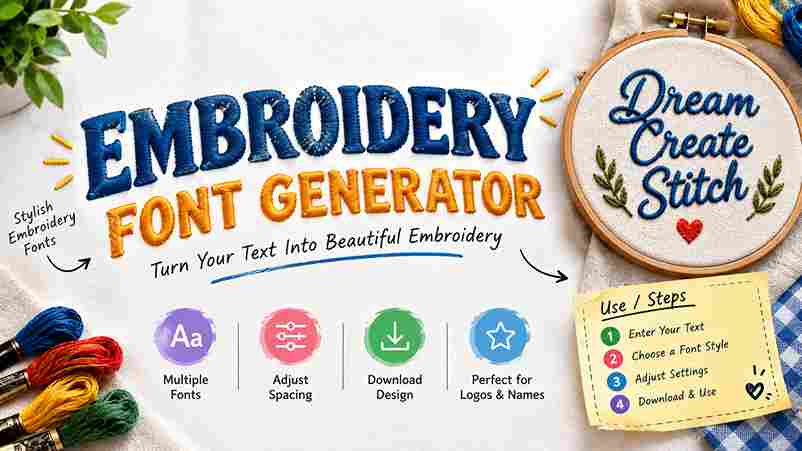
Embroidery Font Generator
Create custom embroidery-style text with different fonts, stitch patterns, thread colors, spacing, density and backgrounds. Download your design as a PNG.
An embroidery font generator turns typed lettering into a visual embroidery concept, letting designers test font style, letter spacing, word spacing, and preview details before committing stitches to fabric, products, or apparel across common projects.
From my workflow, useful tools balance readable letters with practical production choices, using millimeters, a stitch path, and a machine-ready embroidery file, so names, monograms, uniforms, caps, and patches remain clear after sewing on garments.
Table of Contents
Embroidery Font Generator Use / Steps
Start by typing your text into the embroidery font field, choose a font, adjust letter spacing and word spacing, then review the layout before pressing the Generate button to create a preview before stitching begins.
Next, select colors and a suitable size, check stitch density, confirm background color, and use transparent PNG or PES output when needed. Finally, use image download to save the design and test it before sewing.
Features
Useful features become obvious when the generator delivers a realistic embroidery effect, preview before sewing, fixed physical size, and sharp letters, helping designers judge scale, spacing, and thread behavior before production starts with confidence today.
For practical workflows, browser access, free creation, no upload, no login, and support across tablet, phone, and any device make customization faster, while a machine-ready embroidery file keeps output convenient for everyday stitching tasks too.
Also Read: Stencil Font Generator
Benefits / Who It’s For
From my workflow, embroidery text is most useful for e-commerce operators who need personalizing without manual tracing. Shoppers can preview names on caps, bags, and towels, while uniforms gain consistent lettering for repeat orders reliably.
The practical benefit extends to gifts and branding: initials and monograms create a personal touch, while a short word keeps stitching manageable. I’ve found these choices especially effective when matching products, audiences, and production limits.
Types Of Embroidery Font Styles
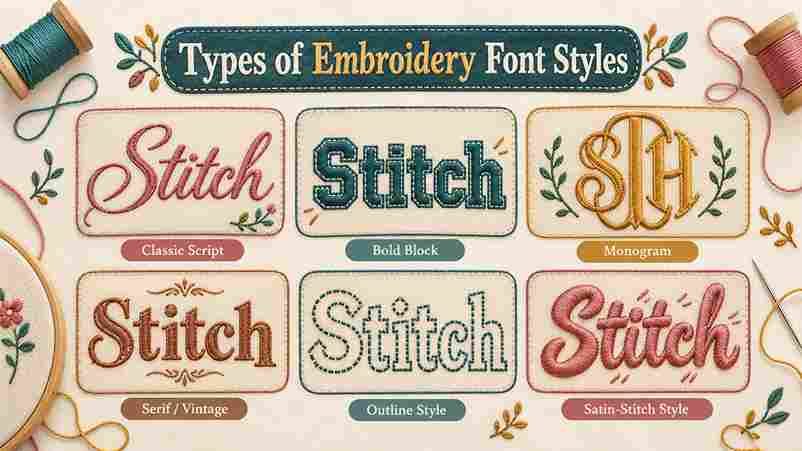
Embroidery styles differ by stitch behavior, not simply appearance. Satin columns, running-stitch outline, fills, letter outline, and single-color running stitch produce different lettering effects, while stitch coordinates influence spacing, density, and fabric coverage on products.
Some styles prioritize detail; thin letters suit smaller sizes, while bold letters and filled letters demand hooping and firm stabilizer support. I compare font previews before personalization, checking alignment problems, puckering, and final stitch-out clarity.
Categories
Embroidery font categories become clearer when organized by stitch behavior rather than appearance alone. I usually separate script, block, monogram, and varsity lettering first, then test density, spacing, and thread direction on actual fabric carefully.
For decorative projects, cursive, chain stitch, cross stitch, 3D puff, and needlepoint styles each require different digitizing decisions. In practice, choosing the right style depends on fabric weight, hoop limits, readability, and stitch stability overall.
Where To Use Embroidery Font Generator
An embroidery font generator fits neatly into product personalization, especially for aprons, towels, bags, and labels. I use it when a client needs names, initials, or team branding previewed before production with better placement decisions.
It also works for website logo projects, boutique monogram pieces, and repeat label runs. For machine work, exporting a PES or DST file helps connect digital lettering with practical stitching requirements before sending work onward.
Embroidery File Formats Explained
Choosing a file format is less about decoration and more about whether the embroidery software can prepare a dependable stitch plan for target commercial machines. DST remains the most widely supported option across production environments.
For home machines, manufacturers may prefer a native format, so I check the machine brand before exporting. Pfaff, Babylock, Janome, Brother, Bernina, and Ricoma setups can differ in acceptable formats, settings, and transfer methods significantly.
Conclusion
After testing different workflows, I find digitizing quality matters more than decorative effects. A strong embroidery font generator turns typed words into clean, machine-ready output, balancing spacing, needle movement, and readable detail for consistent results.
From production work, I have learned that preview accuracy builds confidence before stitching begins. Choosing suitable fonts, stabilizer, and export settings helps preserve the intended appearance across garments, logos, gifts, and professional orders with confidence.
What Does The Tool Do / How Does It Work?
An embroidery font generator converts typed letters into true-to-thread previews, then prepares stitch instructions around each glyph. I check letter height, spacing, and machine-readable output before exporting, because proper sizing prevents digitizing surprises during reviews.
Is It Free, And Do I Need To Install Anything Or Use A Computer?
Yes, access is free, with no subscription and no login required. Because there is no install, I often use the tool through a mobile browser or desktop, then download the PNG preview for embroidery planning.
How Do I Control Size And Spacing?
I usually set exact size first, then adjustable spacing keeps letters balanced across the canvas. Change font size gradually, adjust spacing visually, and use the true-to-thread preview before exporting for cleaner embroidery results on garments.
Who Can Use It / What Can I Stitch?
Beginners, designers, and e-commerce operators can create logos, monogram lettering, team names, and art pieces for apparel, bags, gifts, and branding, using patterns, text styles, or typefaces while keeping results readable and repeatable across products.
Why Is It Important To Preview Embroidered Text On Product Pictures?
Previewing realistic embroidered text effects on a mockup reveals how the output will sit across fabric, colors, and proportions. I always check the viewer image before download, because embroidery can shift visually at production size.
2 thoughts on “Embroidery Font Generator – Create Embroidery Text”