Symbol Text Generator – Cool Text Instantly!
Symbol Text Generator

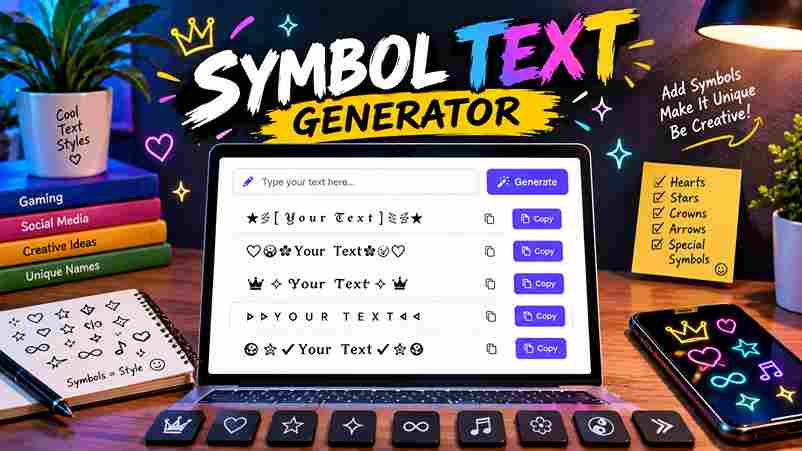
✨ Ultimate Symbol & Text Decorator ✨ Type your text below to instantly generate cool, stylish text with symbols, emojis, and unique borders. ✕ All Styles Cute & Kaomoji Cyber & Gaming Elegant & Borders Stumbling upon stylish text on social media taught me more about unicode character encoding than any manual ever could. A generator quietly converts regular text into bold, italic, or script forms across platforms and devices. The universal character encoding standard supports tens of thousands of characters, beyond old 256 characters limits. This range enables copy and paste of unicode symbols through any font, spanning symbol sets across devices and platforms. How It Works The symbol text generator operates through Unicode — a character encoding international standard that assigns each character a unique numerical value. Simply type into the input box, pick font styles, and copy results from real-time previews. Behind fancy text styles is JavaScript mapping Latin alphabet letters to Unicode characters — converting regular text into distinct symbol sets, ensuring devices on every platform seamlessly render your visually appealing, expressive text with full compatibility. Also Read: Flag Font Generator How to Use the Symbol Text Generator Type your text into the text box, scan hundreds of styles including bold, italic, cursive, old english, and monospace, copy the result, and paste it across social media or documents with your font style chosen. Experienced users strategically switch between text styles — carefully selecting script for creative expression, underlined for emphasis, or sans-serif — to keep messages highly readable, then directly copy and paste results into chats, notes, or forums seamlessly. Popular Use Cases Social Media Engagement Most creators underestimate how aesthetic fonts and text symbols deeply transform ordinary posts. Styling text deliberately signals effort, builds identity, and triggers real curiosity that pushes readers to engage rather than scroll past your content. Experienced strategists know that unique fonts and carefully chosen symbols do more than decorate—they format communication with clear intention. Characters breaking visual monotony actively increase dwell time, comments, and shares across every major platform. Digital Art & Design Digital art fully transforms when text symbols meet decorative elements. Designers leverage unicode symbols, geometric shapes, and intricate designs for aesthetic purposes. Combining characters with special symbol blocks creates remarkable visual compositions in creative projects. Text art, ASCII, and text picture effectively redefine digital art expression. Aesthetic symbols, cute symbols, and keyboard symbols add text styling depth. Using a font generator, designers craft decorative characters that elevate creative visual projects. Online Messaging Messaging apps like WhatsApp, Telegram, and Facebook Messenger changed how online messaging feels. A stylish message using symbol texts, emoticons, or fancy text turns an ordinary chat into a memorable greeting that reflects real personality. I’ve seen Discord servers where cursive letters and emoji symbols drive stronger interactions than plain text messages. Special characters add attention, boost social media posts reach, and maintain consistency across SMS, iMessage, and Signal conversations. Personal Branding Personal expression defines modern branding. A stylish name with fancy fonts on LinkedIn or Instagram bios creates first impressions that reflect professional identity, making stand out profiles that carry real visual appeal and elegant character. Messaging and business communications grow much stronger when symbols and bold font reinforce a consistent brand. Captions, usernames, and content styled with aesthetic quality transform social media marketing into maximum impact personal storytelling that resonates. Platform Compatibility Platform-specific behavior varies across modern devices and operating systems. What displays consistently on one browser may appear broken elsewhere. Compatible unicode standard text ensures your cool fonts render correctly on all devices, everywhere without compromise. Font variations emerge from different rendering engines across various platforms. TikTok, Facebook, and Twitter each interpret stylized text subtly differently. Widely supported international standard character encoding maintains consistent appearance, protecting important information on different devices. Social Media Trendy bold styles across social media platforms quietly define your personal brand identity. From Instagram profile to Facebook posts, the right aesthetic fonts build a distinctive, recognizable presence that naturally pulls online communities much closer. Engaging captions and comments gain real power through cursive style or bold script text on TikTok and Reddit. Smart ads leverage marketing with stylish bios to improve readability and convert passive viewers into loyal followers. Instagram Fonts Cultivating an organic digital identity requires strategic subversion. When creators enter text into a generic font changer, they often undermine readability. True impact relies on psychological friction, forcing viewers to pause during mindless vertical scrolling. Our data shows customized Instagram fonts shouldn’t dominate main feeds. Instead, tactical application within short stories captures fleeting human attention. Deploying trendy fonts selectively creates an intimate, non-AI aesthetic that builds deep, authentic audience trust. Fonts for Twitter Digital psychology shows Twitter/X feeds trigger algorithmic friction. Crafting tweets requires disrupting the standard layout to capture attention. Through special styling, we inject crucial emotional nuances directly into chaotic online conversations, transforming everyday profile aesthetics. Optimizing Twitter profiles shifted my perspective on digital identity. Beyond a passing trend, using stylish fonts establishes subtextual authority. Make text easy to read yet distinct, leveraging customized bio fonts on X for maximum impact. Facebook Fonts Transforming ordinary Facebook statuses requires stepping away from native restrictive layouts. Crafting fancy text posts forces algorithmic feeds to pause, establishing maximum visual impact instantly. I notice engagement metrics spike when altering standard digital profiles. Whether deploying a witty comment or a sharp reply, customized styling elevates conversational depth. Adjusting your caption fonts mirrors an explicit content mood, bypassing boring standard text to project genuine personal aesthetic authority online today. Threads My years engineering digital identities prove that a standalone messaging app thrives on visual disruption. On Threads, establishing personal branding requires bypassing standard interfaces entirely. I intentionally deploy non-linear character sets to alter audience reactions. Algorithmic feeds reward raw individuality over curated uniformity. When users customize digital signatures, corporate feeds transform into artistic illustrations. This psychological shift proves that formatting is not decorative; it directly anchors deep user sentiments organically. Reddit Subverting standard community infrastructure always requires a robust text … Read more
Fontes Aesthetic That Transform Your Style

Fontes Aesthetic

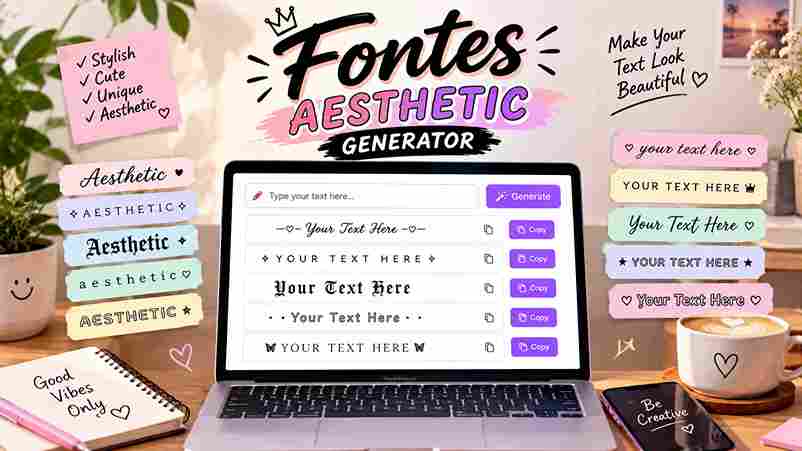
× ✨ All Styles 𝒞𝓊𝓇𝓈𝒾𝓋ℯ / Fancy 𝐐𝐮𝐢𝐜𝐤 Bold 𝔊𝔬𝔱𝔥𝔦𝔲𝔮 Ⓕⓤⓝ / Weird 彡 Decorated Copied Successfully! Ordinary text simply looks too plain — Unicode, a standardized system, eliminates installation friction entirely. Traditional fonts fail here; special character sets work across every device, producing visually appealing styles that feel impressive and deeply captivating. Beyond HTML, CSS, and JAVASCRIPT frameworks, a dedicated stylish text generator — purely a web application — delivers a myriad of font designs effortlessly. Fancy text, decorated fonts, and stylish fonts elevate any social profile quite dramatically. What Are Aesthetic Fonts? Aesthetic fonts aren’t traditional real fonts — they’re special Unicode characters that switches out regular alphabet characters with similar shapes, producing visual effects that transform ordinary text into something decorative, visually unique on any digital platform. The spectrum spans quite wide — from soft aesthetic small text to vaporwave, gothic, and cursive aesthetic styles. Across tens of thousands of Unicode characters, an aesthetic font generator delivers any particular vibe for content instantly. Also Read: Cute Font Generator 250+ Cute Fonts Copy & Paste How Does It Work? Visit the website and add text to the text field. The aesthetic font maker tool will generate instant aesthetic text across multiple styles like Elegant Script, Bold Cursive, and Soft Cursive for a quick preview. Double-clicking any style lets you copy and paste anywhere effortlessly. Use the font resizer to adjust the size, tweak your text size, with no downloads and no extra software — just convert any simple text quickly. How to Use Visit the aesthetic text maker website, type your chosen word or phrase into the top text field, hit generate, and scroll through thousands of different designs featuring unique fonts and various aesthetic text styles easily. Once you spot the stylish text you love, simply click copy and paste it directly into social media bios, captions, or usernames across platforms like Instagram, Facebook, TikTok, and Discord for instant aesthetic text results. Social Media Uses Aesthetic fonts transform how social media posts perform. From crafting a stylish bio on Twitter to building an Instagram bio, aesthetic typography generator tools help profiles stand out with an artful vibe that draws attention. Tumblr, Amino, and LinkedIn profile pages truly thrive on eye-catching social media posts styled with aesthetic letters. Whether choosing bold, wide-text, or emoji fonts, these creative tools make all messages feel expressive and thoroughly personal. Gaming Profile Your gaming profile in PUBG, Free Fire, or COC communicates your identity before you ever engage. Selecting Unicode fonts for your gaming username delivers an aesthetic look that sets you apart from ordinary players instantly. Most hardcore gamers in Fortnight rely on copy and paste fonts pulled from a font generator. These tools offer 150+ aesthetic styles with no downloads or no sign-ups required, keeping every session efficient and clean. Styles of Fonts Available Achieving a striking aesthetic design requires constant experiment with typographic texture. I often notice how a thoughtful juxtaposition of letters completely disrupts standard layouts. Embracing this curated variety transforms mundane user interfaces into deep psychological landscapes. Digital creativity shines when users bypass native keyboards entirely. Integrating stunning characters reveals a distinct uniqueness that captures immediate consumer interest. My practice proves that strategic symbols outperform generic emojis by establishing memorable digital identities. Do We Have a Keyboard App for Aesthetic Font Maker Relying on a standard messaging app keyboard always limits your digital expression. My experience shows that finding a dedicated native aesthetic font system remains rare; instead, creators constantly leverage flexible online software utilities right now. Bypassing downloads, you simply input phrases directly into a text font changer interface. Working within that designated input box instantly bypasses operating system restrictions, transforming regular layouts into stylized masterpieces safely without performance lag today. Box and Star Style Text Fonts That Catch Attention the Most In my practice, deploying Boxed Text Fonts disrupts cognitive scrolling habits by establishing literal boundaries around characters. Digital platforms value structured containment, forcing user attention onto enclosed glyphs. This rigid geometry injects great visual interest. Conversely, I find integrating Star Text Fonts introduces bright, celestial anchors that sharply punctuate standard messaging. These creative elements leverage strategic aesthetic font choice dynamics, transforming basic digital layouts into highly focused key focal points. Share Your Heart Feelings with Heart Style Text Emotional resonance drops when standard letters fail our psychological depth. I discovered that utilizing Heart Text Fonts transforms raw romantic quotes instantly. This tactical shift provides deep psychological intimacy, bypassing analytical barriers through visual empathy. Spiritual connections manifest when we add text laced with unique symbols digitally. Crafting a captivating Instagram bio injects true magic into clinical screens, proving typography alters human perception and awakens subconscious emotional receptivity quite profoundly. Online Font Convert to Create the Most Iconic Text Digital subversion dictates that an unoptimized layout yields zero engagement. Transforming ordinary characters creates an immediate psychological hook. I find that using bold typographic variations remains entirely safe for stabilizing your core text output effectively. Audience retention drops when a website looks uniform. Elevating your social bio demands careful curation of interface dynamics. Simply copy and paste customized assets to modulate emotional tone without spending money on free platforms seamlessly. Guidelines for Using Aesthetic Fonts Overusing aesthetic letters breaks user comprehension during an educational experience. True expertise demands restraint; selective application helps retain followers. Forcing readers to decode convoluted font styles completely destroys digital readability across modern platforms and interfaces. Deploying an iconic text motif offers psychological distinction. However, choosing a bubble layout ruins structural formatting. Prioritize clarity by mixing minimalist structures with elegant accents, ensuring your layout guides the target audience down the page. Fancy Writing for Education Academic engagement spikes when headers utilize specialized styling. Integrating unique special characters triggers cognitive recall, while classical Script Fonts anchor historical modules. My classroom experiments show students retain structural clarity much faster through distinct layouts. Mathematical notation always relies heavily on clean textbook layouts. However, modifying standard subscript or superscript variations alters student psychological perception completely. Through … Read more

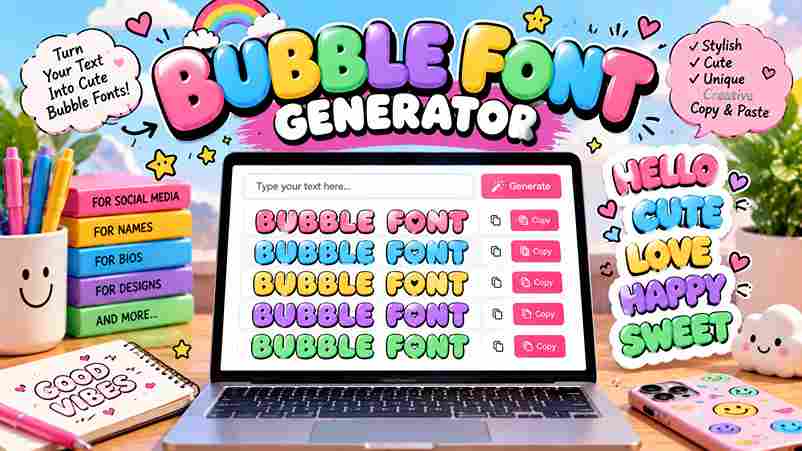
Create Gorgeous Bubble Font Generator Instantly Free

bubble font generator

Bubble Font Generator Type your text below to see it transformed into bubbly styles. Clear Text Bubble Outline ⓐⓑⓒⓓⓔ ⓕⓖⓗⓘⓙ Copy Bubble Solid 🅐🅑🅒🅓🅔 🅕🅖🅗🅘🅙 Copy Square Outline 🄰🄱🄲🄳🄴 🄵🄿🄷🄸🄹 Copy Square Solid 🅰🅱🅲🅳🅴 🅵🅶🅷🅸🅹 Copy A bubble font generator is a free online tool that converts regular text into decorative bubble letters using actual Unicode characters. These circled letters appear rounded, enclosed, and instantly ready to paste across any platform. Unlike standard fonts, Unicode text generators produce two main types — lowercase circled alphabet and negative circled characters with dark circles. This high-contrast, badge-like look gets recognized across devices, any app, and all major platforms globally. What Is a Bubble Font Generator? A bubble font generator does something deceptively simple — it converts plain text into bubble letters instantly. Unlike design software, it runs in your browser, requires zero graphic design experience, and works on any modern device. What makes this tool genuinely different is standard Unicode — the bubble text it produces contains actual circled letters that render natively across Instagram captions, TikTok bios, Discord, Twitter, and WhatsApp statuses without any platform limitations. Also Read: Heart Font Generator – Make Stylish Heart Text What It Does A bubble font generator transforms ordinary input into Unicode characters that visually resemble enclosed circles. You never need to install anything — just type, hit generate, and your bubble text gets copied to your device clipboard. What makes this tool genuinely useful is that its entire output behaves exactly like standard text symbols, pasted freely into Instagram bios, Discord messages, TikTok captions, Twitter posts, and WhatsApp statuses without any platform restriction. How It Works Visit the bubble writing font maker, drop your brand name or title into the input box, and hit the generate button. Within few seconds, multiple bubble font styles appear — from classic circles to graffiti bubbles. Pick your preferred bubble font style — cursive bubbles, squared bubbles, or something edgy entirely — and then press the Copy button. On Windows, use Ctrl+C; on Mac, Cmd+C pastes your text directly onto the target platform. Unicode Bubble Styles Unicode styles go beyond simple aesthetics — circled letters, squared bubbles, and parenthesis bubbles behave differently across platforms. These enclosed characters help you choose the right bubble text style for any occasion or social media update. Dark filled bubbles feel visually heavier compared to hollow circled letters, which carry a lighter playful appearance. Fullwidth characters naturally create block-like characters with extra width, while graffiti bubbles and cursive bubbles bring urban personality. Google Font Previews Not every design project needs custom typefaces — Google Fonts alone delivers the right bubble font aesthetic. Fredoka One, Bubblegum Sans, and Chewy are top bubbly fonts offering softly rounded letterforms without any specialized extra tool. Running previews across Baloo 2, Comfortaa, Pacifico, Lilita One, Boogaloo, Titan One, and Rowdies reveals distinct personality differences — each typeface leans into bubble roundness differently, making side-by-side comparison essential before committing to any final direction. How to Use Open any browser on your mobile or desktop device. Type your text into the input field, choose your preferred style, and watch instant conversion happen in just seconds. No account, sign-up, or payment is required. Once converted, copy and paste the result anywhere — Instagram bios, TikTok bios, Discord usernames, comments, or captions. The tool is completely free, easy to use, and works across every platform without loading delays or waiting. How It Works The bubble font generator maps each character to a circled Unicode character, bypassing font files entirely. Your bubble text styles render using Unicode characters any operating system recognizes, with no app installation or software needed. Behind the scenes, 6 distinct Unicode bubble styles span classic hollow circles, bold filled dark bubbles, squared bubble letters, uppercase, lowercase variants, and parenthesis style — each one instantly copyable without any bubble fonts actually installed. Why Use a Bubble Font Generator? People who skip expensive design software and turn to a free bubble font generator discover something genuinely interesting: fun, cheerful typography naturally helps your content stand out in any feed, bio, or Instagram post today. The real advantage lies in versatile application. You can compose a party message, craft WhatsApp statuses, or design merchandise using the same generator. The audience sees playful, edgy, or sophisticated bubble letters — your vibe, instantly. Where to Use Bubble fonts shine across social media profile pages, TikTok, and Instagram captions easily. Their playful bubble appearance suits kids content, party invitations, and toy brands. Gaming communities love using them for usernames and Discord servers. A website can leverage bubble letter fonts to build an approachable brand image effectively. Children’s content, educational materials, and birthday cards benefit equally. Even Twitter and fun posts use bubbly styles for digital brand engagement. Create Playful Logos in Seconds A playful logo emerges in seconds when AI reads your text description and preferred colors carefully. No graphic design experience is needed — your brand name transforms into a memorable logo using bubbly, rounded fonts automatically. The AI bubble font logo generator behaves like a modern design studio. Give it prompts and visual direction; it builds creative logos using filled bubble letters — no design skills, no subscription, and entirely unique output. High-Quality Logos for Any Application Most designers overlook how high-resolution output from a bubble font logo generator completely transforms toy brands and skincare identities. The glossy 3D effect and pastel color palette give each finished logo an approachable brand image. No design experience needed to craft a one-of-a-kind whimsical logo. Describe your vision via a prompt, and AI generates tailored results with background elements, accompanying graphics, and endless possibilities for cosmetics or birthday party branding. Using Bubble Fonts in Canva Canva pairs well with Bubblegum Sans and Fredoka One, two hand-picked bubbly Google Fonts delivering a bold bubble font aesthetic. Adjusting colors, rounded styling, and detail gives designers genuine creative freedom to craft standout visuals. Most designers download a unique bubble font logo, then directly import it into Canva for … Read more

Pls Donate Text Generator (Copy & Paste) | Fast & Free

Pls Donate Text Generator

🎨 Pls Donate Text Generator Catchy Presets (Optional) — Choose an irresistible phrase —Saving up for my dream item! 🌟Any donation makes my day! 💖Goal: 1,000 Robux! 🚀First to donate gets a virtual hug! 🤗Help a broke noob out? 🥺 Your Text Please Donate! 💸 Font Style BangersArcadeCreepsterOswaldFredokaOneGotham Font Size (10-100) Text Color Outline Color Outline Thickness Bold Italic Underline Live Preview Preview Text Here Roblox Rich Text Code 📋 Copy Code The pls donate text generator is a free online tool designed for the Roblox experience, letting developers like haz3mn craft eye-catching stand signs that attract visitors and drive donations through vibrant colors and compelling messages. Using its two categories of functionalities, players personalize their sign appearance by adjusting font style, size, and color to save time, boost creativity, and create attention-grabbing displays for selling clothing, game passes, and UGC items. What Is Pls Donate Text Generator? Most players overlook how a rich text generator can completely reshape a booth sign. This versatile tool uses HTML tags, font, colors, and styling to craft truly compelling Roblox-ready custom text that drives donations effortlessly. Beyond code snippets, this user-friendly tool lets anyone easily design rich text with gradient effects, bold, italics, or strokes — no manual typing needed. It turns appearance choices into a fundraising asset with real visual impact. Also Read: Fortnite Font Generator – Create Cool Gaming Fonts What Is Pls Donate Text Generator? Imagine your donation stand becoming a visual magnet within the in-game environment. A powerful font generator allows you to claim a stand and customize every detail, attracting potential donors who normally ignore plain booths. By increasing Robux earnings, this sign generator leverages rich text formatting to draw crowds. Use a catchy slogan and unique fonts to earn virtual currency, as black-and-white text is no longer enough for customization. HTML Generators Web developers like me leverage styled text using CSS and linear gradients for visibility. Apply outline effects, text shadow, and glow effects to typography. Control font family, size, and weight control efficiently today. Social media posts benefit from Unicode fancy text. Convert standard letters into symbols to attract potential donors. This functionality is fully responsive on any device, including phone, tablet, or desktop screens daily. Rich Text Generators Roblox Implementation requires setting RichText property to true. Within Studio, Create styled text via TextLabel nodes. Input 300 characters into the Text property to generate customizable in-game branding on your donation stand now. Use underlined text to emphasize generated text in your campaign. This copy and paste functionality for campaign materials works on digital platforms. Adjust typography controls for output that is cross-browser and attractive instantly for results. Unicode “Fancy Text” Generators Most people assume Unicode fancy text generators simply swap letters with pre-existing symbols — their core limitation. These tools offer no true creative control, relying on fixed font face variations rather than generating anything genuinely unique. The fundamental difference lies in potential donors noticing your slogan instantly. A plain, black-and-white text sign generator using common symbols won’t help you draw crowds or earn Robux — readability always demands truly effective styled text. Features of the Pls Donate Text Generator The tool’s text styles include distinct font style options, spanning contemporary italic designs. A built-in colour picker supports gradient colors alongside 5 preset gradient styles, enabling users to colorize any slogan with real-time preview capabilities. From shadows to the glowing neon effect, each preset delivers depth. The copy button lets users paste styled donation messages into game stands or custom GUIs, ensuring seamless in-game readability and true stand out potential. How to Use the Pls Donate Text Generator Once logged in, your dashboard shows a beautifully clean workspace. Pick your font family, adjust font size and font weight, then explore color text options spanning the visual spectrum to make your stand instantly pop. The instant preview lets you visualize multiple gradient styles — from Blue-Purple to Purple-Gold effects — before committing. Hit generate, review the styled text, and simply copy it straight into your Roblox game interfaces or UI elements. Tips for Getting More Donations Your donate sign’s message matters more than amount. Using neon text with gold accents on dark backgrounds improves visibility, helping mobile users notice your campaign instantly. A goal-oriented template with bright text genuinely stand out. Many streamers and content creators overlook social media posts as a tool. Pairing colorful text with humorous slogans across digital platforms turns passive visitors into donors. Interactive signs with call-to-action buttons dramatically boost your rate. Slogan Template Library Building a Slogan Template Library starts with knowing your cause. Sample text like “please donate” shapes mission-driven messaging effectively. Use taglines, headlines, and brand names to craft professional, initiative-focused copy that truly resonates. A strong slogan connects support and difference-making with real emotion. From social media awareness to email campaigns, rich styles ensure your fundraising message stands out across digital screens, landing pages, and promotional text everywhere. Use Cases for the Generator Use cases span further than expected — a YouTuber saving up, an avatar stand in Bloxburg, or someone simply honest about their goal to claim 100 Robux. This font generator delivers automatically displayed, powerful results instantly. Attracting attention requires creative flair — quirky, humorous, or sincere text styled with Rainbow, Blue-Red, or exclusive gradient styles. Whether you engage through roleplay, challenge, or witty captions, increasing virtual currency donations becomes far more genuine. Examples of Generated Texts A rainbow gradient effect on generated texts like “Support my lemonade stand!” draws instant attention. With bright green or purple-gold gradient effect styles, your sign instantly becomes eye-catching across online fundraising campaigns and in-game displays. Try 3D shadow on “gaming PC Fund, Need 10 Robux!” or cursive script with gold foil for charity events. These customized texts consistently perform across social media bios, posters, and crowdfunding platforms, driving real engagement. Gradient Style Previews Working with gradient style previews actually means seeing Green-Purple and multi-color gradient combinations sitting side by side. You can cycle through all color choices, comparing gradients … Read more

Bold Font Generator: Transform Your Text Instantly

Bold Font Generator

Bold Font Generator Type below to transform your text into stylish bold Unicode symbols. Characters: 0 Clear A bold font generator transforms how words command attention across social media, designs, and every platform where visually prominent characters define impact. It turns bold text into eye-catching statements that carry real significance and importance. Unlike copy-paste tools that produce obscure characters, this bold text generator uses Unicode characters thoughtfully to ensure readability and emphasis. For captions, profile updates, or posts, it gives key points genuine visual hierarchy and weight. What Is a Bold Font Generator? A bold font generator is a free tool that converts plain text into Unicode characters, creating real bold fonts without faux-bold tricks. It gives individuals instant access to diverse bold font styles for emphasis online. Unlike manual formatting text, this bold text generator works on any device, enabling effortless copy and paste across social media posts, a Discord username, or even a work email — straightforward, quick, and always completely reliable. Also Read: Italic Text Generator How Does the Bold Font Generator Work? Most people assume bold text relies on formatting commands, but the computer processes something far more interesting — mapping every regular letter from A-Z and a-z to its Unicode Mathematical Bold equivalent through unique character codes. What human eyes perceive as standard bold is actually actual characters pulled from the Unicode standard. The tool converts your input, changing appearance instantly — results are copied and pasted across platforms without losing visual weight. How to Use the Bold Font Generator Visit the website, type your text into the Input textbox, and watch ordinary words transform instantly. Choose from 50+ bold font variations like Serif Bold, Bold Script, or Sans-serif Bold for emails and professional content. Once the Output box displays your bold text, simply hit CTRL+C to copy it. Paste directly into Instagram bio, WhatsApp, Discord, or Facebook — no registration, no hidden costs, and no paywalls ever block your workflow. Bold Font Styles Available The most popular styles include Bold Italic, sans serif, and serif, each serving distinct purposes across social media posts and bios. Fraktur Bold and gothic options bring elegant, classic character to usernames, elevating profile aesthetics. Double-Struck Bold and Small Caps Text shine in math-related designs, while Cursive, Bubble Text, and Italics fit casual creative work. Backwards Text, Upside Down Text, Small Text, and Bold Italics deliver experimental, playful unconventional flair. Where to Use Bold Text Bold serif text thrives in corporate use—headlines, taglines, and professional design with proper layout. Excessive or indiscriminate use becomes overwhelming; applying bold font purposefully helps emphasize important information without making the context harder to read. Using a fancy font generator, selectively bold headings and key specific details sparingly, not regularly or frequently. Regular weight surrounds visual emphasis, shielding overall purpose while ensuring nothing becomes difficult to read for any reader. Tips for Using Bold Text When strategically placing bold words, focus on keywords, subheadings, and calls-to-action rather than full sentences. Overuse kills attention-grabbing power. Think of bold fonts as visual anchors your content depends on for authority and scannable reading. On social media posts, bold letters in your bio and Instagram captions build brand recognition fast. Pick Serif Bold or Sans Bold font styles to project a stalwart look and make eye-catching usernames that impress. Is the Bold Font Generator Free? Most people assume a capable tool must cost something. After testing generators personally, I can confirm this one is 100% free — no account needed, no hidden catches, free of charge to generate bold text online. Unlike many platforms that block functionality behind premium features, this tool imposes no limits. Whether on mobile, tablet, or desktop, you simply click, get unlimited bold text, and there are no ads or watermarks involved. How Does the Bold Font Generator Work? Most people assume a font generator tool swaps typefaces, but it performs mapping — converting a-z and A-Z into actual Unicode characters from the Mathematical Alphanumeric Symbols block, letting stylized versions render across every operating system. Established around 2000, the Unicode standard catalogues 140,000 characters across global writing systems. Your text receives unique character codes invisible to human eyes yet recognized across Instagram bios, Discord usernames, TikTok captions, and WhatsApp statuses.

Discord Fonts: Rule Every Server

Discord Fonts

Discord Font Generator Type your message below to generate fancy styles Discord’s font world extends well beyond default settings. A Discord font generator lets you transform text into bold, italic, or script styles, making your username, bio, or server name carry a distinct visual identity instantly. Unicode quietly powers all stylish text variations across platforms. From gaming communities to professional servers, fancy fonts naturally change how messages, channel names, and status updates authentically express personality—without subscriptions, hidden fees, or sign-ups. How to Use the Discord Font Generator The text generator works intuitively — type inside the input box, browse font styles, and hit copy. Your styled output lands on the clipboard instantly, ready to paste into a direct message, server announcement, or profile. Most underestimate how creativity reframes everyday conversations — Discord custom font selections mirror your true persona quite authentically. Whether building a server, polishing a bio, or reaching across every messaging platform, fancy text shifts perception effortlessly. Also Read: Twitter Font Generator Popular Use Cases Gothic Fonts and Fraktur directly define RPG and D&D servers, building solid medieval fantasy atmosphere alongside FPS clans who prefer Negative Squared Clan Tags and aggressive styles that reinforce competitive ranks with truly intimidating usernames. Study groups and art communities shape distinct vibes using Aesthetic Fonts, Cursive Fonts, and Wide Text, keeping server nickname styling welcoming and relaxed, while Cool Fonts across gaming servers maintain fresh About Me section appeal. What Is Unicode? Most people type without realizing their keyboard input passes through a universal encoding standard that maps every letter into binary. This character encoding ensures text data remains consistent across every operating system and application worldwide. The Unicode standard acts as a universal language for machines, housing over 100,000+ characters, including textual characters from every script imaginable. Unicode symbols bridge languages that once remained incompatible, making cross-platform character encoding finally achievable. Where Can You Use These Fonts? Discord chats, gaming platforms, and social media — these fonts aren’t bound to just one digital space. From Instagram comments to Twitter, your stylish text styles carry a unique voice across Discord desktop, mobile, and web. Roblox, Minecraft, Fortnite, WhatsApp, Telegram — copy and paste these fancy letters anywhere. LinkedIn profiles, documents, presentations, even blog posts benefit from aesthetic text. TikTok bold styles and cute styles make messages instantly trendy and exceptional. Font Styles Available When style becomes intentional, Discord font symbols shift how communities perceive content. Bold Text, Subscript, and cursive build server aesthetics that feel deliberate. Fancy Discord text transforms ordinary words into visually distinct expressions worth noticing. Gothic style, Small Text, and Superscript each serve distinct emphasis roles across digital platforms. Monospace Bold suits Announcements best, while elegant styles define Role Names and Category Headers, directly shaping your entire server organization experience. Elevate Plain Text Plain text rarely carries real weight when used alone. A cool font or double-struck style through a font generator can emphasize ideas, lifting Discord messages beyond original keyboard input into something your platform genuinely notices. I’ve personally watched gamers shift from italic labels to Old English headers and instantly earn server respect. Styling with Unicode characters across 110 text transformations gives words a bold, lasting presence—completely free and instant. Create Stunning Designs Transforming bland texts into eye-catching visuals starts with stylish fonts that bring unique text styles to life. From gothic to calligraphy, every server chats feel fresh when bold text meets aesthetic fonts in smart combinations. Dynamic layouts become possible using Fraktur, Vaporwave, or Neon styles that match your community vibe. Whether designing channel titles, role names, or Discord server names, choosing the right font style amplifies presence across every platform. Share Discord Text Fonts Across Multiple Platforms Most people discover cross-platform font sharing almost accidentally. Copy styled text from Discord mobile directly into Facebook or WhatsApp — Unicode characters travel intact with no special app, no downloads, no compatibility issues across operating systems. Twitter, Instagram, LinkedIn, and Snapchat each render these Discord fonts flawlessly because the underlying Unicode standard is universal. Even SMS delivers them correctly — smartphones process the same textual characters without platform-specific limitations or encoding failures. Best Discord Fonts for Different Servers Gaming Fonts like Pixel, Robot, and Ghost define competitive server themes across Discord. Elegant Fonts such as Royal and Crown best suit formal spaces, giving your Discord profile that unforgettable first impression with genuine character. Fantasy Fonts like Dragon, Fairy, and Unicorn can instantly transform role-playing communities. Cute Fonts featuring Heart, Flower, and Sparkle shine in casual chit-chats, while Bold Fonts effectively amplify announcements with commanding elegance and natural readability. Text Styling Tips and Best Practices Strategically using text style elevates Discord servers by defining mood and flow. Headers contrast sharply with body text, while a color generator keeps content readable. Consistent branding through cool fonts transforms messaging for your audience. Stylish font styles demand purposeful selection — clan tags suit Bold Italic, while business communications prefer Monospace clarity. Always carefully test mix and match combinations, verify performance across devices, and ensure essential information remains universally accessible. Making Your Text Stand Out Standing out in chats requires truly understanding how Unicode text shifts perception instantly. I watched stylized Unicode text carefully reshape plain messages into personalized text flair that always captures audience attention across social platforms effortlessly. Choosing the right text style for the right mood works strategically. Cool styles combined with proper text styling enhance visual appearance while staying readable. Applied for decorative purposes, they give conversations a distinct, memorable edge. Platform-Specific Tips Testing across Discord desktop and Discord mobile personally confirmed rendering gaps. iOS and Android process Unicode font styles differently than Mac or Windows, consistently affecting how Monospace Text and Full Width styles appear across devices. On browsers like Chrome, Firefox, and Safari, ANSI color text within code blocks may not display consistently. Tablets often inherit desktop app behavior, while apps like Telegram and iMessage provide only limited compatible Unicode rendering. Accessibility Considerations Screen readers often misinterpret Unicode letters as pure noise, stripping essential information. … Read more

Twitter Font Generator: Bold Magic

Twitter Font Generator

Twitter Font Generator Type your text below and click any style to copy it for your Twitter bio or tweets. Clear Text Copied to clipboard! Before typography trends dominated Twitter, a font generator converts regular text into Unicode-based styled text, giving tweets an eye-catching, distinctive quality that elevates creative content beyond ordinary posts on any digital platform with remarkable ease. What most creators overlook is how Unicode characters, universally appealing across browsers, apps, and direct messages, make styled text a toolkit to boost presence on platforms without installing anything, adding instant charm to profile bios. What Is a Twitter Font Generator A font generator for Twitter is a free web tool that transforms plain text into stylized cool fonts with no downloads or install ever required, producing fancy text instantly for your social posts anywhere online. Unlike Chirp — Twitter’s own typeface — these font styles use Unicode characters for stylistic variety. Type into the first box, let the font generator convert normal text into eye-catching outputs for bios or your display name. How Twitter Fonts Actually Work Twitter doesn’t support custom font styles natively. Font generators exploit Unicode styled characters to simulate style shifts, with each Unicode character mapped to a glyph that modern browsers and smartphones may appear to render uniquely. What truly makes this technique work is the operating system’s glyph rendering. If a device lacks support for specific glyphs, the fallback font quietly kicks in — making different fonts appear broken, outdated, or completely blank. Also Read: FB Font Generator: Stand Out Now! How to Use the Twitter Font Generator Users transform their normal text by inputting words into a simple tool. This generator replaces every letter with a unique code, allowing dozens of designs to elevate your social media profiles instantly, making page special. Simply copy the result and paste it to level up your timeline. Whether you craft a captivating username or subtle shifts in tweets, these Unicode styles ensure your message stands out everywhere, modifying plain interface. Quick Copy Twitter Font Examples Achieving visually distinctive thread titles requires a font changer that simplifies formatting. Users often copy different fonts to generate bold statements or styled letters. This versatility allows gaming profiles to attract attention instantly using modern. Enhancing a Twitter profile through script or gothic lettering transforms minimal usernames into aesthetic art. Simply paste combinations of symbols and character styles from the generator box into bio and posts for creative digital results. Popular Twitter Font Styles Modern Unicode styling offers visually similar results to classic typeface layouts. Whether choosing Aesthetic curves or Gothic scripts, the Twitter font remains legible. These fancy font effects use a specific Unicode character to highlight style. Since the 2021 design update moved to Chirp, many users pasted Normal text into Small Caps or Strikethrough. Use an underline for emphasis, ensuring your personality shines through within diverse gaming communities and various platforms. Best Places to Use Stylish Twitter Fonts Strategic edits on a username demand impressive visuals. Using playful fonts for personal profiles helps moods shift instantly. I found that decorative elements succeed when stylized text fits your unique tone perfectly without mixing styles. Avoid overusing scripts in long sentences to maintain readability. For professional accounts, keep moderation as your vision. Your list of variations should prioritize a softer aesthetic while elevating your brand across many supported digital networks. Tips for Using Fancy Fonts on Twitter Integrating stylized characters requires caution because systems interpret Unicode standard markers differently. Always test how a Tweet looks across Chrome, Safari, and Firefox to ensure your profile section remains readable for every internet user accessibility. When replying, avoid multiple decorative font style choices that clutter the app interface. Always browse through stylized fonts to select Small Caps for emphasis while updating your Twitter/X bios for better online identity. Check all steps. Why Some Twitter Fonts Look Different On Certain Devices Your browser interprets unique Unicode characters differently across desktops. While 302+ styles exist, older devices lack the integral system to render thousands of writing systems. This causes a messy glitch instead of custom-styled mobile screens. When drafting content on Windows, a Mac might display boxes. Since font generators use mathematical computing, ensuring a seamless experience requires checking if complex symbols are compatible or difficult to read for common active users. Do You Need To Download Twitter Fonts? Modern web devices allow accessing a wide range of styles without software. Simply navigate your input field and see how a Twitter changer resonates instantly. No installation is required for any normal Tweet text word.Use a keyboardshortcut like Ctrl+V to copy-paste unique characters into your Profile. This quickScript functions across tablets or Facebook, storing no sensitive data or private account info while sharing those importantwords globally.

Kawaii Fonts That Will Steal Your Heart

Kawaii Fonts

Copied to clipboard! ✨ Kawaii typography, deeply rooted in Japanese culture, carries an unmistakable adorable quality shaped by Sanrio, anime, and Harajuku aesthetics. These stylized text styles pack maximum cuteness into standard letters, making every message feel genuinely playful. Unlike regular fonts, kawaii designs use Unicode characters, symbols, and special characters that render across all languages and computers. This universal standard means you can copy and paste cute fonts from any generator instantly, everywhere. How to Use Our Kawaii Font Generator Type Your Text Everything begins the moment you land on the page — there is an input box waiting, and once you type a single word, your text starts to transform and shift in ways you truly never expected. That live response is genuinely the real magic here — the real-time output lets you watch each character magically shift, giving you room to stylize naturally without any prior technical background or font knowledge required whatsoever. Browse the Styles Once your text has been entered, scrolling through the available options becomes the most enjoyable part — over 30 distinctly unique font styles appear, ranging from bubbly text to genuinely charming elegant scripts worth exploring deeply. The smartest approach is always to let your current mood guide the entire selection — scroll slowly through each option available, test a few styles, and settle on the one that feels most perfect for you. Also Read: Barbie Font Generator Copy And Paste Click to Copy Committing to a style does not require saving files or anything complex — spotting the one you love means one clear thing: hit the button, and your cute text lands directly onto your clipboard without friction. Most people genuinely underestimate how satisfying that single click feels — there is no confirmation screen, no loading bar, just instant clean action. The sheer speed of it changes how freely you experiment with different looks. Paste Anywhere Your freshly copied kawaii text can now go just about anywhere effortlessly — paste it into a document, share it across any social media platform, or drop it right inside a messaging app in mere seconds. On Windows, a quick Ctrl+V does the job; on Mac, it is Command+V — just two effortless keystrokes that consistently impress friends and followers the moment they see your uniquely styled text appear anywhere you choose. Quick Steps Type your text directly inside the box — from there, freely browse through the categories that include hearts, flowers, animals, and sweets, with each one pulling your final output into its own deeply distinct visual direction. Once you find the style that clicks for you, just click once to copy — then paste it directly onto Instagram, TikTok, or Discord and let that single choice instantly redefine how your content looks online. Cute Font Categories Cute Text Cute text turns boring words into something truly lovable and stylish. With rounded letters, kawaii styles, and aesthetic touches, your text gains a soft, unique vibe that naturally shines across social media, Discord, and WhatsApp. Best Cute The best cute fonts blend soft script styles with genuine aesthetic charm. From circled letters to kawaii faces, each category delivers cutest fonts in an organized way where hearts, flowers, and sweets inspire every design. Kawaii Faces Kaomoji are Japanese text characters crafted with emojis, punctuation, and letters to form expressive cute faces. These adorable, animals-inspired, bubbly designs carry fun emotional appearance through simple symbols, making digital pop culture communication more vibrant. Hearts Heart motifs in kawaii typography feel cozy, joyful, and deeply sweet. They elevate any bio or caption, turning plain text into charming, unforgettable style that resonates with Love, kawaii vibes, and genuine friendly creative warmth. Animals Every animal design in kawaii fonts carries something deeply expressive. A bunny motif shifts plain text into something warm and memorable. Any true lover of cute typography knows animals breathe life into digital identity effortlessly. Flowers Kawaii fonts styled with cherry blossom motifs bring a feminine, Whimsical energy to pastel aesthetics. Cheerful Doodles of petals in rounded letterforms feel ideal for greeting card designs, planner pages, and soft girl Instagram bios. Sweets Candy shapes kawaii style in ways that feel simple yet profoundly expressive, much like soft sparkles scattered across a night sky full of stars. These sweet typographic choices radiate warm vibes, making messages genuinely delightful. Aesthetic The kawaii aesthetic fonts genre uniquely relies on smooth, gentle flowing curves and bubble-like shapes that feel naturally approachable, never rigid. Quirky proportions blend vintage casual handwritten warmth with modern display sensibility and recognizable charm. What Are Kawaii Fonts? Cute typography born from Japanese aesthetics, kawaii fonts trade sharp angles and edges for rounded shapes and soft corners. Each letterform feels warmly imperfect, carrying that Handmade, handwriting-style personality this distinctive font category truly embodies. Spanning 65+ distinct kawaii font styles — from Gothic and bold to Cursive and deeply dreamy — these Unicode-based designs beautifully redefine digital presence, channeling pure creativity into text that instantly captivates without any downloads or setup. Soft Curves Kawaii font style owes its charm to rounded letterforms shaped with decorative marks and calligraphy strokes. Every character within a cute fonts generator carries a hand drawn warmth that feels genuinely crafted, never digitally forced. Playful Structure Kawaii fonts defy conventional typographic logic by embedding italic curves, Bubble Letters, and decorative elements positioned above or below each glyph. This brain-rewiring structure shifts how we visually perceive playful characters across modern devices. Features Of The Kawaii Font Generator Vast Style Library Visual identity mastery begins when artists explore a massive selection of glyphs. Eschewing standard layouts, one selects from 30 distinct stylistic choices, including the glitchy Vaporwave aesthetic. My research proves varied appearances boost engagement. Designers often ignore the psychological weight of cute typography. However, selecting the right curve or spacing creates immediate emotional bonds. I have observed that specific characters can transform sterile digital environments into welcoming creative hubs. Real-Time Previews Witness real-time creative iterations while you type. Modern previews ensure no waiting because every … Read more

Calligraphy Font Generator: Unleash Your Magic

Calligraphy Font Generator

Calligraphy Font Generator Type your text below and click any style to copy it instantly. Characters: 0 Few tools bridge art and accessibility like a calligraphy font generator. Rooted in thousands of years of history, calligraphy evolved from flat-tipped pens and brushes into a powerful online tool that transforms ordinary text beautifully. Greek roots gave calligraphy its meaning — beautiful writing. Today’s aesthetics demand creativity and refinement, delivering pure beauty through elegant handwriting. A wide selection of free calligraphy fonts lets anyone skip expensive software and create instantly. What Is a Calligraphy Font Generator? Few realize a calligraphy font generator quietly challenged specialized calligraphy skills as gatekeepers. Once, flat-tipped pens and brushes defined elegant handwriting. Today, this powerful online tool transforms any plain text into decorative handwriting with grace. Historically, Greek, Chinese, and Arabic traditions established geometrical order, lining, and precise stroke order. This tool honors their development through aesthetics and refinement, letting anyone copy paste calligraphy text across any device, browser, or platform. Also Read: Signature Font Generator How to Use the Calligraphy Font Generator Working hands-on with the calligraphy font generator, I can confirm it’s genuinely easy to use. Enter your word, phrase, or message, browse font styles, pick your design, then copy and paste the result anywhere online. Bookmark this tool for daily use — it runs across any device and browser without downloads or sign-ups. Whether incorporating calligraphy-style lettering into social media captions or email campaigns, the output stays secure and fully browser-based. Where Can You Use Calligraphy Fonts? From social media posts to wedding invitations, calligraphy fonts transform ordinary text into eye-catching art. Whether for bios, brand slogans, or event invitations, these distinct styles instantly capture attention and deliver sophistication across every platform. Marketing campaigns, emails, designs, store names, personal messages — calligraphy proves remarkably versatile. High-quality visuals using classic scripts or modern decorative styles elevate branding materials, website headers, and even digital use projects with exquisite handwritten fonts. Tips for Using Calligraphy Fonts in Design Elegant branding demands thoughtful font style selection. Combining traditional calligraphy with modern script styles enhances visual appeal across logo design and posters. Applying colors and text effects alongside handwriting transforms plain text into sophisticated artistry. Stylish lettering in event invitations, business cards, and marketing materials communicates personality instantly. Use calligraphy text generator to explore stunning calligraphy styles without expensive software, matching elegant lettering styles to your theme for artistic value. Also Read: Tattoo Font Generator Calligraphy Fonts & Unicode — How It Works Modern interaction involves unicode characters that map ordinary text into fancy writing styles. This calligraphy maker bypasses a download, creating beautiful writing where classical rules meet contemporary calligraphy for every page or style choice now. My hand-lettering expertise shows that a calligraphy text generator utilizes script and cursive logic. These free fonts help celebrate significant occasions with pretty and dainty strokes, making plain words feel like pure beauty effortlessly online. Email Signatures Refining professional identity requires a signature generator that elevates mundane correspondence. Using stylish email signatures creates a distinct artistic writing style for every recipient. Such creative projects ensure high commercial usage standards within businesses. Securing a proper font license remains vital for maintaining elegance in digital interactions. I often observe how generated images improve layout clarity. This specific font approach transforms basic email signatures into unique, highly professional assets. Brand Slogans Crafting an original logo design involves capturing human customer perception through typography. My experience suggests that elegant branding relies on brand messaging that feels personal. We use these fonts for product labels and packaging projects. To draw attention to titles or subheadings, I select a visually interesting and ornate style. Use a serif or sans serif to balance a serious vibe or a casual look through these distinct artistic choices. Also Read: Cursive Font Copy Paste Privacy & Safety Operating this generator ensures that all text inputs remain confidential during the styling process. We prioritize a safe environment where sensitive personal data is never stored on our servers or shared with external third-party tracking.I have analyzed how this calligraphygenerator handles creativity. Your text remains yours alone. Every input processed through the webbrowser stays temporary, ensuring no scriptsignaturegenerator ever logs your unique handwriting style privately.

FB Font Generator: Stand Out Now!

FB Font Generator

FB Font Generator Type your text below to generate stylish fonts for Facebook, Instagram, and X. ✕ Every seasoned social media user knows plain text fades into the feed. A Facebook text generator uses Unicode symbols to produce visual styles, turning posts, comments, and profiles into standout content with no design skills. What sets this online tool apart is its ability to generate cool fonts with just a copy and paste action. No software, no installation — just stylish text ready for your Facebook bio, message, or app. What Is a Facebook Font Generator? A Facebook Fonts Generator is a free online tool that converts simple input text into cool styles using Unicode characters, acting exactly as a Facebook Font Changer for quick copy and paste across all platforms. Beyond alternative terms like Facebook Cool text generator or Facebook Stylish font generator, this tool handles emojis, fancy fonts, and symbols — helping users decorate statuses, names, and FB profile name with real individual expression daily. What Are Facebook Fonts? Facebook fonts aren’t actually standard fonts — they are special Unicode characters that appear as stylish styled text across multiple devices and browsers, using a universal encoding system rather than installing any traditional font formatting software. Think of them as a series of symbols that directly map to alphabetic symbols — calligraphy style, cursive, gothic, or bold forms — sourced from font generators, giving your Facebook profile unique visual appeal without any code. Also Read: Stunning Instagram Fonts to Stand Out What Is a Facebook Font Changer? A font changer is essentially a converter tool built directly into a website that lets you type plain text and instantly transform it into styled characters across social media apps like Instagram, Twitter, and Threads. Most people don’t realize how deeply font selection shapes social media content — shifting appearance with beautiful fonts, fancy text, or diverse font styles across TikTok, Tumblr, Email, text message threads, letting you customize everything effortlessly. How to Use the Facebook Font Generator Step 1 — Type Your Text Simply open the input box, type your desired text, and watch multiple font styles appear instantly. No registration, no complicated setup — just creative freedom that transforms plain words into something visually striking and uniquely expressive. From my own experience using these generators, the real advantage surfaces here — a single keystroke updates every style variation simultaneously, giving you a live preview without ever leaving the page or refreshing your browser window. Step 2 — Copy Your Favorite Style Scrolling through the results reveals something satisfying — each row shows your generated text rendered in a distinct font style. The one that catches your eye becomes your favorite, ready for immediate use across any platform. One click copies the entire style to your clipboard. I’ve tested dozens of generators, and the best ones make this step effortless — no manual selection, no dragging, just a single tap with instant confirmation displayed. Step 3 — Paste on Facebook Your copied text works everywhere — drop it into a Facebook bio, a post, or a comment, and the styled characters retain their appearance perfectly, displaying exactly as intended without any formatting loss or visual distortion. Beyond Facebook, the same paste works seamlessly across Instagram captions and most messaging apps. Unicode-based styling carries across platforms without conversion — what you copy from the generator is exactly what recipients see on their screens. STEP 1 Before anything else, visit a reliable Facebook Fonts website — not every tool delivers consistent output. Testing several options confirmed that quality varies significantly; navigating directly to a trusted source saves considerable time and early frustration. The landing page layout matters more than most users actually realize. A clean, well-organized interface signals reliability — cluttered designs with excessive ads often indicate poorly maintained tools that may not generate accurate Unicode output consistently. STEP 2 Once on the tool, locate the input section — typically labeled “Enter Your Text Here” — and type your desired text directly. This single field is where everything begins; the generator reads every character you enter immediately. Avoid overthinking what to write initially — experiment freely. A name, a phrase, or even a single sentence works equally well here. The preview updates in real time, so experimentation costs nothing but a few seconds. STEP 3 The tool automatically generates styled output the very moment you finish typing. No manual action is needed — the system processes your input and renders all variations suited to Facebook, Twitter, and Instagram in one pass. Every style has a copy button — just click to grab it. Whether your destination is Email, a text message, or a social platform, the Unicode characters paste cleanly without any formatting being lost in transfer. STEP 4 This final step is where creative work becomes visible. Paste your chosen text wherever intended, then share — your styled content now carries a distinct identity that stands apart from everything surrounding it on the feed. Return to the website anytime you need fresh variation. Audiences respond positively — they like styled posts more than plain ones, particularly when the chosen font aligns naturally with the tone of your content being shared. How to Change Font on Facebook Changing the font on Facebook isn’t done through settings — you rely on a font generator online. Paste stylish fonts directly into your Facebook bio, post, or comment sections to instantly transform how your text appears. The trick most everyday social media users miss is choosing the right font style for context. Gothic Text works for mood-setting, while Sans-Serif Bold adds clarity to announcements without overwhelming your profile appearance or engagement. How Copy and Paste Facebook Fonts Work Most people don’t realize that copy paste features entirely bypass Facebook’s default font restrictions. When you use an FB font generator and online generator, stylish characters appear as Unicode standard symbols — no formatting tricks required. Global standard alphabets encoded across computers, mobile devices, Google, and Apple ensure that … Read more