Racing Team Name Generator – Find Unique Racing Names
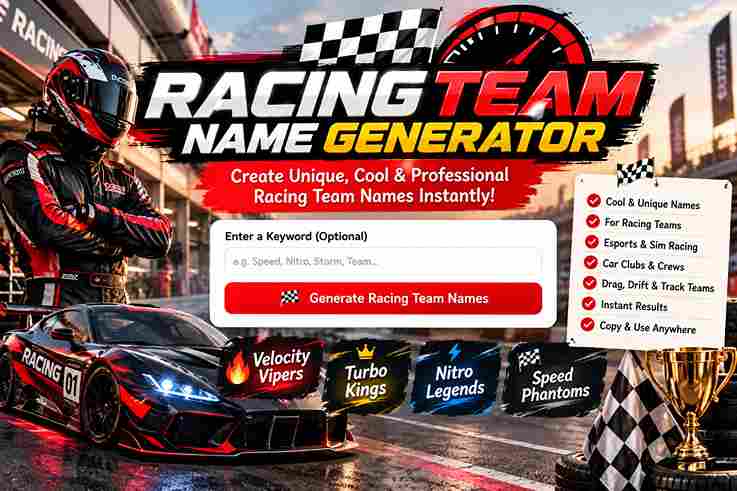
Racing Team Name Generator

🏁 Motorsport Tool Racing Team Name Generator Generate high-octane team names and mottos tailored to your racing discipline. Racing Discipline Formula / CircuitStreet & DriftOff-Road & RallyDrag RacingKarting / GrassrootsSci-Fi / Hypercar Team Vibe / Tone Fierce & AggressiveSleek & ProfessionalModern & High-TechHumorous & Offbeat Custom Keyword, Location, or Sponsor (Optional) Include Team Slogan / Motto ⚡ Generate Team Names Suggested Team Names ⭐ Saved Favorites (0) Clear All No saved names yet. Click the star on any name to save it! A strong racing team name establishes team identity before the first lap, combining speed, competition, and memorable character. In my experience, the best names fit racing categories while remaining easy to pronounce, display, and remember. A practical generator helps test racing team name ideas across racing styles, from classic names to modern names, without forcing clichés. The useful result feels distinctive, supports motorsport branding, and gives every driver shared identity. Racing Team Names / Racing Team Names Ideas I usually build racing team names around memorable sounds, speed, and competition, then test them against liveries, car branding, timing screens, and broadcast graphics. A strong identity should feel distinctive without sacrificing readability or credibility. For sim racing, I favor digital identity choices useful across racing simulators, esports, and virtual motorsport. In physical racing, sponsorship, uniqueness, pronunciation, and motorsport heritage matter when choosing names that strengthen long-term team growth credibility. Also Read: Sports Font Generator – Create Bold Sports Text Cool Racing Team Names The strongest cool racing team names usually sound modern, powerful, and instantly readable. I prefer names that support a clear racing identity, fit multiple racing categories, and still look sharp on cars, helmets, and screens. A good naming test is practical: say the name aloud, place it beside a livery, then imagine sponsors beside it. Strong motorsport branding needs uniqueness, memorable sound, and enough flexibility for long-term team growth. Funny Racing Team Names Funny racing team names work best when the joke survives beyond qualifying, especially through motorsport puns, wordplay, and racing jokes. I favor names that sound credible on timing screens yet still make teammates laugh together. From my naming tests, humor, mechanical language, and racing vocabulary become stronger when paired unexpectedly. A playful identity can reference car racing games, gaming culture, or pit-road culture without sounding forced or childish. F1 / Formula Racing Team Names For F1 naming, I favor Formula cues that feel sharp on timing screens without copying established teams. open-wheel language can support a focused racing identity, especially when sponsorship and future team growth matter today consistently. From experience, F1 games and live broadcasts expose weak choices quickly. A strong name balances professional motorsport, readability, and modern motorsport energy, while distinctive wording keeps the virtual team credible across racing formats online globally. Car Racing Team Names Car names work when racing identity survives at speed: short names, readability, and visual branding should stay clear across car liveries, helmets, timing screens, and broadcasts, especially during competition, with cars fitting the racing discipline. For me, the strongest motorsport branding feels credible without sounding predictable. A powerful name can reflect speed, engineering, or precision, while distinct names, professional identity, and team growth keep the brand useful beyond one season. Sim Racing / Racing Names For Gamers Sim racing rewards names that read cleanly on a leaderboard, yet digital branding can still feel distinct. I favor virtual racing identities with memorability, especially when gamer teams compete across multiple racing simulators and leagues. From experience, strong choices balance esports energy with believable digital branding. Avoid generic gaming clans; instead, use creative digital identities built for pronunciation, staying recognizable across formats, cars, teammates, and competitive seasons without losing character. Unique Racing Team Names Truly unique racing team names rarely depend on novelty alone. I look for uniqueness, strong sound, and a credible team identity, then test how naturally the name fits real competition, media, and sponsorship under pressure. From motorsport heritage to racing branding, the strongest choices stay distinctive without becoming awkward. My practical test is simple: if drivers, mechanics, and supporters remember it after one session, the name has worked every time. Good Racing Team Names A good racing team name should feel short, readable, and easy to repeat under pressure. In my experience, naming begins with sound and pronunciation, because drivers, commentators, and fans remember what feels natural aloud. Beyond uniqueness, a name needs credibility across liveries, helmets, social profiles, and event posters. I have found that brand identity grows stronger when the name fits the team’s style without sounding forced or overly complicated. Bike Racing Team Names For bike-focused crews, motorcycle racing names work best when they signal two-wheel speed without sounding manufactured. I favor sharp wording that captures adrenaline, creates memorable identities, and still looks credible across jerseys, fairings, garages today. A strong choice should read naturally when announced, printed, or shortened by teammates. motorcycle teams need names reflecting riding character, machine setup, competitive attitude, personal symbolism, and psychology without sacrificing practical credibility on race day. Horse Racing Team Names Horse racing names work best when they suggest speed, composure, and pedigree without sounding borrowed. I favor champion racing names that pair winning energy with racing heritage, giving every stable a confident, memorable identity. For riders and owners, competitive identity matters beyond race day. Victory themes can sharpen team presentation, while motorsport wording occasionally adds modern edge. Strong names should remain readable on silks, signage, and social profiles. Aggressive And Fierce Racing Names An aggressive racing identity should feel immediate: warriors, strength, and competitive identity can sharpen a team name without sounding forced. I favor names that suggest control, pressure, and bravery while remaining practical for liveries. The strongest fierce names often combine champions, racing success, and recognizable attitude. From experience, a concise identity carries better across helmets, sponsorship, and team identity, especially when drivers need instant recognition on track. NASCAR And Stock Car Names For NASCAR branding, I favor names grounded in stock car character and oval rhythm, while racing heritage … Read more
Fortnite Font Generator – Create Cool Gaming Fonts

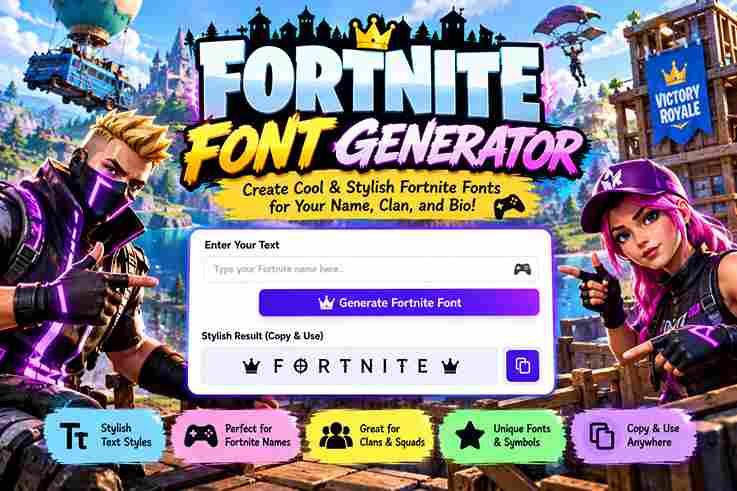
Fortnite Font Generator

Fortnite Font Generator Create stylish Fortnite names, usernames and gamer text with multiple unique text styles. Type your text and copy your favorite style. Enter Your Text 0 / 100 Text Size 23px Letter Spacing 0px Convert text to uppercase Use bold preview Generate Styles Copy All Clear Fortnite Font Styles Enter your text above to generate Fortnite-style text. Tip: Some special Unicode characters may not appear correctly on every device or may not be supported by Fortnite. Always test your copied name before using it in-game. Copied! A Fortnite font generator transforms ordinary text into stylized text for usernames and display names. Unicode characters can add a distinct visual style, while special characters and symbols create recognizable identities quickly during profile customization. I use a username generator to test username styles, compare alternative characters, and refine a preferred typeface before entering Fortnite. This practical workflow supports readability, individuality, and a polished Fortnite logo identity for online presence. What Is A Fortnite Font / Fortnite Font Generator? A Fortnite font is better understood as a text style than one universal typeface: generators combine Unicode characters, special characters, and symbols to create distinctive gaming text for names, usernames, and profiles with easy customization. The official logo uses a recognizable logo font, Burbank Big Condensed Black, while generator outputs usually remix Unicode characters into a stylized appearance that works across supported username fields for gaming identities and profiles. Also Read: COD Name Generator – Create Epic Gamer Names Free How To Use A Fortnite Font Generator Start your Fortnite font generator by entering text through the input. Choose generated styles after the generator processes it, then compare options. I often favor readable results, because striking styling still needs clarity on screen. Use copy and paste after selecting your result, especially when updating a username, display name, profile, or text field. Verify special characters, Unicode, and symbols, then save changes through your account settings safely before publishing. Fortnite Font Styles / Text Output Fortnite styles can change a name’s feel without copying the official logo. I test readable styles for usernames, display names, and text graphics, then compare Unicode characters, spacing, outlines, and color choices before selecting a generated style. I prefer outputs that stay clear after copy and paste. Some designs suit Fortnite usernames, while others work better as PNG artwork or social profiles. Check compatibility across the game, platform, and text field before publishing. Where Can You Use Fortnite Fonts? I have found Fortnite usernames especially useful when stylized text gives a player stronger visual identity. The same approach fits social media, games, and text fields, helping ordinary names look distinctive without changing their meaning. Creators can also place Fortnite-style text inside graphics, logo concepts, forum posts, and bios. I recommend checking compatible characters before publishing, because unusual symbols can render differently across platforms or disappear entirely in real use. Fortnite Symbols In practice, Fortnite symbols add character customization without changing gameplay. I find them especially useful for team identification, showing identity quickly while personalization gives each profile a distinct visual voice during matches and social interactions. Beyond decoration, esports communities use competitive branding and communication cues to create distinction. Experienced players can signal progression, celebrate achievements, or represent teams through compact characters that remain readable across profiles and competitive spaces online. The Fortnite Logo Font The Fortnite logo uses a distinctive font, not merely decorative text, with Burbank Big Condensed Black establishing its recognizable typeface. Tal Leming, the designer, shaped lettering that supports the game’s bold branding across promotional materials. From my design testing, the logo works because its font family and varying weights keep the video game identity readable; however, recreating it digitally is usually closer to matching appearance than replicating it exactly in-game. Create Text Graphics With Fortnite Font Create text images that borrow the Fortnite-inspired look without treating it as an official typeface. I typically combine colorful text, graphics, and text effects to shape headings, thumbnails, profile art, or gaming posts quickly today. For stronger results, adjust gradients, outlines, and shadows, then preview the composition before exporting. A transparent PNG works well for overlays, while download options let you reuse polished designs across social media and games easily. Fortnite Logo Generator A Fortnite Logo Generator can turn ordinary custom text into graphic text suited to gaming design, especially when you need a recognizable logo without recreating complex artwork. In practice, I find visual design, styling, and readable font size matter more than excessive effects when building memorable branding for profiles, teams, or creative projects. For sharper results, experiment with generated image options, an outline, contrasting colors, and a clean fill before choosing the final image. A downloadable design works well across websites, while thoughtful customization keeps the result distinctive without relying on the actual Fortnite interface or protected branding assets. Why Use Fortnite Symbols From my experience, Fortnite symbols add personality when ordinary names feel repetitive. Players can mix special symbols, unique usernames, and character sets to create recognizable identities without changing gameplay, making customization feel deliberate rather than decorative. I also find Korean symbols, Japanese characters, and random symbols useful for testing different visual moods. A symbol collection encourages experimentation, while Fortnite compatibility matters most when chosen characters must remain readable across devices and field interfaces. Sweaty Fortnite And Smiley Symbols Sweaty Fortnite names often gain personality through special characters, symbols, and stylized text, while smiley faces can soften an intense competitive scene. I find username customization works best when character selection stays readable overall. Smiley icons can also fit Fortnite-compatible symbols beside team names, communication, and personalization, especially when players want a lighter identity. In practice, I test special symbols and Unicode symbols across text fields before saving changes. Random Fortnite Symbols I often test Fortnite-compatible symbols beside a star, arrow, or bracket before choosing a display name. Random combinations can improve customization, while unusual characters give team names a sharper, memorable identity during matches for players. A practical character sets approach mixes Japanese, … Read more

COD Name Generator – Create Epic Gamer Names Free

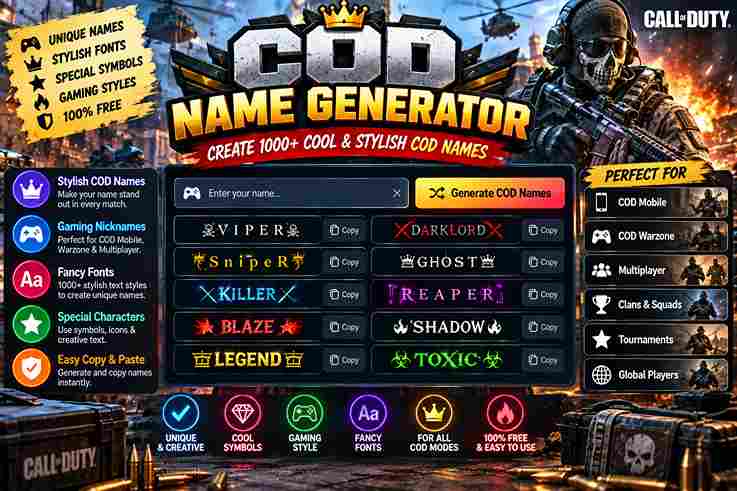
COD Name Generator

A memorable COD identity begins before combat: the right name signals attitude, skill, and personality. From my experience, a focused generator turns scattered ideas into stylish, readable choices while newcomers avoid overthinking their personal branding. Rather than chasing each fancy trend, test a sample, study the preview, and choose letters that remain clear during rapid matches. I usually favor balanced unicode, restrained symbol placement, plus effortless copy and paste convenience. COD Name Generator V3 From hands-on testing, this generator makes COD identity choices practical: each Name is designed effortlessly, while creating a stylish, unique callsign enriched with symbols, simple structure, and online flexibility for rapid experimentation between matches today. The tool helps Call Of Duty players generate 1000 cool text options with one click, then copy and paste anywhere. I’ve seen powerful, military-themed usernames earn respect when bold fonts assist an aggressive, battle-hardened username. Also Read: Dominate With This Gaming Font Generator How To Use This Tool Begin by entering text inside the tool, then review each generated style before choosing a result. I usually test shorter names initially because spacing makes each font easier to read across profiles and multiplayer rooms. After selecting a design, use the one click copy feature and paste it into your Call Of Duty username field. Check special characters on the device, adjust symbols if needed, then save the strongest option. Funny COD Names From my experience, funny COD names become memorable when a serious tactical tone collides with absurd picks such as turtle, cupcake, or chicken. This contrast sparks lobby reactions while preserving a competitive identity during matches. I usually test a name aloud before saving it; combinations including maggot meals, giggle fluff, or purring grenadier feel distinctive because harmless energy meets battlefield language, producing a playful tag teammates remember after each match. Best Names For Call Of Duty From testing names in ranked lobbies, the best COD identities combine bold military energy with concise personality. A name like GhostVanguard or TitanQuickscope feels memorable, aggressive, and readable without looking copied, cluttered, or unnecessarily tryhard. I usually favor names suggesting skill before noise: Onyx Hunter, Frost Aces, Velvet Sniperette, or Dark Fire Warden. Each balances strong rhythm with gamer culture, creating distinctive mobile identities across clan tags and competitive screens. Badass COD Names From years of multiplayer testing, the most badass identities feel controlled rather than noisy: combine veteran, grim, sharpshooter, and elite cues, then shape a readable tag that makes opponents hesitate before the first firefight begins. A memorable COD identity often blends military precision with darker energy; names built around AK47, pyrotech, hydra, quickscope, or immortal hit harder when decorative symbols stay minimal and every choice reflects a confident competitive playstyle. OG Names True OG tags rarely chase trends; they feel established before the match begins. From experience, compact choices like helix, trojan, fantom, or salem create stronger recognition because veterans remember clean names faster than decorative strings. Contrary to advice, a tag can feel restrained rather than threatening. In my testing, labels including martian, fento, henderson, and russells steadily outperform flashy alternatives whenever consistent performance turns unusual identity into lasting competitive history. Cool Sweaty Names From reviewing ranked name patterns, I find that cool, short, aggressive choices build stronger recall in matches. A sharp ghost, raider, or mystic identity feels battle ready, looks intimidating, and stays readable during loading screens. The sweatiest usernames are not always loud. I prefer focused combinations, including spacebound titan, covert hunter, or electric serpent, because they signal steady confidence, maintain an edgy competitive tone, and avoid looking like frantic aimbot. Best COD Names For Boys For boys, the strongest COD identity rarely comes from random aggression. In my experience, names combining alpha, deadshot, warrior, king, and shadow feel sharper because they signal confidence, skill, and memorable presence throughout online matches. I usually recommend testing each option aloud before choosing it. A gutsy sniper, lone trooper, darkfire, or storm style works best when the username remains readable, avoids clutter, and matches the player’s actual gameplay personality. Cute Names For Girls From testing profile styles, I have found princess, baby, and sunny work best when paired with a crisp second word. Names like aamina Glow or kyami Bloom stay cute without sounding generic during multiplayer matches. For a softer identity, combine chinki, heart, or crown with playful initials, subtle numbers, or a short clan tag. My favorite approach keeps the name readable, memorable, and charming across scoreboards, streams, and friend lists. Popular Fancy Names – Jul 2026 July’s popular fancy COD names lean toward compact contrast: kawaii energy beside vampiric menace, or pastel styling paired with headshots. From testing profiles, distinctive typography works best when the identity remains readable across platforms everywhere. Rather than copying crowded trends, combine one classic cue with a sharper detail: OG symbols, gothic lettering, anime charm, or eSports precision. I’ve found names under 16 chars feel cleaner, faster, and more memorable online. Call Of Duty Stylish Name Generator (Tool Description) Rather than treating identity like decoration, this generator converts an input idea into a combat-ready alias. In my testing, balanced symbols, readable spacing, and selective typography produced output that stayed distinctive across lobbies and profiles. Practical design matters more than decorative clutter: enter text, choose a restrained pattern, then generate variations until pronunciation feels natural. I keep the strongest option short, memorable, and compatible with competitive Call of Duty matches. Tips For A Great COD Username From testing hundreds of gamer tags, I’ve learned that a memorable COD username should stay readable, sound confident, and match your playstyle. Avoid crowded symbols; combine one sharp keyword with personal detail for stronger recognition. Contrary to common advice, complexity rarely creates identity. Respect the character limit, avoid profanity, and add numbers or an underscore when clarity improves. Say it aloud, check availability, then judge whether it will age well. How To Change Name In COD Mobile From experience, the fastest method is to open the app, tap your name, select the second player tab, press … Read more

TikTok Fonts That Go Viral ✨ Copy & Paste

TikTok Fonts

Copy and Paste Hidden TikTok Fonts to Go Viral Type your text below to unlock secret Unicode styles for your bio, captions, and comments. ✕ Live Preview Active 0 / 80 ✨ Copied to clipboard! Scrolling through TikTok one night, I noticed a stylish display name instantly grabs attention across every platform. This free generator works across iPhone, Android, desktop, mobile, and tablet, with no signup and no app download. Just three steps stand between you and a transformed TikTok bio: type text into the input box, pick font style from 200+ TikTok fonts, then click copy button or press and hold for auto copy. How to Use the TikTok Font Generator Before you choose a style, think carefully about the tone your message needs to carry well. A fancy font generator turns plain text into font styles that instantly shift how viewers read intent and impact. A good pair follows the simple rules of font use: stick to two to three fonts that complement each other rather than clash, since professional designs stay clean when each choice feels intentional, not chaotic. What Are TikTok Fonts / How It Works (Unicode) TikTok fonts aren’t real typefaces; they’re Unicode characters built from special characters and symbols that visually mimic cursive, gothic, or bold letters. Every styled font you copy is simply character substitution, never a downloadable file. A font generator maps ordinary letters onto different underlying codes, turning regular letters into unique symbols. You simply generate a text style instantly, then copy and paste it anywhere, no app, no download, completely free. Also Read: Powerful WhatsApp About Text Generator Features Scrolling through a crowded space, viewers judge in seconds, first impressions shape whether content earns viewer engagement or vanishes. Custom fonts build visual hierarchy instantly, letting creativity guide storytelling while personalization adds trendy flair fast. Standing out matters most when accessibility meets a professional look; TikTok experience turns shareable content into compelling content that fuels viral potential fast. Content creators build branding through a polished look, earning target audience appeal. Why Custom Fonts Matter Scrolling through creator profiles, I’ve noticed how a distinct handle paired with custom fonts instantly signals intent. Viewers linger, user attention shifts from scrolling toward reading, and profile visits climb as captions feel deliberately styled. Beyond visuals, real engagement grows when a username matches the overall TikTok profile aesthetic, encouraging genuine comments rather than silent scrolls. Consistency across every touchpoint quietly builds trust, turning casual viewers into recurring, invested followers. Why Use Stylish Fonts Injecting personality drives algorithmic visibility because standard typography triggers subconscious boredom. Experienced content creators reject forgettable text entirely, utilizing customized stylish letters to capture viewer attention, cementing a highly distinct digital footprint within electronic subcultures. My industry experience confirms that unlocking raw creativity requires escaping rigid layout boundaries. Dominating a specific niche relies heavily on uniqueness, where deploying cool layouts establishes an authoritative TikTok presence that engages modern mobile viewers. List of TikTok Font Styles From experience, utilizing spooky typography drastically alters user perception. Digital culture overuses basic bubble letters, yet implementing rare fancy characters instantly fixes boring engagement metrics. My testing proves that atypical aesthetic fonts redefine standard presentation. Choosing a chaotic glitch vibe challenges ordinary styling paradigms. I often integrate complex Gothic script within various TikTok bios to subvert platform expectations. Ultimately, strategic cursive writing commands deep viewer focus across highly competitive landscapes. Where to Use TikTok Fonts Injecting a stark Typewriter design directly into content feeds disrupts normal reader behavior. I often switch between this and a fluid Handwriting look, then export that same striking theme over to Discord channels for impact. Surprisingly, applying an Oblique tilt within community threads drives massive curiosity. My analytics prove these altered glyphs retain their shape beautifully when shared inside external messaging apps like WhatsApp or pinned replies on YouTube networks. How to Choose the Right TikTok Font from the TikTok Font Generator Auditory triggers fail without strong visual anchors online. My analysis proves optimizing a username via a dedicated generator drastically elevates immediate profile readability. Do not leave critical user comments unoptimized; design them for peak authority. Finding a reliable typographic framework requires moving past default aesthetics. When specific text styling becomes trending, modern software can help isolate unique expressions, giving your feed an exquisite visual edge that traditional layouts always lack. TikTok Sans — The Official Font My platform metrics show that the bespoke brand typeface introduced back in May 2023 optimized overall mobile readability. Incorporating TikTok Sans directly into the app itself minimized user visual fatigue during long intense scrolling sessions. From an engineering perspective, deploying this unique typography layout across the entire TikTok interface prevents font rendering errors. Unlike generic Google Fonts, this customized solution maximizes UI efficiency while preserving stylistic consistency for global creators. TikTok’s In-App Font Options Navigating native typography within the TikTok app reveals rigid creative boundaries. Most creators blindly accept default styles, ignoring how formatting alters viewer perception. Moving away from standard options immediately distinguishes your profile interface from competitors. While standard system rendering restricts layout designs, leveraging unique tools breaks conventional limitations. Transforming standard mobile presentation alters visual engagement entirely. Enhancing your text layout provides an aesthetic appeal across both Android and iOS devices. TikTok Font Generator Digital identity demands optimization beyond standard layouts. While TikTok Sans functions smoothly across core UI elements as the official brand font, creators crave distinct visibility. We manipulate text environments to bypass rigid design limitations daily. Using external Unicode characters introduces diverse visual styles into regular bios, yet this tactical aesthetic shift frequently risks unexpected formatting errors. Systems interpret these symbols differently, altering how specific audiences perceive your platform authority entirely. Yellow Font Unexpectedly, algorithmic engagement spikes when a digital creator minimizes manual formatting. The true meaning behind this subversion rests in psychology, where a specific color choice triggers instant viewer retention without relying on standard monochrome aesthetics. My development testing proves that systemic yellow text naturally bypasses cognitive fatigue. Audiences subconsciously track this automated auto-caption highlight system, … Read more

Powerful WhatsApp About Text Generator

WhatsApp About Text Generator

WhatsApp About Generator Design a professional, formatted bio for your profile. B I S M AA aa Aa Clear 0 / 137 Browse Templates: 💼 Business & Sales🤝 Customer Support🌴 Out of Office👔 Professional Identity✨ Minimalist & Clean🎨 Creative Professional Copy to Clipboard Copied to clipboard! Digital expression subverts standard layout rules entirely. Using an online tool to convert raw communication alters perception instantly. Ordinary dispatches lack psychological resonance, but deploying Unicode characters injects immediate identity into static chat threads seamlessly. My professional observation confirms that customized typography triggers superior engagement. Transforming normal text into textured visual variants allows distinct digital presence to stand out effortlessly. This subtle interaction captures immediate reader attention beautifully across networks. What Is a WhatsApp Stylish Text / Font Generator? Digital interaction shifts when an online tool leverages Unicode to convert plain, boring text into a variety of designs. My communication consulting experience proves how altering typography instantly redefines engagement across digital layouts completely now. Observing modern chat psychology reveals that when users generate custom expressions, they manifest a distinct digital personality. Utilizing fancy fonts through rapid copy and paste maneuvers offers an immediate, impactful aesthetic upgrade for network dialogues. How to Use the Stylish Text Digital formatting often feels restrictive when customizing interfaces. My experience shows that entering a chosen type into the input box triggers an instant preview, revealing diverse font styles like cursive or bold text instantly generated. Simply tap to copy the customized layout straight to your system clipboard. I regularly deploy this trick across social media networks and WhatsApp threads, outsmarting boring default formatting limitations without breaking complex visual interface aesthetics. Also Read: Discord Fonts: Rule Every Server Step 1: Type Your Text Beginning your digital expression requires entering raw phrases directly into the input field. This simple action shifts your ordinary thoughts into a dynamic canvas, preparing to transform standard communication into something deeply personal and engaging. As an expert who designs custom digital interfaces, I watch characters manifest within seconds. Observing this effortless phase of typing reveals how quickly initial concepts prepare for the stylistic evolution that redefines traditional messaging platforms. Step 2: Choose Your Style / Copy Fancy Text You Like Digital identity choices finalized before typing reveal psychological ownership. In my experience, selecting captivating styles instantly anchors online user attention. We bypass traditional presentation formats, finding that aesthetic uniqueness dictates how a creative message resonates. An interface interaction changes everything. Practitioners know a single click transforms raw expression, allowing users to copy paste tailored scripts directly. This strategic selection helps save time while maximizing visual impact across modern digital networks. Step 3: Paste Fancy Text Anywhere Deploying altered typography anywhere changes personal branding layout dynamics instantly. Pasting raw Unicode directly into WhatsApp Messaging or an Instagram profile bypasses default systems. Modern devices handle this global formatting quite seamlessly across various platforms. Once copied onto your local clipboard, this aesthetic serves as an immediate upgrade for standard communications. Inject these stylized lines into daily messages or your next status update on Twitter and Facebook digital network interfaces. Where to Use Stylish Text Transforming interface expression requires bypassing default constraints. Through strategic deployment on both iPhone and Android devices, altering native formatting yields unexpected psychological authority, allowing creators to seamlessly impress modern followers with raw, minimalist typographical layouts. Audits of active community groups reveal that an artistic layout elevates virtual interaction. I deliberately inject a fierce tone into ordinary marketing posts, transforming dry corporate bulletins into highly engaging visual exhibition display presentation environments. Instagram Fonts Curating a distinct aesthetic requires more than basic filters. I discovered that utilizing funky typography transforms boring profiles into charming digital statements. Creative text presentation modifies how audiences interact with your daily narrative feeds instantly. My experience shows that custom variants break standard layout monotony. When users paste an updated bio format, engagement spikes. I prefer a rounded bubble outline over fluid cursive styles to maintain readability across Instagram networks. Discord Fonts Managing active gaming channels taught me that standard layouts fail. Within crowded online communities, using customized text alters user interaction safely. I utilize bold headers for rules, ensuring vital announcements never get lost amidst chat. Transforming boring usernames requires deep structural platform awareness. Distinctive font styles establish authority, but experimental typography faces severe visibility issues on older websites, turning your carefully crafted profile into unreadable, chaotic rows of square blocks. Twitter/(X) Fonts Elevating your X presence requires breaking standard formatting rules. From my experience, tailoring distinct tweets with unusual unicode styles alters how audiences digest information, helping standard posts completely transform feeds into engaging, highly impactful statements. Capturing immediate user attention amidst rapidly scrolling feeds relies heavily on aesthetics. I find that integrating a stylish layout inside profiles or text fields establishes creative authority, easily redefining ordinary words into captivating visual hooks. Facebook Fonts Digital identity dictates user engagement patterns. When trying to stand out on a crowded platform, altering standard aesthetics helps transform regular updates. Using cool text changes how readers consume your personal messaging online feeds completely. Algorithmic feeds prioritize high retention metrics instantly. Crafting a unique visual vibe inside your profile bios or algorithmically driven timeline comments commands immediate reader attention, keeping profile visitors fully engaged with your custom stylized branding. TikTok Fonts Modern creators bypass algorithmic stagnation using a specialized generator. Elevating a standard bio with cursive aesthetics captures immediate focus, transforming basic text layouts. This strategic visual identity ensures your profile remains distinct, prominent, and continuously trending. Applying unconventional TikTok text dynamics alters viewer retention psychology. Integrating styled descriptions or bold Gothic phrases breaks the visual monotony of scrolling. Cultivating this curated disruption through bubble accents subverts expectations, driving maximum platform engagement. Minecraft & Gaming Fonts Online identities rely heavily on visual distinctiveness. Utilizing custom typography across Minecraft skins alters player perception instantly. I often mix and match chaotic glitches to craft intimidating gamer tags on platforms like Steam or Discord. Escaping standard gaming interfaces always requires strategic visual design aesthetics. My competitive experience proves … Read more

Pls Donate Text Generator (Copy & Paste) | Fast & Free

Pls Donate Text Generator

PLS DONATE Text Generator Create colorful Roblox booth text, preview your style, and copy the formatted code. Your booth message PLS DONATE 💖 Keep your message short and readable. 13 / 200 Quick message templates 💖 Friendly ⭐ My Goal 🙏 Every Bit Helps 💕 Thank You 🚀 Milestone Choose your color style Color mode Solid colorRainbow lettersGradient lettersColorful words Color theme Cotton CandySunsetOceanNeonGoldenForestGalaxy Custom text color (solid mode) Text effects Bold Italic Underline Outline Outline color Outline thickness 2 px Text size 48 Live booth preview PREVIEW PLS DONATE 💖 This is a browser preview, not an exact in-game rendering. Font, size, and outline appearance may differ in Roblox. 🎲 Random style ↺ Reset Generated rich-text code Copy the code to try it in your booth. 0 characters Copy formatted code Copy plain text Select code Compatibility note: Roblox supports rich-text tags in suitable UI elements, but the PLS DONATE booth editor may handle specific tags differently. Test the output in-game. If a style fails, try solid color and bold first. Read Roblox rich-text documentation. A PLS DONATE text generator helps Roblox players turn a simple booth message into eye-catching text without learning rich text code. Choose colored text, adjust the style, then use a straightforward copy-and-paste flow for donations. For a busy PLS DONATE game server, a clear sign text can stand out better than clutter. Preview rainbow text, test legibility, and copy and paste the result into your booth before publishing it online. What Is A PLS DONATE Text Generator? A PLS DONATE text generator lets Roblox players personalize a donation stand with colorful text and custom messages. It turns a request into ready-made code, helping newcomers create a sign without learning markup or programming. A generator assembles rich-text-style markup for the PLS DONATE renderer; text labels help players compare font and color treatments before copying a booth message. Styling may change in-game, so a preview and test remain essential. How It Works (Roblox Rich Text) Roblox styling usually arrives as rich-text-style code: formatting tags surround a message and tell the booth how to display color, emphasis, or other supported effects. The generator creates generated HTML without requiring manual coding skills. After pasting, inspect the preview and test the real booth: Roblox may render differently than a browser. Keep the destination in mind, because readability, supported effects, and the game’s copy limit matter more than decoration. How to Use the Generator Enter a booth message in the text field, then adjust the style and formatting options. Check the live result carefully before selecting Copy HTML for your PLS DONATE stand and confirm the wording remains readable. If filtering alters the rich text, simplify the message and try another option. Paste the result into the game, then inspect the sign in a live session before relying on its appearance on your device. Also Read: Fortnite Font Generator – Create Cool Gaming Fonts How to Copy and Paste the Code Into Your PLS DONATE Booth Choose a font, set color, outline, stroke color, and Stroke Thickness, then check the sign preview. Keep Booth Text concise; use the emoji picker sparingly and watch the Code counter before copying your final message. Press Copy Code to retrieve the Copy HTML output, then paste it into your booth’s text field in Roblox. If the disabled button appears, shorten the message or remove gradient effects and retry in-game carefully. Color, Rainbow, Outline & Font Options Choose single PLS DONATE text color when your message needs a clean visual anchor; multi-color letters suit playful booths, while a full rainbow works best when every word remains distinct against nearby scenery and lighting. Set Solid mode for steady fills, try gradient modes for a gradual blend, or use split-color modes to distinguish key words. Adjust stroke hex color and a 3px border, then preview the sign in-game carefully. PLS DONATE Color Text & Sign Ideas Use a solid color on any background, then add a black outline to keep the message distinct. Choose bold text and check the font preview stays readable before you copy it into the Roblox game. For a lively sign, test rainbow letters, smooth fade, or split-color modes; keep grouped color bands simple and check in-game support, because generated markup may render differently than a browser preview on smaller screens, too. Tune The Controls That Appear In The Generated HTML The controls should represent real formatting choices, not hidden promises. Set HTML weight deliberately, then generate code and examine its tags before copying the result into Roblox; this quick check prevents mismatched expectations during testing. Use selected text color sparingly, keep the 0-to-12-pixel stroke readable, and respect the code limit. When options compete for space, remove decorative settings first, then test the booth on your usual device before sharing it. Why Styling Your Text Is So Important Players often decide whether to donate before reading every line, so attention depends on a clear message, not decoration alone. A short request with a clear goal can make your booth instantly understandable from afar. Personally, I favor readable lettering, one bright color, and one specific message over crowded effects; bold styling should emphasize the request, while funny wording can give visitors a reason to remember your stand later too. Character Limit Character limits reward clarity over decoration: keep key words short, make the request readable from a distance, and avoid cramming every detail into one booth message. Players often decide before stopping to inspect a sign. Use the character limit as a practical boundary, not a challenge. Enter your draft in the Text field, tap shorten message, then run an in-game test to catch awkward wrapping or filtering before you publish. PLS DONATE Text Ideas A memorable booth message shows your personality quickly. Try “Feed the broke Robloxian” or “My wallet is emptier than this stand” to add humor and give passing players a clear reason to smile before donating. For a playful twist, promise a happy dance after a donation, or use … Read more

Discord Fonts: Rule Every Server

Discord Fonts

Discord Font Generator Type your message below to generate fancy styles Discord’s font world extends well beyond default settings. A Discord font generator lets you transform text into bold, italic, or script styles, making your username, bio, or server name carry a distinct visual identity instantly. Unicode quietly powers all stylish text variations across platforms. From gaming communities to professional servers, fancy fonts naturally change how messages, channel names, and status updates authentically express personality—without subscriptions, hidden fees, or sign-ups. How to Use the Discord Font Generator The text generator works intuitively — type inside the input box, browse font styles, and hit copy. Your styled output lands on the clipboard instantly, ready to paste into a direct message, server announcement, or profile. Most underestimate how creativity reframes everyday conversations — Discord custom font selections mirror your true persona quite authentically. Whether building a server, polishing a bio, or reaching across every messaging platform, fancy text shifts perception effortlessly. Also Read: Twitter Font Generator Popular Use Cases Gothic Fonts and Fraktur directly define RPG and D&D servers, building solid medieval fantasy atmosphere alongside FPS clans who prefer Negative Squared Clan Tags and aggressive styles that reinforce competitive ranks with truly intimidating usernames. Study groups and art communities shape distinct vibes using Aesthetic Fonts, Cursive Fonts, and Wide Text, keeping server nickname styling welcoming and relaxed, while Cool Fonts across gaming servers maintain fresh About Me section appeal. What Is Unicode? Most people type without realizing their keyboard input passes through a universal encoding standard that maps every letter into binary. This character encoding ensures text data remains consistent across every operating system and application worldwide. The Unicode standard acts as a universal language for machines, housing over 100,000+ characters, including textual characters from every script imaginable. Unicode symbols bridge languages that once remained incompatible, making cross-platform character encoding finally achievable. Discord Markdown Vs Fancy Fonts: What’s The Difference? Discord markdown syntax changes how ordinary text is displayed: paired markers create bold or italic emphasis, while strikethrough, backticks, and monospace formatting control specific presentation without replacing the underlying letters you type in a message. Fancy fonts instead use alternative character representations from Unicode, including symbol alphabets and decorative characters; they can create a distinctive username or bio, but display and searchability may vary across apps and devices for readers. Where Can You Use These Fonts? Discord chats, gaming platforms, and social media — these fonts aren’t bound to just one digital space. From Instagram comments to Twitter, your stylish text styles carry a unique voice across Discord desktop, mobile, and web. Roblox, Minecraft, Fortnite, WhatsApp, Telegram — copy and paste these fancy letters anywhere. LinkedIn profiles, documents, presentations, even blog posts benefit from aesthetic text. TikTok bold styles and cute styles make messages instantly trendy and exceptional. Font Styles Available When style becomes intentional, Discord font symbols shift how communities perceive content. Bold Text, Subscript, and cursive build server aesthetics that feel deliberate. Fancy Discord text transforms ordinary words into visually distinct expressions worth noticing. Gothic style, Small Text, and Superscript each serve distinct emphasis roles across digital platforms. Monospace Bold suits Announcements best, while elegant styles define Role Names and Category Headers, directly shaping your entire server organization experience. Elevate Plain Text Plain text rarely carries real weight when used alone. A cool font or double-struck style through a font generator can emphasize ideas, lifting Discord messages beyond original keyboard input into something your platform genuinely notices. I’ve personally watched gamers shift from italic labels to Old English headers and instantly earn server respect. Styling with Unicode characters across 110 text transformations gives words a bold, lasting presence—completely free and instant. Create Stunning Designs Transforming bland texts into eye-catching visuals starts with stylish fonts that bring unique text styles to life. From gothic to calligraphy, every server chats feel fresh when bold text meets aesthetic fonts in smart combinations. Dynamic layouts become possible using Fraktur, Vaporwave, or Neon styles that match your community vibe. Whether designing channel titles, role names, or Discord server names, choosing the right font style amplifies presence across every platform. Share Discord Text Fonts Across Multiple Platforms Most people discover cross-platform font sharing almost accidentally. Copy styled text from Discord mobile directly into Facebook or WhatsApp — Unicode characters travel intact with no special app, no downloads, no compatibility issues across operating systems. Twitter, Instagram, LinkedIn, and Snapchat each render these Discord fonts flawlessly because the underlying Unicode standard is universal. Even SMS delivers them correctly — smartphones process the same textual characters without platform-specific limitations or encoding failures. Best Discord Fonts for Different Servers Gaming Fonts like Pixel, Robot, and Ghost define competitive server themes across Discord. Elegant Fonts such as Royal and Crown best suit formal spaces, giving your Discord profile that unforgettable first impression with genuine character. Fantasy Fonts like Dragon, Fairy, and Unicorn can instantly transform role-playing communities. Cute Fonts featuring Heart, Flower, and Sparkle shine in casual chit-chats, while Bold Fonts effectively amplify announcements with commanding elegance and natural readability. Text Styling Tips and Best Practices Strategically using text style elevates Discord servers by defining mood and flow. Headers contrast sharply with body text, while a color generator keeps content readable. Consistent branding through cool fonts transforms messaging for your audience. Stylish font styles demand purposeful selection — clan tags suit Bold Italic, while business communications prefer Monospace clarity. Always carefully test mix and match combinations, verify performance across devices, and ensure essential information remains universally accessible. Making Your Text Stand Out Standing out in chats requires truly understanding how Unicode text shifts perception instantly. I watched stylized Unicode text carefully reshape plain messages into personalized text flair that always captures audience attention across social platforms effortlessly. Choosing the right text style for the right mood works strategically. Cool styles combined with proper text styling enhance visual appearance while staying readable. Applied for decorative purposes, they give conversations a distinct, memorable edge. Platform-Specific Tips Testing across Discord desktop and Discord … Read more

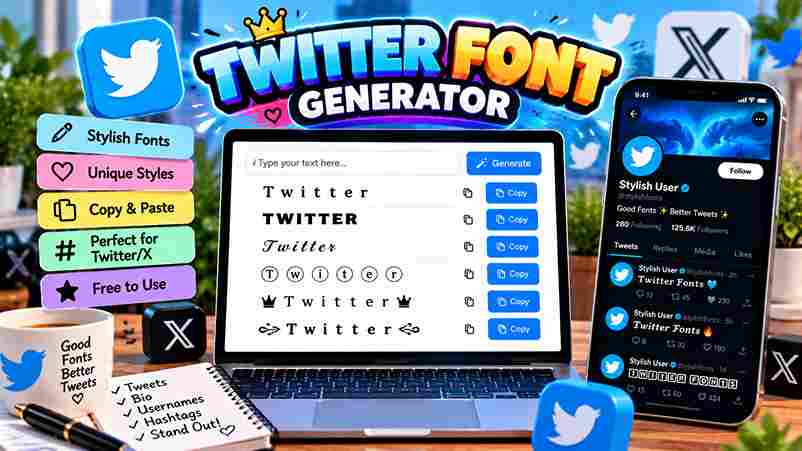
Twitter Font Generator: Bold Magic

Twitter Font Generator

Twitter Font Generator Type your text below and click any style to copy it for your Twitter bio or tweets. Clear Text Copied to clipboard! Before typography trends dominated Twitter, a font generator converts regular text into Unicode-based styled text, giving tweets an eye-catching, distinctive quality that elevates creative content beyond ordinary posts on any digital platform with remarkable ease. What most creators overlook is how Unicode characters, universally appealing across browsers, apps, and direct messages, make styled text a toolkit to boost presence on platforms without installing anything, adding instant charm to profile bios. What Is a Twitter Font Generator A font generator for Twitter is a free web tool that transforms plain text into stylized cool fonts with no downloads or install ever required, producing fancy text instantly for your social posts anywhere online. Unlike Chirp — Twitter’s own typeface — these font styles use Unicode characters for stylistic variety. Type into the first box, let the font generator convert normal text into eye-catching outputs for bios or your display name. How Twitter Fonts Actually Work Twitter doesn’t support custom font styles natively. Font generators exploit Unicode styled characters to simulate style shifts, with each Unicode character mapped to a glyph that modern browsers and smartphones may appear to render uniquely. What truly makes this technique work is the operating system’s glyph rendering. If a device lacks support for specific glyphs, the fallback font quietly kicks in — making different fonts appear broken, outdated, or completely blank. Twitter Font Generator vs Normal Twitter Text: What’s the Difference? Normal Twitter text uses standard characters, while a Twitter Font Generator converts letters into Unicode lookalikes that may appear bold, italic, script, or decorative without requiring users to install font files on their own devices. In everyday use, ordinary text is usually easier to search, read aloud, and display consistently; stylized Unicode can attract attention in bios or posts, yet some characters may occasionally confuse screen readers or render differently. Also Read: FB Font Generator: Stand Out Now! How to Use the Twitter Font Generator Users transform their normal text by inputting words into a simple tool. This generator replaces every letter with a unique code, allowing dozens of designs to elevate your social media profiles instantly, making page special. Simply copy the result and paste it to level up your timeline. Whether you craft a captivating username or subtle shifts in tweets, these Unicode styles ensure your message stands out everywhere, modifying plain interface. Quick Copy Twitter Font Examples Achieving visually distinctive thread titles requires a font changer that simplifies formatting. Users often copy different fonts to generate bold statements or styled letters. This versatility allows gaming profiles to attract attention instantly using modern. Enhancing a Twitter profile through script or gothic lettering transforms minimal usernames into aesthetic art. Simply paste combinations of symbols and character styles from the generator box into bio and posts for creative digital results. Popular Twitter Font Styles Modern Unicode styling offers visually similar results to classic typeface layouts. Whether choosing Aesthetic curves or Gothic scripts, the Twitter font remains legible. These fancy font effects use a specific Unicode character to highlight style. Since the 2021 design update moved to Chirp, many users pasted Normal text into Small Caps or Strikethrough. Use an underline for emphasis, ensuring your personality shines through within diverse gaming communities and various platforms. Best Places to Use Stylish Twitter Fonts Strategic edits on a username demand impressive visuals. Using playful fonts for personal profiles helps moods shift instantly. I found that decorative elements succeed when stylized text fits your unique tone perfectly without mixing styles. Avoid overusing scripts in long sentences to maintain readability. For professional accounts, keep moderation as your vision. Your list of variations should prioritize a softer aesthetic while elevating your brand across many supported digital networks. Tips for Using Fancy Fonts on Twitter Integrating stylized characters requires caution because systems interpret Unicode standard markers differently. Always test how a Tweet looks across Chrome, Safari, and Firefox to ensure your profile section remains readable for every internet user accessibility. When replying, avoid multiple decorative font style choices that clutter the app interface. Always browse through stylized fonts to select Small Caps for emphasis while updating your Twitter/X bios for better online identity. Check all steps. Are Twitter Fonts Safe to Use? (Accessibility & Readability) Twitter font generators generally create copyable Unicode characters rather than installable fonts, so avoid sites requesting logins or downloads. Decorative letters may confuse screen readers, making ordinary text better for essential information and public announcements. Use fancy styles sparingly for names or brief emphasis, and keep longer posts, hashtags, links, and instructions in standard text. Preview on mobile, test assistive reading when possible, and prioritize clarity over decoration every time. Why Some Twitter Fonts Look Different On Certain Devices Your browser interprets unique Unicode characters differently across desktops. While 302+ styles exist, older devices lack the integral system to render thousands of writing systems. This causes a messy glitch instead of custom-styled mobile screens. When drafting content on Windows, a Mac might display boxes. Since font generators use mathematical computing, ensuring a seamless experience requires checking if complex symbols are compatible or difficult to read for common active users. Also Read: Threads Fonts Generator – Create Cool Fonts to Copy & Paste Do You Need To Download Twitter Fonts? Modern web devices allow accessing a wide range of styles without software. Simply navigate your input field and see how a Twitter changer resonates instantly. No installation is required for any normal Tweet text word.Use a keyboardshortcut like Ctrl+V to copy-paste unique characters into your Profile. This quickScript functions across tablets or Facebook, storing no sensitive data or private account info while sharing those importantwords globally.