
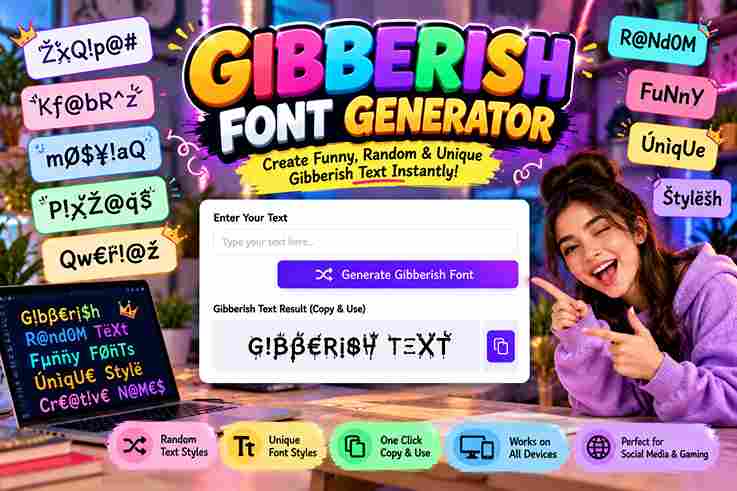
Gibberish Font Generator
Turn normal text into weird, distorted, glitchy and unreadable text styles.
A gibberish font generator creates playful nonsense words with magical or scientific flavor, turning ordinary text into stylized output. In practice, I use it to test style, settings, and unique creative character with instant results.
Rather than chasing meaning, the tool helps shape sounding phrases through fantasy, poetic, or technical patterns. I find this useful for writers, prototypes, and randomized experiments where generated gibberish adds personality without copying familiar language.
Table of Contents
How It Works / How To Use
To use generator, choose one of the styles, adjust syllables, and set word count. A click can generate gibberish text with capitalization, punctuation, ready to copy, share, and use instantly online directly anywhere.
From my testing, the useful workflow is simple: create new variations, inspect the character flow, then regenerate anytime. Writers can use placeholder text, while designers test readability, interfaces, and prototypes without distracting real words quickly.
Also Read: Halloween Font Generator Copy Paste
Features / Core Capabilities
Core features focus on controlled randomness, letting a generator produce gibberish with adjustable style while preserving readable spacing. From my testing, this balance makes placeholder output useful for layouts, interface reviews, and rapid concept work.
Advanced options support punctuation, capitalization, syllables, and word count changes, so developers and designers can create fresh samples without repetitive phrasing. I especially value quick regeneration when comparing typography, user flows, and fictional language experiments.
Real-World Examples / Use Cases
On client projects, I have used a gibberish generator to prototype interface states before copy exists. Developers can paste generated text into forms, cards, tooltips, and error messages, checking spacing without inventing explanations consistently, quickly.
For branding workshops, teams test magical, poetic, or scientific styles against layouts, while writers explore phrases and vocabulary rapidly. I also use random words for placeholder banners when visual rhythm matters most today during workshops.
Language Style
Language style can shift a generator toward english, australian, london, or brazil influenced flavor, giving invented text a recognizable regional mood without claiming authentic translation, grammar, or cultural accuracy in practice for every generated phrase.
In testing, new, zealand, america, africa, sweden, and paris references can create distinct visual cues, but strong results come from controlled randomness, where regional hints shape atmosphere rather than imitate real speakers or languages directly.
Quick Tips
Start with a simple style before increasing complexity; check the word flow, syllables, and punctuation together. In my testing, fewer changes usually make generated text easier to scan, compare, and reuse across projects reliably online.
For better results, select a casual or mystical setting based on your needs, then adjust the count and punctuation. Regenerate when output feels repetitive, and copy only after checking spacing, readability, and consistency each time.
Language Style Examples List
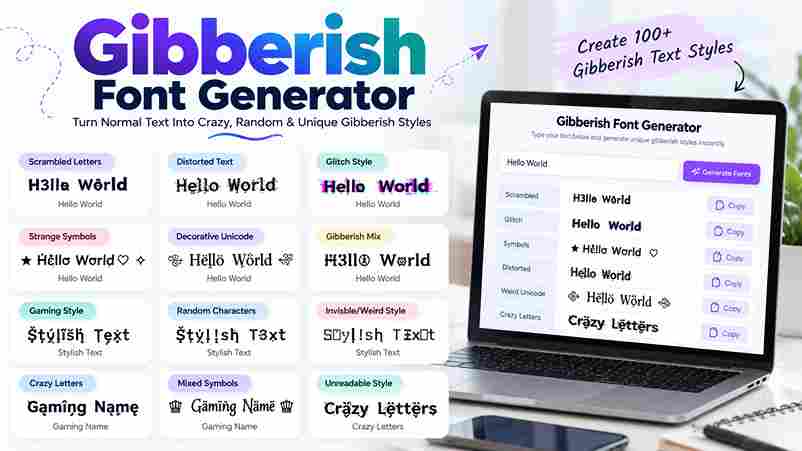
A useful Language Style Examples List can mix mumbo, jumbo, yolo, gelatinous, and vernacular patterns, showing how gibberish shifts from playful phrases toward stranger, more irregular constructions without losing a readable rhythmic flow in practice.
For practical testing, examples such as rubbish, preposterous, thingamajig, succulent, octopus, and robot demonstrate varied textures, while shhh adds an intentionally clipped style that feels distinct from ordinary prose during quick visual comparisons across interfaces.
Sample Phrases
A useful phrase might begin with creative writing, then shift into fantasy languages where vowels and consonant clusters create unusual sounds. I often test unique combinations to keep generated text playful, readable, and visually convincing.
For interface testing, I prefer random gibberish mixed with placeholder text, especially when checking layouts, typography, and paragraph balance. Short samples can also inspire secret messages, whimsical dialogue, or experimental character patterns without requiring meaningful language.
Conclusion
A gibberish generator proves useful when output feels constructed, not merely randomized. I use varied sounds, altered syllables, and unusual patterns to create text supporting ui, testing, expression, and experiments without claiming inherent meaning.
From a practitioner’s view, the strongest result is not the strangest string but the one that fits its purpose. customize, clipboard, variations, characters, and language choices can keep output practical for creators, researchers, and developers.
Can I Customize The Generated Gibberish?
Yes, customization can influence generation without changing the tool’s core purpose. I typically adjust different settings for variety, test groups or a single phrase, then copy the result when the wording fits my design needs.
What Are The Different Gibberish Styles?
Gibberish styles can range from standard letter patterns to playful consonant clusters, while vowel shifts create distinct sounds. In practice, I find rhythmic, mystical, and alien-like styles useful when the goal is character without meaning.
Is The Generated Text Meaningful?
Gibberish output is usually nonsensical, even when its character patterns feel familiar. In practice, I treat it as decorative filler text: the utility comes from visual testing, not reliable interpretation or factual meaning communication goals.
Can I Use This For Testing Or Design Purposes?
Yes, I often use placeholder gibberish when testing layouts, typography, and interface states. It lets developers inspect spacing, wrapping, and visual rhythm without meaningful copy influencing design decisions during early ux reviews and development workflows.
How Do I Copy The Generated Text?
I usually copy generated gibberish with one click, using the clipboard rather than retyping. After generate, the resulting text stays fresh, so I can create snippets, then copy them quickly anywhere for testing or design work.
1 thought on “Gibberish Font Generator – Copy & Paste Fonts”