
Christmas Font Generator – Copy & Paste Festive Text
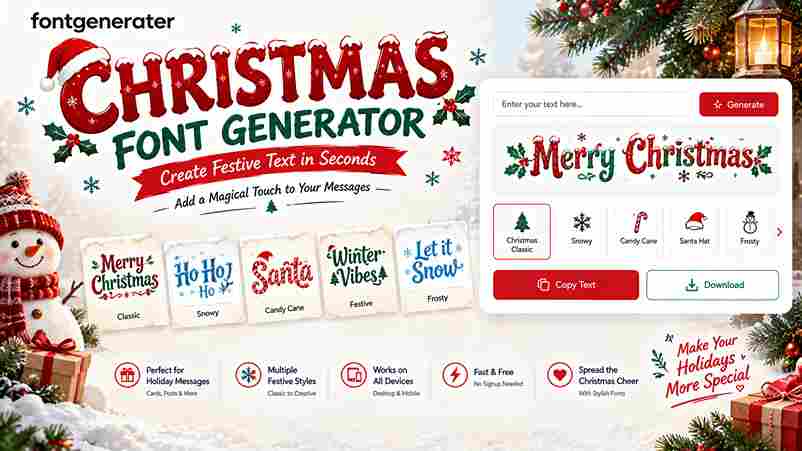
🎄 Christmas Font Generator Make your holiday words magical ✨ Enter your text Merry Christmas Preview size 24px Clear text Choose your Christmas style 8 styles All styles Festive Classic Fancy Tip: Copy a style and use it in your holiday cards, social media posts, messages, or Christmas designs. Christmas fonts turn ordinary greetings into festive messages through holiday-themed fonts, Unicode transformations, and Christmas emojis. I begin with the input field, type a short greeting, then compare style presets until the wording feels readable, seasonal, and suitable for the intended audience. A practical workflow uses preview, copy, and paste before publication. Check the destination app, line breaks, and truncation first, because every platform handles decorative characters differently. This simple review keeps each design clean while preserving holiday spirit, personality, and clarity. How to Use the Christmas Font Generator Begin with a short greeting, then add names or a CTA before choosing a style preset. Preview multi-line greetings, adjust spacing, and compare bold sans, classic script, or fullwidth options for clear festive text. For publishing, use copy all or copy as banner, then paste the result into social posts, emails, or Christmas cards. Check readability on small screens, save favorites, and keep one plain line as an accessible fallback. Pro Tips Start with plain holiday greetings, then test bold, script, and fullwidth treatments separately before combining them. Keep one hero line, preserve contrast, and use generous spacing so festive text remains readable across devices and platforms. For faster publishing, save favorite presets, prepare 3–5 variations, and rotate them through a weekly routine. Preview dark and light backgrounds, check mobile wrapping, and keep a simple fallback ready when special glyphs fail. Why Use a Christmas Font Generator? A Christmas font generator gives creators a faster way to produce festive messages for holiday social media, invitations, and personalized digital Christmas cards without installing a custom font or learning design software. In my experience, Unicode-based styling works especially well for plain holiday greetings, captions, and business communications because it keeps text readable across devices, supports quick copy-paste, and adds seasonal personality. Also Read: Halloween Font Generator Copy Paste Key Features Useful controls include Classic Festive, Modern Minimal, elegant scripts, clean sans, fullwidth, and monospaced options, with preview, copy, paste, line breaks, color controls, shadows, and adjustable spacing. For campaign work, batch input, preset groups, compact copy buttons, preview multiple lines, and cross-platform rendering help teams prepare templates, banners, captions, and support replies efficiently. Key Components A practical generator combines a text field, style selector, live preview, alignment controls, font-size settings, background choices, and an obvious Generate button, allowing users to type your text, customize it, and save results. The strongest workflow separates a bold sans top line, script middle line, and monospaced CTA, then checks contrast, readable sizes, spacing defaults, and mobile wrapping before publishing across channels. Where to Use / Applications and Use Cases During the holiday season, I use a Christmas font generator to prepare social posts, emails, and promotional content before December arrives. It also supports invitations, print layouts, and a Word document when one design must travel across channels. For November planning, teams can copy a greeting, download as image, or pair text-to-image fonts with campaign artwork. This approach keeps seasonal messages recognizable while adapting them for announcements, offers, cards, and short-form publishing without rebuilding every composition. Common Mistakes to Avoid Many creators choose decorative Christmas fonts before checking readability, then discover that fancy text generator results fail across devices and platforms. I always test holiday greetings in social posts, email subject lines, and banners before publishing. Another frequent mistake is crowding a multi-line banner with heavy scripts, insufficient breathing room, and weak color contrast. Use short lines, a clear message, and a plain fallback so every channel preserves the intended seasonal personality. Best Tools And Methods A practical Christmas font generator pairs online font generator previews with Unicode checks, helping a designer compare bold sans, script, and monospace treatments before publishing across devices and platforms. I usually test copy buttons, favorites, and history against social media platforms, websites, and email clients; this workflow keeps holiday greetings readable, accessible, and consistent while speeding revisions. Also Go: Canva Advanced Techniques Experienced creators often begin with the target channel, then type your text and adjust alignment, letter space, and line gap before choosing a style group. This sequence keeps Christmas-specific text styles readable across social media posts, email subject lines, and banners. For seasonal campaigns, I build stacked rows with a bold header, script subline, and fullwidth accent, checking color contrast and plain-text alternative first. I then A/B test a script headline against a bold-sans headline, measuring CTR, saves, and readability. Expanded Examples And Copy Blocks In client work, I begin with a draft base message, then compare a bold header, script accent, and fullwidth footer. This produces consistent seasonal lines for banners, captions, and email subject lines without redesigning every placement. For a compact campaign, I prepare ready captions, a product banner, an Instagram caption, and formal wishes together. I keep plain wording available, check color contrast, and retain one plain-text alternative for dependable sharing. Conclusion A reliable Christmas font generator balances festive character with practical publishing needs. In my testing, a readable, lightweight style performs better across devices, platforms, social posts, and email subject lines than dense decorative lettering. Before publishing, check commercial restrictions, Unicode behavior, accessibility, and rendering on mobile. Keep the primary keyword in ordinary text, preserve clear message hierarchy, and choose a consistent brand feel for holiday campaigns.