
Old English Font Generator Copy Paste
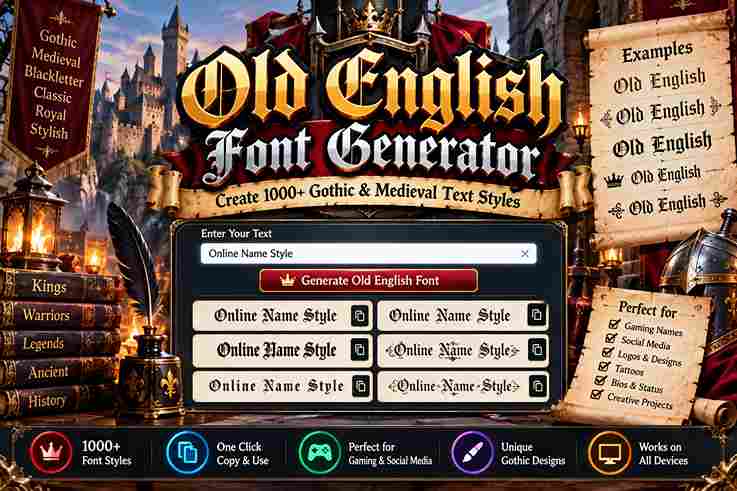
Old English Font Generator Enter your text: Bold Old English: Copy Regular Old English: Copy An Old English font generator turns text into a medieval look through blackletter styling, Unicode, and each distinct character. In practice, I use this online tool to test styles, compare readability, then copy finished text. For designers, the generator is less about installing font files and more about producing decorative text quickly. I use a phrase, review the preview, and adjust the font style until the lettering feels natural and usable. Key Takeaways The most useful Old English fonts balance historical character with practical readability. I usually test Classic Old English on real text first, because thick vertical strokes and ornate detailing can quickly overwhelm a crowded layout. For Gangster Style work, restraint matters more than decoration. Bold Old English, heavier weight, and short names suit logos and headlines, while a clean phrase preserves impact, legibility, and recognizable blackletter character in practical projects. How To Use The Old English Font Generator Open the generator, enter your wording in the input box, and choose an Old English style. The preview updates in real time, letting you compare character shapes before you copy the finished text for sharing. For practical use, test the result across Instagram, Discord, or other platforms, then adjust the style when characters render poorly. I usually copy, paste, check readability, and keep the version that looks balanced for sharing. Creative Uses For Old English Text Old English text can sharpen streetwear graphics, especially when a designer wants historical weight without adding clutter. I often use it for logo-style text, album artwork, posters, and profile visuals where dense letterforms create recognition. For personal projects, tattoo aesthetics work well when names or short phrases need a dramatic edge. Experimenting with Chicano lettering can also produce distinctive compositions, provided spacing, readability, and the surrounding design remain carefully controlled. Also Read: Gothic Font Generator Why Use Our Old English Font Generator? Our Old English Font Generator turns typed words into blackletter character styles, making experimentation faster across bios, captions, usernames, and posts. I value its quick copy-paste text workflow because it keeps design exploration practical online. From classic lettering to bold blackletter and Gangster Old English Font variations, the tool helps test phrases, initials, and names before publishing. Unicode output also suits Instagram, Discord, TikTok, and WhatsApp when platforms support characters. Old English Font Generator — Copy And Paste Anywhere Old English Unicode lets a finished phrase travel beyond a generator, while plain copy-paste text keeps the chosen style usable in Instagram bios, captions, Discord usernames, documents, and creative layouts without installing fonts anywhere reliably. From my testing, paste works best when the destination can render the characters correctly; platforms may handle them differently, so switch to a simpler variant when boxes appear, especially across apps and devices in practice. Old English Fonts For Tattoos Before planning a tattoo, preview the chosen Old English lettering at full size. Compare styles, test exact wording, and check how each letter will sit against skin curves; scales cleanly matters when details age later. A name, date, or quote needs spacing, so I prefer discussing design with a tattoo artist before ink is applied. A proper Old English font file helps the artist recreate intricate forms for lasting wear. Things To Know Before You Paste Before you paste Old English text, check whether the platform preserves Unicode characters. I test display names, comments, and channels first, because some apps support only specific Unicode character sets, leaving plain text there instead. A Short History Of Old English Type Across 1000 years, script styles changed as old English language moved from manuscripts toward print, with Textualis establishing dense letterforms. Its calligraphic form later influenced blackletter traditions used for formal display and headings in Europe. By print culture, Schwabacher and Fraktur refined the visual vocabulary, while William Caslon later inspired revival work through Caslon Black. I often see this lineage reflected in modern tools seeking an engraving look for character. Tips For The Best Results For best results, begin with Letters only and choose a readable Old English style before adjusting the size. I usually test contrast first, because dense blackletter can lose fine details when characters become too ornate. Keep the wording short, check unusual letters in a preview, and verify App support before sharing. My practice is to compare styles, then pick the version that keeps readability strong across every screen and platform. Conclusion This generator is most useful when treated as a finishing tool, not a shortcut. I test short statement phrases, compare styles, and check readability before placing stylized text into a final design for digital publishing. The strongest results often come from classic blackletter with restrained bold blackletter choices, especially when historical character, tradition, and dramatic Old English style need balance. Keep exact phrase intact, then review each glyph at size.