
Snapchat Font Generator – Create Cool Fonts to Copy & Paste
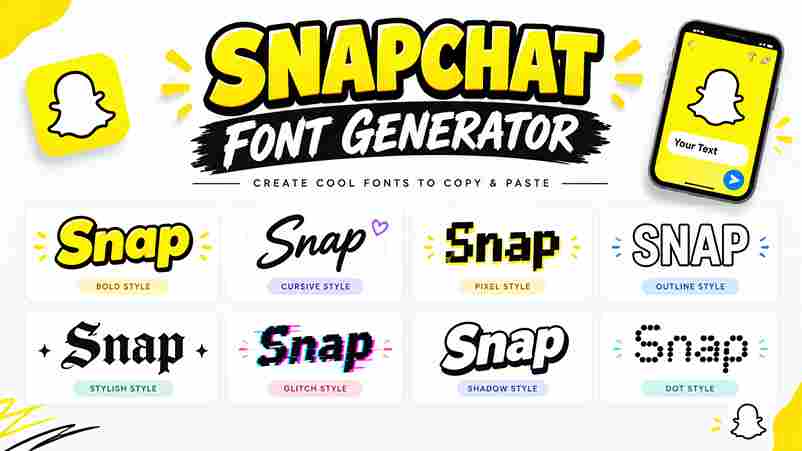
👻 Snapchat Text Generator Turn ordinary text into a standout style ✨ Enter your text ✨ Your text styles update instantly 0 / 500 characters 👻 Snapchat ✨ My Story 💛 Good Vibes ✍️ Your Name Explore Text Styles 18 styles All Styles Bold Cursive Gothic Creative Text Effects ♥ Saved 🔒 Text stays in your browser. No login required. Copy All Styles A Snapchat font generator makes plain captions more expressive, offering fancy Snapchat fonts you can copy and paste into Snapchat posts for birthdays, milestones, and everyday conversations without changing the message or requiring design experience. Because styling relies on Unicode standard characters, results may vary between a smartphone and desktop; preview each design, check legibility, and choose a readable format before sharing important messages with beloved ones across different apps. About Snapchat Font Generator A Snapchat fonts generator lets users reshape ordinary messages into fancy textual content without changing the underlying meaning. Enter words in the input box, preview decorative options, then copy and paste a style into Snapchat. Use fancy Unicode characters to add a creative touch to photo captions, chat messages, and Stories; this versatile tool offers font options for people who want to personalize a Snapchat profile with very little effort. How To Use Snapchat Font Generator Using an Online Font Style tool is extremely easy: enter your normal content in the text area, or place your text in the box. The generator can convert each character instantly into decorative alternatives online. Preview your fancy text styles first; Unicode standards and Unicode values may give a different social profile a new look, but standard characters can display differently across apps, so test the result wherever you want. Also Read: Stunning Instagram Fonts to Stand Out Where To Use Snapchat Font Generator Places worth trying include your Snapchat bio, profile names, Instagram bio, and Facebook chat; a generator can also dress up Tumblr fonts or YouTube fonts when sharing the same playful identity beyond Snapchat every day. Inside Snapchat, use styled text in Stories, quick replies, and snap overlays; for photos or updates, matching a collection of snaps with one readable style creates consistency without making names or messages hard to understand. Key Features Of Snapchat Font Creator The online tool offers more than 1000 Snapchat fonts, letting creators test different font styles before posting. A side-by-side comparison helps evaluate visually appealing text against each snap’s tone and intended audience before sharing publicly. The user-friendly interface keeps workflow simple: enter text, explore the available options, and copy generated text for captions or messages. Results work across mobile devices and desktop browsers, without requiring specialist design skills or coding. What Can You Do With Snapchat Fonts Generator Tool? Use the tool to customize text in a story, compare attention-grabbing fonts and decorative elements, then check each result before sharing. It helps shape quick celebrations, casual updates, or personal announcements with far less effort. You can turn a profile name into something unique, or style text messages with fancy formats that feel visually appealing. Copy a favorite result and paste it wherever compatible text is supported on your device. How Snapchat Fonts Works Snapchat fonts usually work by converting ordinary characters into different styles of text using Unicode symbols, rather than installing new typefaces. You enter a phrase, generate options, review results, then copy one into Snapchat quickly. Typically, a web tool processes your entry on the spot, displays a preview, and lets you copy the chosen style to your clipboard; appearance can vary across apps, devices, and screen sizes, and operating systems. How To Generate Fancy Snapchat Fonts? Begin in the input area, where the text generator tool turns your caption into fancy styles within seconds. Compare the results on screen, then choose a design that matches your Snap’s mood and message carefully. After selecting a favorite fancy text font, copy it to your clipboard and paste it into a caption or story. These designs use special Unicode characters, so check readability across devices before sharing with friends. Snapchat Fonts: Best Snapchat Font Generator Website A useful font generator website does more than decorate captions; it lets Snapchat users test creative lettering before posting, compare styles quickly, and choose text that suits a story’s mood without installing extra software today. In practice, a strong site previews 250+ stylish fancy fonts beside ordinary lettering, helping visitors judge readability, spacing, and tone before copying text into a snap, profile detail, or story overlay across screens with confidence. Customize Your Snapchat Snaps Make each snap feel personal with customized text, font styles, and colors that match your mood. I find that a small visual change can make everyday stories more engaging and memorable without clutter on screen. For a travel adventure, use a cohesive theme across individual snaps, then test unique and captivating text styles before posting. Keep captions readable; decorative choices should support your story, not compete with it for attention. Also Read: List of Unicode Symbols Stand Out From The Snapchat Crowd On Snapchat, eye-catching fonts can help your story feel recognizable without overwhelming the photo. Try captivating text styles for a short caption, then keep longer messages simple for comfortable reading across different snaps and posts. From my experience, a consistent style works better than adding symbols everywhere: choose bold or italic accents sparingly, match the mood of your picture, and preview each caption before sharing it with friends and followers. Easy-To-Use Interface The easy-to-use interface should make Snapchat text styling feel immediate, not technical. Enter normal text, preview available fancy fonts, then choose a look that matches your story across devices with minimal effort and fewer taps. In my experience, a useful generator keeps the main controls visible: an input text area, clear steps, and a copy button. That simple layout helps creators personalize captions quickly on phones or desktops with confidence. Personalize Your Snapchat Stories Personalize each Snap by choosing a wide variety of font styles, then pair readable lettering with colors that … Read more